Track Time Without Breaking Your Flow
Seamless time tracking for designers, writers, and creative studios. No timers to start, no interruptions to your process — Chronoid captures every minute across Figma, Photoshop, Premiere, and the rest of your toolkit, sorted by client project.
7-day free trial · No credit card required · macOS 14+
The problem
The Creative's Time Tracking Dilemma
“Traditional time trackers force me to stop what I'm doing to start a timer — right when the creative momentum finally kicks in.”
Interrupted flow states
“Every timer interaction is a mental context switch. It takes 23 minutes to refocus after an interruption.”
Context switching cost
“Forgotten timers mean lost billable hours. I probably underestimate my actual project time by 20-40%.”
Undervalued project time
“The ‘quick logo tweak’ became fourteen revisions. Without tracking, I never see scope creep until the project is already unprofitable.”
Scope creep blindness
The fix
Built for Creative Workflows
Creative work doesn't follow a clock. Chronoid's automatic tracking adapts to how you actually work.
Zero-interruption tracking
Chronoid runs silently in the background, capturing every app, document, and project you work on. No timers to start or stop, ever — smart idle detection handles your coffee breaks.
- Automatic app and document detection
- Smart idle detection for breaks
- Works with any creative software
Know which projects are actually profitable
See exactly how much time each project takes, broken down by app, document, and activity. Compare tracked hours against what you quoted — and catch scope creep while you can still bill for it.
- Automatic project grouping
- Export reports for client billing
- Historical trends to quote future work accurately
Preserve your flow state
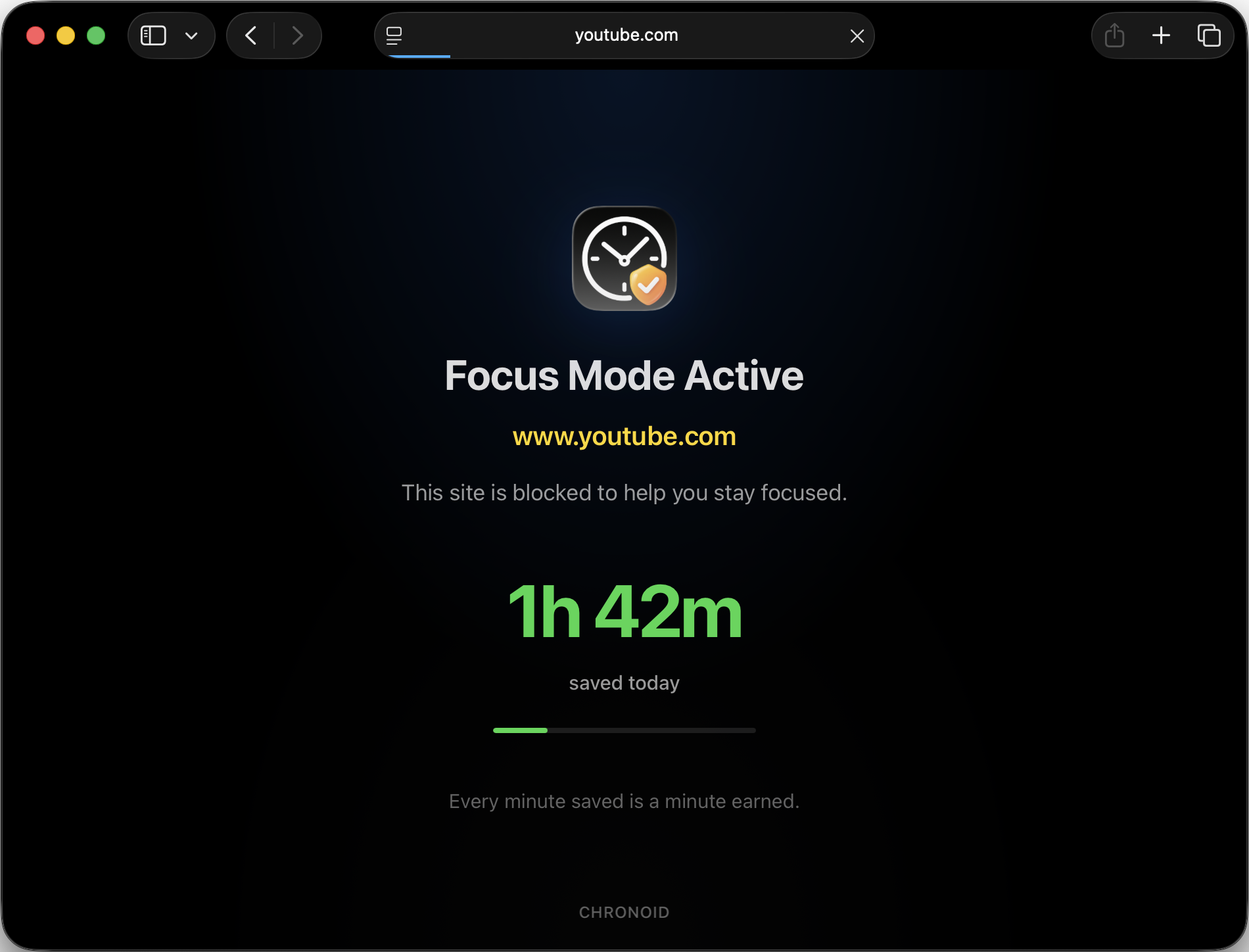
Built-in focus tools help you maintain deep work sessions while tracking happens automatically in the background. Block distracting sites during client work and sprint with the Pomodoro timer.
- Pomodoro timer for focused sessions
- Website blocker for distractions
- Focus mode analytics
Ask your time data anything
Ask questions in plain English and get instant answers: "How much time on design this week?", "When am I most productive?", "Compare time on project A vs B."
- Natural language queries
- Productivity pattern insights
- Per-project comparisons on demand
Perfect for Every Creative Role
Designers
Track time in Figma, Photoshop, Sketch, and every design tool automatically.
- •See time per design file
- •Track revision iterations
- •Measure research vs design time
Writers
Monitor writing sessions in any editor without disrupting your creative flow.
- •Track by document and project
- •Measure editing vs writing time
- •Find your peak writing hours
Developers
Automatic tracking across IDEs, terminals, and browsers as you code.
- •Track by project and repository
- •Measure coding vs debugging time
- •Works with VS Code, Xcode, terminals
Questions from Creative Professionals
Will Chronoid slow down my creative software?
Not at all. Chronoid uses minimal system resources and runs completely in the background. It won't affect performance in Figma, Adobe Creative Suite, VS Code, or any other application. Most users forget it's even running.
How does Chronoid handle multiple projects I work on simultaneously?
Chronoid automatically detects when you switch between applications and documents. You can group activities into projects either automatically based on rules you set, or manually categorize them later. The AI can also help you analyze time across multiple concurrent projects.
Can I use Chronoid to bill clients accurately?
Yes! Chronoid provides detailed reports showing exactly how much time you spent on each project. Export reports for invoicing, or use the data to create more accurate project estimates for future work. You'll never undercharge for your creative time again.
Is my creative work and data kept private?
Absolutely. All data is stored 100% locally on your Mac. Nothing is sent to the cloud, no servers, no third parties. Your project names, client information, and work patterns stay completely private on your machine.
Everything Chronoid does for creatives
Start tracking without the interruptions
Join thousands of creative professionals who track their time automatically. 7-day free trial, no credit card required.