Feature
Time Tracking That Runs Itself
Chronoid automatically captures foreground apps, window titles, browser URLs, and supported resource paths while you work. No timers to start. No time entries to forget. Just work naturally and let Chronoid build your timeline in the background.
How Automatic Time Tracking Works
1 · Install Chronoid
Download and install Chronoid on your Mac. Grant accessibility permissions and the app starts tracking immediately. Setup takes less than 2 minutes.
2 · Work Normally
Just work as you always do. Chronoid runs silently in the background, recording foreground app changes, active windows, browser URLs, and supported file or app contexts. No interaction needed.
3 · Review Insights
Check your dashboard anytime to see exactly where your time went. Get detailed breakdowns by app, project, or category. Export reports for billing or analysis.
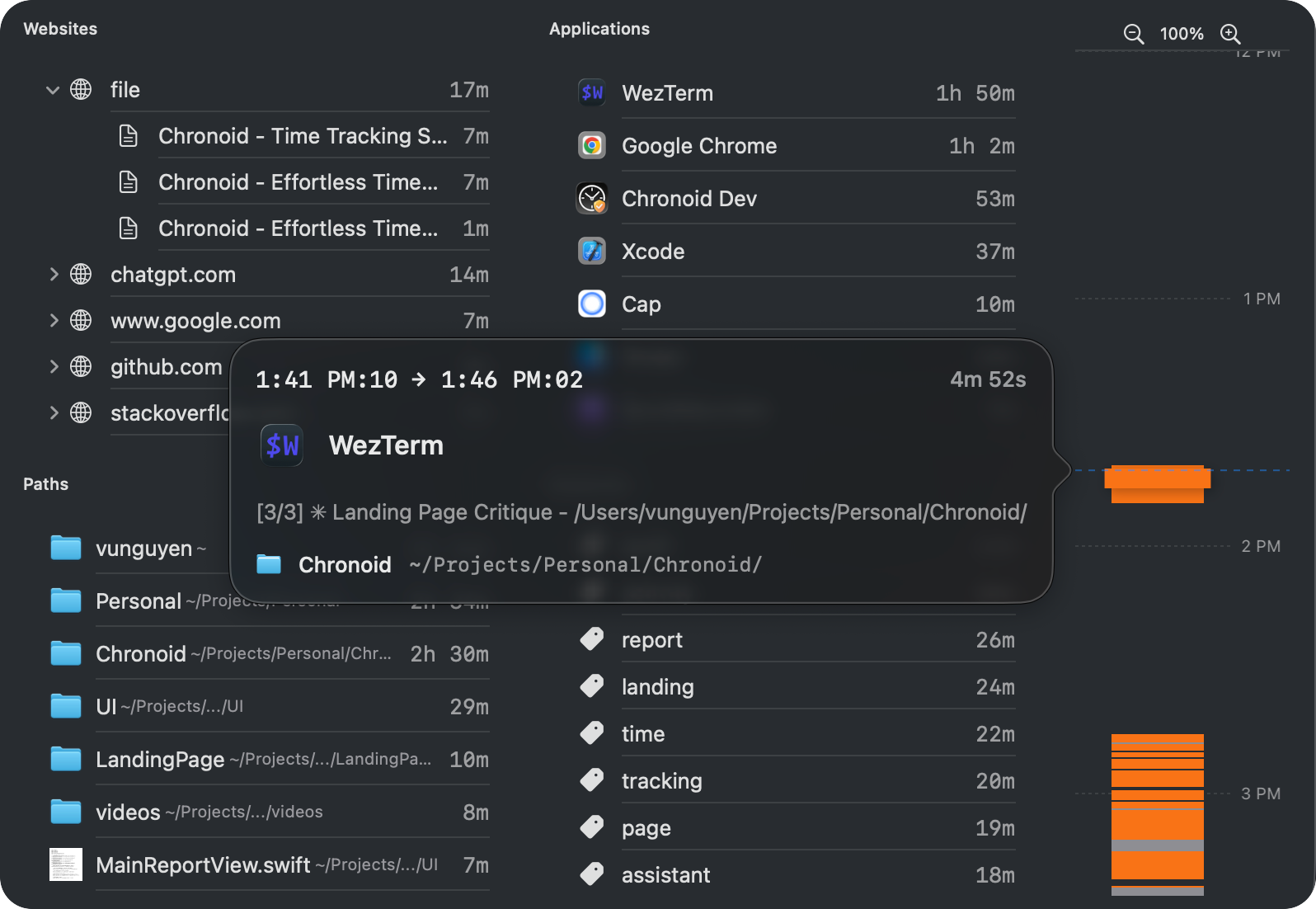
Your whole day, on one timeline
Every tracked session lands on a zoomable timeline with the app, window title, and URL that Chronoid captured — so you can always reconstruct what you were doing, minute by minute.
- Tracks apps, websites, and documents
- Detects when you're idle or away
- Zero setup required
Why Automatic Tracking is Better
No Timers to Manage
Forget about starting and stopping timers. Never lose tracked time because you forgot to hit "start" before a meeting or "stop" before going to lunch. Chronoid handles it all automatically.
One-Second Sampling
Chronoid samples the active app every second and keeps continuous spans for matching activity. See how long you spent in each app, website, channel, folder, or supported project context without guessing or rounding up time entries.
Intelligent Idle Detection
Chronoid detects when you step away from your Mac using mouse, keyboard, and controller activity. When you return, a recovery prompt can help you title, categorize, adjust, or discard the idle gap.
Smart Project Assignment
Create rules to automatically assign tracked time to projects based on app names, bundle IDs, window titles, domains, URL paths, file paths, or keywords. Your time is organized without any manual categorization needed.
Who Benefits from Automatic Time Tracking?
Freelancers Tracking Billable Hours
Never undercharge clients again. Chronoid captures every minute spent on client projects, ensuring accurate invoices. Review your tracked time at the end of each day and assign it to projects with confidence.
Chronoid for freelancersRemote Workers Proving Productivity
Working from home? Chronoid gives you concrete data to show your productivity. Generate reports that demonstrate your work patterns, focused time, and accomplishments throughout the day.
Chronoid for remote workersAnyone Wanting to Understand Their Time
Curious where your day goes? Chronoid reveals your true time usage patterns. Discover how much time you spend in meetings, browser work, messaging, media, or deep-focus apps. Make informed decisions to improve.
Explore the dashboardFrequently Asked Questions
How does automatic time tracking work on macOS?
Chronoid uses macOS accessibility APIs to detect which application is in the foreground and what window is active. It records app names, bundle IDs, window titles, browser URLs, and supported resource paths locally on your Mac, creating a timeline of your work day without manual input.
Is my data private with automatic tracking?
Chronoid records activity spans in a local database on your Mac, including app names, window titles, URLs, and supported resource paths. You stay in control of what gets tracked with ignored apps, ignore rules, and private browsing title protection.
Can I exclude certain apps or websites from tracking?
Yes. Chronoid includes user-managed ignored apps and ignore rules for applications, domains, keywords, window titles, bundle IDs, URL paths, and file paths. It can also label private browser windows as "Private Browsing" instead of storing the original title.
Does automatic tracking slow down my Mac?
No. Chronoid is designed to be extremely lightweight. It uses minimal CPU and memory, running efficiently in the background without impacting your Mac's performance. You won't even notice it's there.
Related: Idle detection · Smart rules · Privacy & local-first
Start tracking time automatically
Try Chronoid free for 7 days. No credit card required. See exactly where your time goes without lifting a finger.