Stop Losing Billable Hours
You're too busy doing great work to remember starting a timer. Chronoid runs silently on your Mac, captures every billable minute, and assigns it to the right client — so month-end invoicing takes minutes, not an evening of guesswork.
No credit card required · No account needed · macOS 14+
The problem
Sound Familiar?
These time tracking struggles cost freelancers thousands in lost revenue every year.
“Constantly switching between my work and a time tracker breaks my flow. I end up guessing hours at the end of the day.”
Manual tracking gets abandoned within weeks
“I dove into the project, got in the zone, and two hours later realized the timer was never started.”
That's money left on the table
“Those ‘quick’ email replies and small revisions add up to hours I never bill for.”
Undercharging, one small task at a time
“End of the month, I'm reconstructing my hours from memory, calendar events, and chat histories.”
Invoicing becomes a stressful guessing game
The fix
Built for How Freelancers Actually Work
Chronoid handles the tracking so you can focus on delivering great work to your clients.
Automatic time tracking, no timers to manage
Chronoid runs silently in the background, automatically tracking every app, website, and document you use. No timers to start, no buttons to click.
- Captures apps, websites, and documents automatically
- Smart idle detection keeps away-time out of billables
- Never miss billable time again
Every minute assigned to the right client
Organize tracked time by client and project. Set up rules once — like "window title contains ClientX" — and new activity lands in the right project automatically.
- Client-based project organization
- Auto-categorization rules
- Bulk time assignment for cleanup
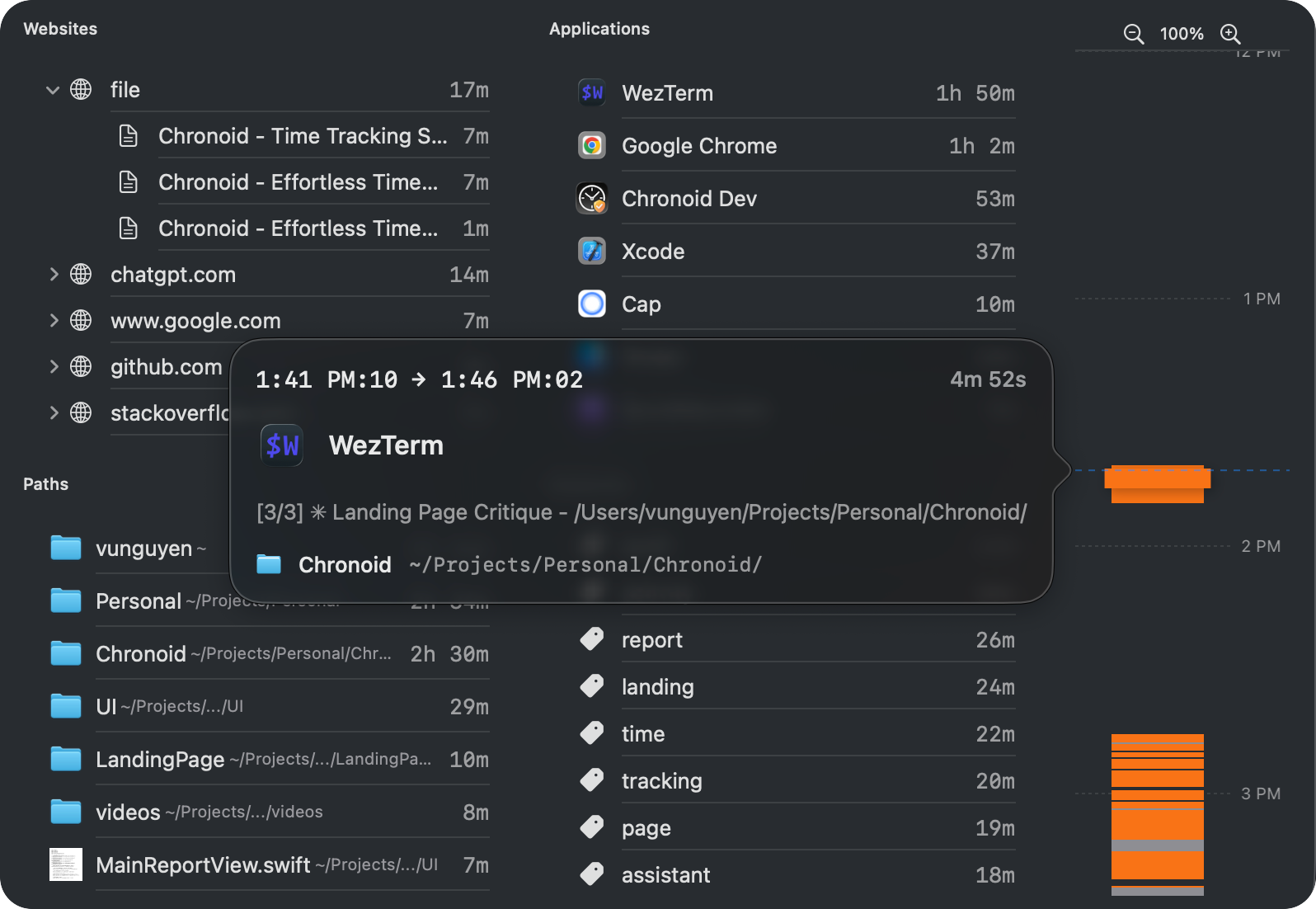
Invoicing-ready reports in one click
When the invoice is due, your hours are already there. Filter by client and date range, review the breakdown, and export a PDF or CSV — no manual calculations.
- CSV and PDF exports ready to attach to invoices
- Detailed activity breakdown per client
- Custom date ranges for any billing cycle
Ask your time data anything
Ask questions in plain English: "How many hours did I work on Client X this week?" Get instant answers when you're filling a timesheet or preparing an invoice.
- Natural language queries
- Instant time summaries
- Productivity insights across clients
Why Freelancers Choose Chronoid
100%
Local & Private
$49-99
One-time, not monthly
7 days
Free trial, no card
Frequently Asked Questions
How does automatic tracking help me bill more accurately?
Chronoid captures every minute you spend working, including those "quick" tasks that add up. Instead of guessing or forgetting to start a timer, you have a complete record of your work. Many freelancers discover they were undercharging by 15-30% once they see their actual time.
Can I separate time for different clients?
Absolutely. You can create projects for each client and either manually assign tracked time or set up automatic rules. For example, time spent in the "ClientX-Website" folder in VS Code can automatically be assigned to Client X's project.
Is my client data private and secure?
Yes. Chronoid stores all data locally on your Mac. Nothing is uploaded to the cloud or shared with third parties. Your client work, project names, and tracked activities stay completely private on your machine.
What format can I export for invoicing?
Chronoid exports detailed reports in CSV format, which you can import into any invoicing tool like FreshBooks, Wave, or QuickBooks. You get date, project, duration, and activity details ready for client billing.
Everything Chronoid does for freelancers
Start capturing every billable hour
Try Chronoid free for 7 days. No credit card required. Join thousands of freelancers who never lose track of their time.