The best Mac app time tracker is the one you forget is even there. It works silently in the background, automatically figuring out where your time goes without ever compromising your privacy. The goal isn't just to log hours; it's to understand your workflow, spot patterns, and find more focus.
Why a Dedicated Mac Time Tracker Is a Game-Changer
In a world filled with endless digital pings and notifications, truly understanding how you spend your time isn't just a nice-to-have—it's critical for getting anything meaningful done. A dedicated time tracker for your Mac gives you a clear, data-backed mirror of your daily habits. For freelancers, consultants, and teams, this kind of insight is gold. It leads to more accurate billing, smarter project estimates, and the ability to spot workflow snags before they turn into major delays.
The massive shift to remote and hybrid work has only amplified this need. It's no surprise the market for these tools is expected to hit $141 million in 2025 and keep growing by 7.1% through 2033. People are realizing that managing their time well is a superpower.
From Simple Timers to Smart Insights
Let's be honest, manual timers are a pain. You forget to start them, forget to stop them, and the data you get is patchy at best. A modern Mac app time tracker gets around this by quietly logging your activity as you switch between apps and websites—no start/stop button required.
This is what turns raw data into something you can actually use. You get a clear visual breakdown of your day, showing exactly how much time went into each project or task.
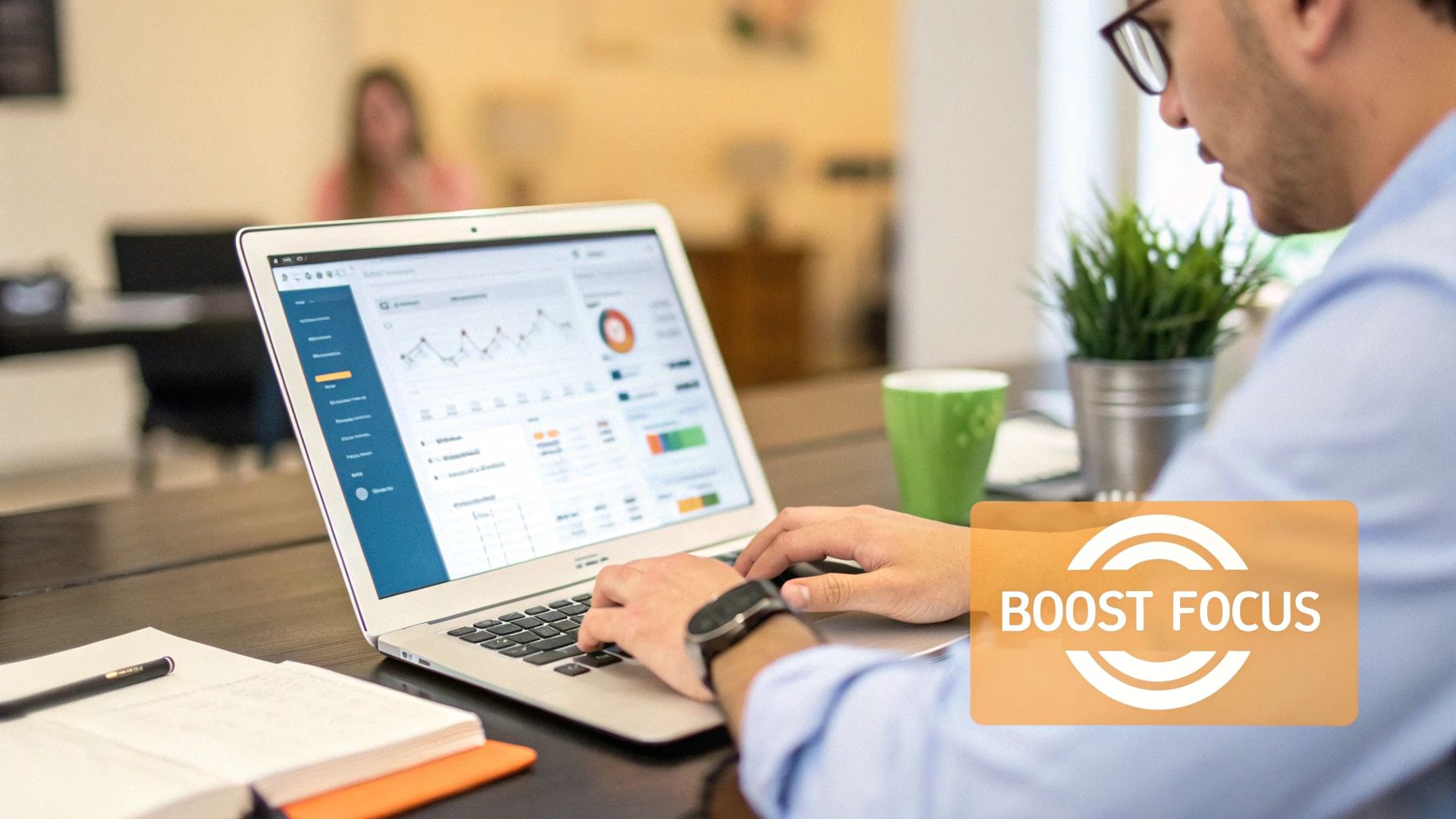
With this kind of visualization, you can see at a glance where your attention is going and make adjustments on the fly.
A great time tracker doesn’t just count minutes. It gives you the context to make smarter decisions about your most valuable resource—your attention.
Much like specialized developer time tracking software, a dedicated Mac tool can completely change your workflow. By letting automation do the heavy lifting, you gain some serious advantages:
- Objective Productivity Data: Ditch the guesswork. Get accurate reports on where your time actually goes.
- Enhanced Focus: Easily identify your biggest time-wasters and use built-in focus tools to block them out when you need to concentrate.
- Streamlined Billing: Capture every single billable minute, ensuring your invoices are both precise and fair.
- Improved Work-Life Balance: Find and fix those hidden inefficiencies to reclaim your time and avoid burnout.
Our deep dive into time tracking on Mac is packed with more strategies to help you get the most out of your day.
What Really Matters in a Modern Time Tracker
Picking the right Mac app time tracker can feel like a chore, with every tool making the same promises about boosting your productivity. To see past the marketing fluff, you need to know which features actually make a difference in your day-to-day work. This isn't just about counting hours; it's about getting real insights without creating more admin for yourself.
The first big choice you'll face is automatic versus manual tracking. Manual timers seem simple enough, but they depend on you remembering to start and stop them. We all know how that goes—you get pulled into a meeting or a deep-work session, and the timer gets forgotten, leaving you with skewed data that's pretty much useless.
The best time tracker is one that adapts to your workflow, not the other way around. Automatic tracking removes the burden of remembering to start and stop timers, providing a complete and objective picture of your day.
The Magic of Automation and AI
A truly automatic tracker just runs quietly in the background, noting the apps, documents, and websites you're using without you having to do a thing. This "set it and forget it" approach is the bedrock of accurate time tracking. Our guide on the best automatic time tracking for Mac dives deeper into why this is such a game-changer. When you're not constantly thinking about tracking, you get a much more honest look at where your time actually goes.
The best tools now take this a step further with AI-driven categorization. Instead of you spending hours sifting through a long list of activities, the software is smart enough to group them for you. It learns, for instance, that your time in Figma and those Slack chats with the design channel all fall under "Project Phoenix." This simple step transforms a chaotic timeline into a clean, useful report, saving you a ton of time each week.
Privacy, Focus, and Connecting the Dots
Of course, letting an app see your activity requires a huge amount of trust, so privacy is non-negotiable. I always look for apps that process data on my own device first and foremost, meaning my sensitive info stays on my Mac. A great tracker should give you insights, not make you feel like you're being watched. You need to be in complete control of what gets tracked and where it's stored.
Finally, a time tracker should do more than just record time—it should help you work smarter. Here are a few things that separate the good from the great:
- Built-in Focus Tools: Look for features like website blockers or integrated Pomodoro timers. They help you stay on task without needing to juggle yet another app.
- Seamless Integrations: The tool has to play nice with the software you already use. Connecting to your project management apps (like Asana or Jira) and calendars is essential for a truly connected workflow.
By focusing on these key criteria—automation, smart AI, privacy, and useful integrations—you'll be able to confidently assess any Mac app time tracker and find one that genuinely supports the way you work.
Comparing the Top Contenders for Mac Time Tracking
Picking the right mac app time tracker isn’t just about ticking off features on a list. It’s about finding a tool that fits how you actually work. Let's look at three of the best options out there—Chronoid, TMetric, and Tyme—and see where they shine in real-world situations.
Each of these apps is built for a different kind of user. Are you someone who needs seamless automation, a manager who needs deep team integrations, or a die-hard Apple fan who wants everything to just work together? Your answer will point you to the right tool.
Chronoid: The Automation and Privacy Specialist
Chronoid is designed around a simple idea: "set it and forget it." It’s for the professional who needs a perfect record of their day without the constant distraction of starting and stopping timers. The magic is in its AI-powered automatic tracking, which quietly logs every app, document, and website you touch.
Picture this: you're a freelance designer juggling three different client projects. You bounce from Figma to a client email, then dive into a Slack chat, and finally spend an hour digging through stock photo sites. Chronoid captures all of it in the background. Later, its AI suggests how to categorize that time, letting you review a clean, organized timeline without ever having manually tracked a single minute.
Chronoid operates on the belief that the best time tracker is invisible. It focuses on providing powerful insights with zero friction, making it ideal for individuals who value deep work and user-controlled privacy.
For a more in-depth look at how different tools handle time management, check out our complete time management software comparison.
TMetric: The Team and Integration Powerhouse
TMetric goes in a different direction. It’s built for teams and agencies that live and breathe detailed reporting, client billing, and project management. While it has automatic tracking, its real strength is how it plugs into your entire workflow, acting as a central hub for time logged against tasks from other platforms.
Think of a project manager at a busy marketing agency. Their team’s entire campaign lives in Asana. With TMetric, each team member can track their hours directly from their Asana tasks using a simple browser extension. That data flows right into TMetric’s powerful reporting engine, so the manager can instantly check budgets, gauge productivity, and generate spot-on client invoices.
This level of integration is a game-changer. A 2025 mini-study of 30 leading Mac time trackers found that prices typically range between $5 and $15 per user per month. Apps like TMetric stand out in this crowded field by combining a solid macOS app with deep integrations for tools like Asana, Jira, and Trello.
Tyme: The Apple Ecosystem Purist
Tyme is for the person who is all-in on Apple. Its biggest selling point is its flawless integration across macOS, iOS, iPadOS, and watchOS. If you're a consultant who moves from a MacBook in the office to an iPad on the train and an iPhone on-site, Tyme delivers a smooth, unified experience.
A consultant tracking billable hours is a perfect use case. They can start a timer on their Apple Watch as a meeting begins, add notes from their iPhone right after, and then pull up detailed weekly reports on their MacBook back at their desk. Everything syncs instantly via iCloud, so not a single billable minute gets lost, no matter which device was used to log it. Tyme’s dedication to the native Apple experience makes it an obvious choice for anyone deeply embedded in that world.
Feature Comparison of Leading Mac Time Trackers
To help you see the differences at a glance, here’s a side-by-side comparison of how Chronoid, TMetric, and Tyme stack up on the features that matter most for productivity and workflow management.
| Feature | Chronoid | TMetric | Tyme |
|---|---|---|---|
| Automatic Tracking | Excellent (AI-powered) | Good | Manual |
| Primary Use Case | Individual Productivity | Team & Agency Management | Apple Ecosystem Users |
| Privacy Focus | High (User-controlled data) | Standard | Standard (iCloud Sync) |
| Integrations | Good (via Zapier) | Excellent (Native) | Limited |
| AI Categorization | Yes | No | No |
| Cross-Device Sync | Web & Desktop | Web, Desktop, Mobile | Excellent (Apple only) |
This table makes it clear: if your priority is effortless, private, and automatic tracking, Chronoid is the standout choice. For teams needing deep integrations, TMetric is a powerhouse. And for the dedicated Apple user, Tyme offers unparalleled ecosystem harmony.
How to Choose the Right App for Your Work Style
Picking the best Mac app time tracker is less about a feature-for-feature showdown and more about finding a tool that just gets how you work. The right app should blend into your background, feeling like a natural part of your process, not just another chore on your to-do list. To find that perfect match, you need to think about your day-to-day work and what you're really trying to fix.
Are you a freelance creative who just wants to get into a deep focus state without worrying about a timer? Or are you a project manager trying to wrangle team hours and keep clients happy with accurate billing? The answer completely changes which app is right for you.
Aligning the App to Your Role
First, figure out what you absolutely cannot live without. A freelance designer juggling a dozen clients needs something that works on its own, like Chronoid. It quietly logs every minute spent in Figma or dashing off client emails, all without you having to start and stop a timer. This means your creative flow stays intact and every billable second is accounted for, friction-free.
On the other hand, a project manager at a busy digital agency has a totally different set of problems to solve. For them, a tool like TMetric is a game-changer with its powerful team features and deep integrations. It hooks directly into project management software, giving a clear view of project budgets and team capacity, essentially becoming the command center for the whole operation. When picking your tool, it's also smart to think about how it plays with the other best tools for content creators, since time management is a huge piece of their puzzle.
The best time tracker is the one that solves your biggest workflow headache. For some, that’s getting rid of the hassle of manual timers. For others, it’s getting a crystal-clear look at what the team is doing.
The Apple Ecosystem Specialist
If you're a consultant or professional who lives and breathes Apple, you need an app that moves with you. This is a huge differentiator among Mac time tracking apps. A tool like Tyme, for example, has really nailed its integration across the Mac, iPhone, iPad, and Apple Watch. It makes tracking time and pulling reports feel completely seamless, no matter which device you’re using.
If you spend your day bouncing between your iMac and your iPhone, this kind of cross-device sync is non-negotiable. You can find more thoughts on Mac time tracking on whichtimetracker.com that dive deeper into this.
By lining up what you actually do all day with what these apps are built for, you can go from "I guess I need a time tracker" to knowing exactly which tool will make your work life easier.
Chronoid: Designed for the Modern Mac Professional
Most time trackers are noisy. They constantly demand your attention, pulling you out of your flow to start and stop timers. We built Chronoid on a completely different idea: a tool designed for Mac professionals who need deep, focused work and smart insights, not another chore.
This isn't just about logging hours. It's about having a productivity partner that actually understands how you work, without getting in your way.
At its heart, Chronoid is a "set it and forget it" tool. Once installed, it works quietly in the background, capturing every app, document, and website you use. You never have to press a start or stop button again. This alone removes the constant mental drain of manual tracking—that nagging feeling that you forgot to start a timer.
Automation That Actually Helps
Chronoid doesn't just log your activity; it uses AI to make sense of it. Instead of dumping a messy list of every website you visited or file you opened on your desk, it intelligently groups related activities together. It turns raw data into a clean, easy-to-read report.
For example, all your time spent in Figma, a client’s Slack channel, and a project brief in Notion can be automatically bundled under the correct project name. This kind of smart automation can save you hours of admin work every month, letting you focus on what matters instead of fighting with timesheets. Research from McKinsey found the average employee spends 28% of their week just on email; your time tracker shouldn't add to that load.
Built on a Foundation of Privacy
We're all more aware of data privacy than ever, and Chronoid was engineered with a privacy-first approach from day one. All your activity data is processed and stored locally on your Mac. That’s it. It never leaves your device unless you decide to sync it with your own cloud provider.
Your productivity data is personal. A modern mac app time tracker should give you insights, not make you feel watched. With Chronoid, you are always in control.
This core commitment means you get a crystal-clear picture of your work habits without worrying about your sensitive data being shipped off to some third-party server. Chronoid gives you powerful analytics, but on your terms.
It's this blend of effortless tracking and absolute privacy that makes Chronoid the right choice for professionals who need accurate data without the usual drawbacks. You get the insights needed to improve your focus and be more productive, all while keeping your data truly yours.
Answering Your Top Time Tracking Questions
Choosing a time tracker for your Mac usually brings up the same handful of questions. It's smart to think about focus, security, and how easy it is to use before you install a new app. Let's tackle these common concerns head-on so you can feel good about your choice.
A lot of people wonder if a time tracker can really help them focus. The answer is a definite yes, but it's not just about counting hours. Automatic trackers are great because they eliminate context switching—that mental hiccup you experience every time you have to start or stop a manual timer. When that chore is gone, you stay in the zone longer.
These apps also give you an honest, data-backed look at where your time actually goes. When you see that you lost 90 minutes to social media rabbit holes, you have the proof you need to block those sites and get back on track.
How Safe Is My Data?
This is probably the most critical question of all. Letting an app monitor your activity requires a huge amount of trust. The best automatic trackers are built on a privacy-first philosophy, which means your data is processed and stored locally on your Mac, right where it belongs.
Keep an eye out for tools like Chronoid that are upfront about keeping your data on your device. This approach is simple: you get all the powerful insights without sending your activity logs to some random server. You're always in control.
A good time tracker should give you insights, not make you feel like you're under surveillance. Local data processing is the gold standard for privacy and peace of mind.
Is It a Pain to Set Up?
The idea of configuring yet another piece of software is enough to make anyone sigh. Thankfully, the best modern apps are designed to be incredibly simple. A great Mac app time tracker shouldn't need a complicated setup—you should just be able to install it and let it do its thing.
For example, tools like Chronoid are what I'd call "set it and forget it." You're up and running in about a minute, and after that, the app just hums along quietly in the background. It doesn’t need constant tinkering. This easy start means you get useful data from day one, no steep learning curve required.
Ready to see how effortless, private, and insightful time tracking can be? Chronoid combines AI-powered automation with a deep commitment to your privacy, giving you a clear picture of your workday without the hassle. Start your free 14-day trial of Chronoid today and discover a smarter way to manage your time.