
In a world of constant digital noise and competing priorities, simply working harder isn’t the answer. True productivity isn’t about logging more hours; it’s about making the hours you have count. For macOS professionals, developers, and knowledge workers, the difference between a chaotic week and a successful one often comes down to a simple, powerful skill: mastering your time.
But where do you start? Vague advice like “be more organized” falls flat. You need proven systems and concrete, actionable time management best practices that you can implement today. This guide moves beyond the basics to provide a roundup of 10 powerful methods, from the Eisenhower Matrix to the Pomodoro Technique. Each one offers a unique approach to help you reclaim your focus, prioritize with clarity, and achieve your goals with less stress. Understanding why this discipline is non-negotiable is the first step, and delving into practical strategies to increase productivity at work can further reinforce this necessity.
To make these strategies stick, you first need to understand where your time truly goes. That’s where a tool like Chronoid becomes your secret weapon. Its automatic time tracking on macOS provides the data-driven foundation you need, revealing hidden distractions and peak focus periods without any manual effort. As we explore each practice, we’ll show you how to leverage Chronoid’s insights and built-in focus tools to turn theory into tangible results. Prepare to move from feeling busy to being genuinely effective.
1. Pomodoro Technique
The Pomodoro Technique is a classic time management method that breaks your workday into short, focused sprints. Developed by Francesco Cirillo in the late 1980s, this approach combats mental fatigue and keeps you consistently productive by alternating focused work with deliberate rest. It’s one of the most effective time management best practices because it builds momentum and makes large tasks feel less overwhelming.
The system is simple: you work in 25-minute intervals, called “pomodoros,” separated by short 5-minute breaks. After completing four pomodoros, you take a longer break of 15-30 minutes. This structure helps maintain high concentration levels and prevents the burnout that often comes from long, uninterrupted work sessions.
How to Implement the Pomodoro Technique
Getting started is straightforward. All you need is a timer and a to-do list.
- Choose a Single Task: Select one priority item from your list.
- Set Your Timer: Set a timer for 25 minutes. A physical timer is often recommended to create a tangible commitment.
- Work Undistracted: Focus solely on the chosen task until the timer rings. If an unrelated thought or distraction comes up, jot it down on a piece of paper and return to your work.
- Take a Short Break: When the timer goes off, mark one pomodoro as complete and take a 5-minute break. Stretch, grab a glass of water, or step away from your screen.
- Repeat and Rest: After four pomodoros, take a longer, more restorative break (15-30 minutes).
Real-World Example: A macOS Developer
A developer debugging a complex piece of code can use this technique to stay sharp. They set a 25-minute timer to focus exclusively on tracing a bug. During the 5-minute break, they step away from the keyboard, completely disengaging. This mental reset often helps them spot the solution faster when they return for the next pomodoro, preventing hours of frustrated, unproductive work.
2. Getting Things Done (GTD)
Getting Things Done (GTD) is a comprehensive productivity framework developed by David Allen. Its core principle is to move all your tasks, ideas, and commitments out of your mind and into a trusted external system. This method is one of the most powerful time management best practices because it frees up mental bandwidth, allowing you to focus on executing tasks rather than trying to remember them.
The system is built on a five-step workflow: capture, clarify, organize, reflect, and engage. By systematically processing everything you need to do, GTD reduces stress and ensures nothing falls through the cracks. It provides a structured way to manage the constant influx of information and responsibilities that define modern work.
How to Implement Getting Things Done (GTD)
Implementing GTD involves setting up a system to manage your workflow. While it can be detailed, you can start with the basics.
- Capture Everything: Use a notebook, app (like Things 3 or OmniFocus), or voice recorder to capture every task, idea, or reminder that comes to mind. Don’t filter; just get it out of your head.
- Clarify and Process: Regularly review your captured items. For each one, ask: “Is it actionable?” If not, trash, incubate, or file it as a reference.
- Organize Actionable Items: If a task takes less than two minutes, do it immediately. Otherwise, delegate it or defer it by adding it to a specific to-do list organized by context (e.g., @Office, @Home, @Calls).
- Reflect and Review: Conduct a Weekly Review to get a clear overview of all your projects and commitments, clean up your lists, and plan the upcoming week. This is the critical step that keeps the system functional.
- Engage and Execute: With a clear and organized system, you can trust your lists and focus on doing the right task at the right time.
Real-World Example: An Entrepreneur
An entrepreneur juggling product development, marketing campaigns, and investor relations uses GTD to stay sane. They capture every idea and to-do in OmniFocus on their Mac. During their daily processing, they sort tasks into projects like “Q3 Marketing Push” or contexts like “@Calls.” The Weekly Review on Friday ensures they never lose track of a critical deadline or a promising new idea, allowing them to engage fully with the task at hand.
3. Eat the Frog
The “Eat the Frog” method is a straightforward yet powerful strategy for conquering procrastination and ensuring a productive start to your day. Popularized by Brian Tracy and based on a Mark Twain quote, the core idea is simple: if you have to eat a live frog, it’s best to do it first thing in the morning. Your “frog” is your most important, challenging, or dreaded task, and tackling it first is one of the most effective time management best practices because it builds momentum and makes the rest of your day feel easier.
This approach leverages your peak willpower and energy, which are typically highest at the start of the day. By completing your most difficult task before anything else, you eliminate the mental burden of dreading it, freeing up cognitive resources for other activities. This single win sets a positive and productive tone for everything that follows.
How to Implement the Eat the Frog Method
Implementing this technique requires discipline but is easy to start. It’s all about identification and immediate action.
- Identify Your Frog: The evening before, review your to-do list and determine your single most important task for the next day. This is your frog.
- Prepare to Act: Make it the very first thing you work on. Don’t check emails, don’t browse social media, and don’t get sidetracked by smaller, easier tasks.
- Eliminate Distractions: Dedicate a focused block of time to work solely on your frog. Turn off notifications and let others know you are unavailable.
- Complete It or Make Progress: The goal is to finish the task entirely. If it’s too large for one session, make a significant dent in it.
- Reward Yourself: After eating your frog, acknowledge the accomplishment. This positive reinforcement makes the habit easier to maintain.
Real-World Example: A Marketing Manager
A marketing manager needs to finalize a complex quarterly budget report, a task they find tedious and stressful. Instead of putting it off, they make it their “frog.” They arrive at the office, ignore their overflowing inbox, and dedicate the first 90 minutes of their day exclusively to the report. By 10:30 AM, the most dreaded task is complete, and they feel accomplished and clear-headed, ready to tackle creative campaign planning with full focus.
4. Time Blocking
Time blocking is a powerful scheduling method that moves you from a reactive to-do list to a proactive calendar-based plan. Instead of simply listing what you need to do, you assign a specific block of time on your calendar for each task or activity. This approach, championed by figures like Cal Newport, ensures that your priorities get the dedicated, focused attention they deserve. It’s one of the most effective time management best practices for preventing context switching and protecting your most productive hours.
By scheduling everything from deep work sessions to email management and breaks, you create a clear, intentional blueprint for your day. This eliminates decision fatigue about what to work on next and helps you realistically estimate what you can accomplish.

How to Implement Time Blocking
Transitioning to a time-blocked schedule is a deliberate process of planning and execution. It works best with a digital calendar or dedicated planning tool.
- Identify Your Priorities: At the start of your day or week, list your most important tasks.
- Estimate Task Duration: Assign a realistic time estimate to each priority. Be honest about how long things will take.
- Schedule Your Blocks: Open your calendar and create events for each task. Schedule your most demanding “deep work” during your peak energy hours.
- Include Buffers and Shallow Work: Don’t forget to block out time for administrative tasks, emails, meetings, and transition periods between blocks.
- Review and Adapt: At the end of the day, review your schedule. Did your time estimates hold up? Adjust future blocks based on what you learned. Explore how different time blocking tools can support this process.
Real-World Example: A Content Creator
A content creator uses time blocking to manage their entire workflow. Their Monday morning might have a 90-minute block for “Blog Post Ideation & Outlining,” followed by a 30-minute block for “Answering Social Media Comments.” Later, a two-hour “Deep Work: Writing First Draft” block is scheduled when they know they are most creative. This structure prevents them from getting sidetracked by notifications and ensures consistent progress on their core creative work.
5. The Eisenhower Matrix (Urgency-Importance Matrix)
The Eisenhower Matrix is a powerful decision-making tool that helps you prioritize tasks by categorizing them based on their urgency and importance. Popularized by Stephen Covey and attributed to Dwight D. Eisenhower, this framework forces you to distinguish between activities that demand immediate attention and those that contribute to long-term goals. It’s one of the most effective time management best practices for cutting through the noise and focusing on what truly matters.
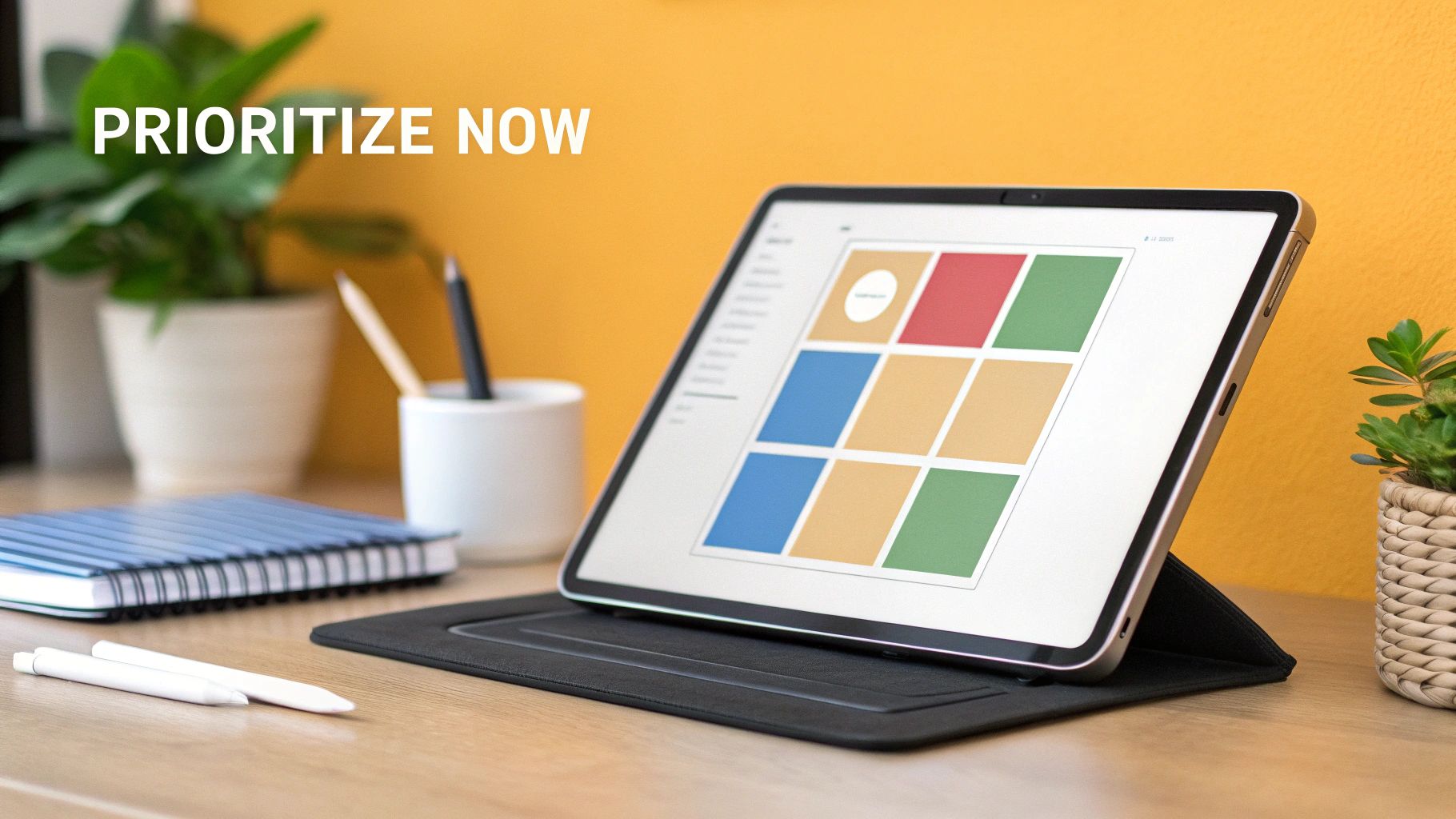
The system organizes your tasks into four quadrants: Quadrant 1 (Urgent and Important), Quadrant 2 (Not Urgent and Important), Quadrant 3 (Urgent and Not Important), and Quadrant 4 (Not Urgent and Not Important). By sorting your to-do list into these categories, you can make strategic decisions to “Do,” “Decide,” “Delegate,” or “Delete” tasks, preventing you from getting stuck in a cycle of reactive, low-impact work.
How to Implement the Eisenhower Matrix
Implementing this matrix is a simple exercise in critical thinking. Draw a four-quadrant box and sort your daily or weekly tasks into the appropriate sections.
- Do First (Q1: Urgent & Important): These are crises and pressing deadlines that require immediate action. Address these tasks first to prevent negative consequences.
- Schedule (Q2: Not Urgent & Important): This is the quadrant of strategic growth, planning, and prevention. Proactively schedule time for these activities, as they are key to long-term success.
- Delegate (Q3: Urgent & Not Important): These are interruptions, some meetings, and emails that feel urgent but don’t align with your goals. Delegate them if possible or minimize the time you spend on them.
- Delete (Q4: Not Urgent & Not Important): These are time-wasting activities like mindless scrolling or unnecessary tasks. Eliminate them completely.
Real-World Example: A Marketing Manager on macOS
A marketing manager uses the Eisenhower Matrix to plan their week. A looming campaign deadline is a Q1 (Do) task. Strategizing next quarter’s content plan is a Q2 (Schedule) activity they block time for on Friday. Responding to non-critical internal meeting requests is a Q3 (Delegate) task, which they might pass to a team assistant. Mindlessly browsing social media analytics without a clear purpose falls into Q4 (Delete). This clarity helps them focus on strategic work instead of just fighting fires.
6. The Two-Minute Rule
The Two-Minute Rule is a brilliantly simple productivity hack popularized by David Allen in his “Getting Things Done” (GTD) methodology. The rule is straightforward: if a task takes less than two minutes to complete, do it immediately instead of postponing it. This approach prevents small, manageable tasks from piling up and creating a mountain of work that feels overwhelming.
Adopting this habit is one of the most effective time management best practices because it reduces the mental load of tracking dozens of tiny to-dos. By handling these minor items on the spot, you clear your plate and your mind, allowing you to focus on more significant, high-impact activities. It builds momentum and creates a bias toward action, keeping your workflow smooth and continuous.
How to Implement the Two-Minute Rule
Integrating this rule into your daily routine is easy and requires a shift in mindset more than any specific tool.
- Identify a Small Task: When a new task arises (like an email or a request), immediately estimate how long it will take.
- Apply the Rule: Ask yourself, “Can this be done in two minutes or less?”
- Act Immediately: If the answer is yes, do it right away. If no, defer it and add it to your to-do list to be prioritized later.
- Protect Deep Work: Be mindful not to let two-minute tasks interrupt your focused work sessions. Apply this rule primarily during transition periods or when processing your inbox.
Real-World Example: A Marketing Manager
A marketing manager receives an email from a designer asking for a quick hex code for a new ad campaign. Instead of flagging the email to handle later, they recognize it will take less than a minute. They open their brand style guide, copy the code, and reply immediately. This small action prevents the task from lingering on their to-do list, avoids a potential bottleneck for the designer, and keeps the project moving forward without delay.
7. Time Audit
A Time Audit is a systematic review of how you actually spend your time. By tracking your activities for a set period, usually one to two weeks, you gain an objective understanding of your daily habits. This data-driven approach is one of the most powerful time management best practices because it replaces assumptions with facts, revealing where your time truly goes and creating a solid foundation for meaningful change.
The goal is to identify time-wasting activities, recognize patterns in your productivity, and pinpoint opportunities to reallocate your focus to high-value tasks. Instead of guessing why you feel unproductive, an audit provides clear evidence, such as discovering fragmented focus across too many small tasks or realizing how much time is lost to context switching.
How to Implement a Time Audit
Performing a time audit is simple but requires consistency. You can use a notebook, a spreadsheet, or an automatic time-tracking tool.
- Choose Your Tracking Period: Commit to tracking everything for at least one full week to capture both weekday and weekend patterns.
- Select Your Method: Decide whether to use a manual log (noting activities every 30-60 minutes) or an automatic tracker. For macOS users, automatic tools provide more accurate, passive data collection.
- Track Everything: Log all activities, both professional and personal. Include meetings, deep work, administrative tasks, breaks, social media use, and even commuting.
- Analyze the Data: At the end of the period, categorize your activities. How much time was spent on high-impact work versus low-value tasks? Were there any surprises?
- Make One Change: Based on your findings, choose one specific habit to change. Trying to fix everything at once is a recipe for failure.
Real-World Example: A Freelance Graphic Designer
A freelance graphic designer felt constantly busy but wasn’t hitting their income goals. They ran a one-week time audit using an automatic tracker and discovered they were spending over 15 hours on non-billable tasks like answering emails and making small, unbilled client revisions. This insight prompted them to dedicate specific time blocks for communication and to implement a clearer policy for revisions, freeing up nearly two full workdays for profitable client projects.
To get started with an automated approach, explore our guide to time tracking on Mac.
8. Batch Processing
Batch processing is a productivity strategy that involves grouping similar tasks together and completing them in a single, dedicated session. Instead of scattering related activities throughout your day, you consolidate them into focused blocks. This approach is one of the most effective time management best practices because it drastically reduces context switching, the mental cost of shifting your brain between different types of work.
The core idea is to minimize the startup and shutdown time associated with each task. For example, opening your email client, reading, and responding to one message takes nearly the same initial effort as processing ten. By batching, you leverage cognitive momentum and maintain a state of flow, making you far more efficient than if you handled those tasks intermittently.
How to Implement Batch Processing
Getting started with batch processing is about reorganizing your to-do list by task type, not by project.
- Identify Similar Tasks: Review your workload and group together activities that require a similar mindset or toolset. This could include administrative tasks, communication, creative work, or financial management.
- Schedule Dedicated Blocks: Block out specific times in your calendar for each batch. For instance, dedicate 9:00-9:45 AM solely to email and messages.
- Eliminate Distractions: During a batch session, commit to only the tasks within that group. Close unrelated tabs, turn off notifications, and let your team know you are in a focused work block.
- Process to Completion: Work through your entire batch of tasks in one go. Aim to clear your list for that category, whether it’s processing all invoices for the week or responding to all non-urgent Slack messages.
- Be Consistent: Make these batch sessions a regular part of your weekly routine to build a sustainable habit.
Real-World Example: A Freelance Content Strategist
A content strategist manages client communication, writing, research, and invoicing. Instead of constantly switching between these, they batch them. They schedule all client calls for Tuesdays and Thursdays, handle all invoicing on Friday mornings, and dedicate Monday and Wednesday to deep-focus writing. By not checking email while writing or stopping to invoice after a call, they maintain high-quality output and reduce mental friction. Many freelancers find this aligns perfectly with the need for focused work and administrative efficiency, topics often covered by various productivity tools for freelancers.
9. The 80/20 Rule (Pareto Principle)
The 80/20 Rule, also known as the Pareto Principle, is a powerful concept observing that roughly 80% of results come from just 20% of your efforts. Applied to productivity, it means a small fraction of your tasks and activities generate the vast majority of your valuable outcomes. This makes it one of the most impactful time management best practices because it shifts your focus from being busy to being effective.
Instead of treating all tasks equally, the 80/20 Rule encourages you to identify and prioritize that critical 20%. By focusing your energy on these high-leverage activities, you can achieve significant results while systematically reducing or eliminating the 80% of low-value tasks that consume your time and drain your energy. This principle helps you work smarter, not harder.
How to Implement the 80/20 Rule
Applying this principle requires analysis and ruthless prioritization. You must be willing to let go of less important work.
- Identify Your Key Results: List the most important outcomes you want to achieve (e.g., revenue, project milestones, user satisfaction).
- Analyze Your Activities: Make a list of all the tasks and activities you regularly perform.
- Connect Activities to Results: Draw a line between each activity and the results it produces. Which 20% of activities are generating 80% of your desired outcomes?
- Prioritize the Vital Few: Double down on the high-impact 20%. Allocate more time, energy, and resources to these tasks.
- Eliminate or Minimize the Rest: Actively delegate, automate, or stop doing the low-impact 80% of tasks.
Real-World Example: A Freelance Graphic Designer
A freelance designer on macOS realizes that 80% of her income comes from just three of her fifteen clients. She also notices that responding to non-urgent emails and making minor tweaks to old projects consumes hours each week with little return.
Using the 80/20 Rule, she decides to focus on deepening her relationships with her top three clients, proactively offering them new services. She automates her email responses with templates and sets specific “admin time” for minor tweaks, freeing up her prime creative hours for the work that truly drives her business forward.
10. The MIT Method (Most Important Tasks)
The Most Important Tasks (MIT) Method is a daily prioritization strategy that cuts through the noise of endless to-do lists. Instead of trying to accomplish dozens of items, you identify just 3-5 tasks that will make the biggest impact on your day. This focused approach ensures your best energy goes toward what truly matters, making it one of the most effective time management best practices for achieving meaningful progress.
Popularized by productivity experts like Leo Babauta, the MIT method forces you to define what a “successful” day looks like before it even begins. By concentrating on a few high-leverage activities, you build momentum and avoid the common trap of being busy but not productive. It provides clarity and direction, preventing you from getting sidetracked by urgent but unimportant distractions.
How to Implement the MIT Method
Implementing this technique is about ruthless prioritization and intentional focus. It requires a daily commitment to identifying and protecting your most valuable work.
- Identify Your MITs: At the end of your workday or first thing in the morning, review your goals and to-do list. Select the 3-5 tasks that will deliver the most significant results.
- Schedule Them First: Block out time on your calendar to complete your MITs. Ideally, schedule them during your peak energy hours to give them the attention they deserve.
- Tackle MITs Before Anything Else: Make a rule to work on at least one MIT before checking email, Slack, or engaging in reactive tasks.
- Define “Done”: Be clear about what completing each MIT looks like. A vague task like “work on report” should be more specific, like “draft the introduction and first section of the Q3 report.”
- Review and Reflect: At the end of the day, review your MITs. Did you complete them? If not, why? This daily reflection helps you refine your planning process.
Real-World Example: A Marketing Manager
A marketing manager for a macOS app starts their day by identifying three MITs: finalize the ad copy for the upcoming campaign, analyze last week’s performance data to adjust the budget, and create a brief for a new landing page designer. They block the first two hours of their day to complete the ad copy and data analysis. Even if meetings and unexpected requests fill the rest of their afternoon, they know they have already accomplished their most critical work, moving key projects forward.
Top 10 Time-Management Methods Comparison
| Method | Implementation complexity 🔄 | Resource requirements ⚡ | Expected outcomes 📊 | Ideal use cases 💡 | Key advantages ⭐ |
|---|---|---|---|---|---|
| Pomodoro Technique | Low — simple timer cycles 🔄 | Minimal — timer/app, short setup ⚡ | Improved focus, steady output; reduced fatigue 📊 | Short tasks, study sessions, coding sprints 💡 | Prevents burnout; manageable work chunks ⭐ |
| Getting Things Done (GTD) | High — multi-step workflow & rules 🔄 | Moderate–High — tools, time for setup & reviews ⚡ | Reduced mental clutter; reliable task execution 📊 | Complex projects, knowledge work, executives 💡 | Comprehensive capture + clarity of next actions ⭐ |
| Eat the Frog | Low — pick top task, execute 🔄 | Minimal — planning prior evening ⚡ | Most important tasks completed early; momentum boost 📊 | Morning routines, high-priority difficult tasks 💡 | Eliminates procrastination on key work ⭐ |
| Time Blocking | Medium — calendar planning & discipline 🔄 | Moderate — calendar + regular scheduling ⚡ | Less context switching; realistic time allocation 📊 | Deep work, CEOs, content creators, teachers 💡 | Visual control of time; enforces committed focus ⭐ |
| Eisenhower Matrix | Low — quadrant sorting process 🔄 | Minimal — simple matrix or app ⚡ | Clear prioritization; reduced low-value activities 📊 | Prioritization decisions, team triage, daily planning 💡 | Simple strategic clarity; easy to teach ⭐ |
| Two-Minute Rule | Very low — immediate decision rule 🔄 | Minimal — situational judgement only ⚡ | Fewer small tasks backlog; quick wins frequently 📊 | Email triage, quick chores, transitional moments 💡 | Clears clutter fast; builds momentum ⭐ |
| Time Audit | Medium–High — detailed tracking & analysis 🔄 | Moderate — tracking tools & time investment ⚡ | Data-driven insights; reveals time leaks and patterns 📊 | Workflow optimization, quarterly reviews, productivity resets 💡 | Objective evidence to guide change and reprioritize ⭐ |
| Batch Processing | Medium — grouping & scheduled sessions 🔄 | Moderate — scheduling + discipline for batches ⚡ | Higher throughput; reduced transition costs 📊 | Email sessions, admin, content production, bookkeeping 💡 | Efficient handling of repetitive tasks; lowers switching costs ⭐ |
| The 80/20 Rule (Pareto) | Medium — analysis to identify vital 20% 🔄 | Moderate — data/analysis and willingness to delegate ⚡ | Focused impact; more results from fewer activities 📊 | Strategic planning, client/product prioritization, marketing 💡 | Maximizes results by concentrating on high-impact work ⭐ |
| MIT Method (Most Important Tasks) | Low — choose 3–5 daily priorities 🔄 | Minimal — short planning routine ⚡ | Clear daily progress; reduced overwhelm 📊 | Daily planning, professionals wanting focused wins 💡 | Ensures attention to top priorities; builds consistent momentum ⭐ |
From Theory to Action: Building Your Personalized Productivity System
We’ve journeyed through ten powerful time management best practices, from the structured sprints of the Pomodoro Technique to the high-impact focus of the 80/20 Rule. It’s easy to look at this list and feel overwhelmed, wondering which one is the “perfect” solution. The truth is, there isn’t one. The most effective productivity system is not one you adopt, but one you build.
The real power lies in combining these strategies into a personalized toolkit that adapts to your unique workflow, energy cycles, and professional demands. These methods are not rigid, competing ideologies; they are complementary building blocks. Think of them as ingredients in a recipe for your ideal workday.
From Insights to Integration
The journey from theory to practice starts with a single, crucial step: awareness. You cannot intelligently apply these strategies without first understanding where your time actually goes. This is the foundational principle behind the Time Audit, and it’s where modern tools can provide an undeniable advantage. Guessing how you spend your day is a recipe for failure; data provides the blueprint for success.
Once you have that honest baseline, you can begin to experiment.
- Combine and Conquer: Use the Eisenhower Matrix at the start of your week to identify your “Important but Not Urgent” projects. Then, use the MIT method each morning to select the three tasks from that quadrant that will move the needle forward today.
- Structure Your Focus: Designate specific Time Blocks in your calendar for deep work on your chosen “frog.” Within those blocks, use the Pomodoro Technique to maintain high energy and focus, pushing through difficult tasks one 25-minute sprint at a time.
- Handle the Small Stuff: Let the Two-Minute Rule clear your plate of quick administrative tasks as they arise, preventing them from cluttering your mind. For all other small, related tasks, use Batch Processing to group them into a single, efficient session, like answering all non-urgent emails in one go.
Building a Sustainable System
The ultimate goal isn’t to become a productivity machine, working nonstop until burnout. It’s about creating a sustainable system that allows you to do your best, most meaningful work without sacrificing your well-being. This requires a rhythm of action and reflection. At the end of each week, take 15 minutes to review your progress. What worked? What didn’t?
This is where having objective data becomes a game-changer. Instead of relying on memory, you can look at a clear record of your activities. You might discover that your most productive hours are actually early in the morning, prompting you to shift your deep work sessions. Or you might see that a specific social media site is a bigger time sink than you realized, encouraging you to block it during your focus blocks.
Mastering these time management best practices is an iterative process. It’s about choosing a starting point, implementing it, measuring the results, and refining your approach. By moving from abstract concepts to concrete actions, you transform your relationship with time. You stop reacting to the endless demands of the day and start proactively directing your attention toward what truly matters. This control is the essence of modern productivity and the key to achieving your most ambitious goals.
Ready to stop guessing and start building your perfect productivity system? Chronoid provides the effortless, automatic time-tracking you need to understand your habits and apply these time management best practices with precision. See exactly where your time goes, get AI-powered insights, and take back control of your day.
Discover your personalized productivity blueprint with Chronoid