Activate & Manage Your License
After purchasing Chronoid, you'll receive a license key via email. Follow the steps below to activate it.
Activate Your License
- 1
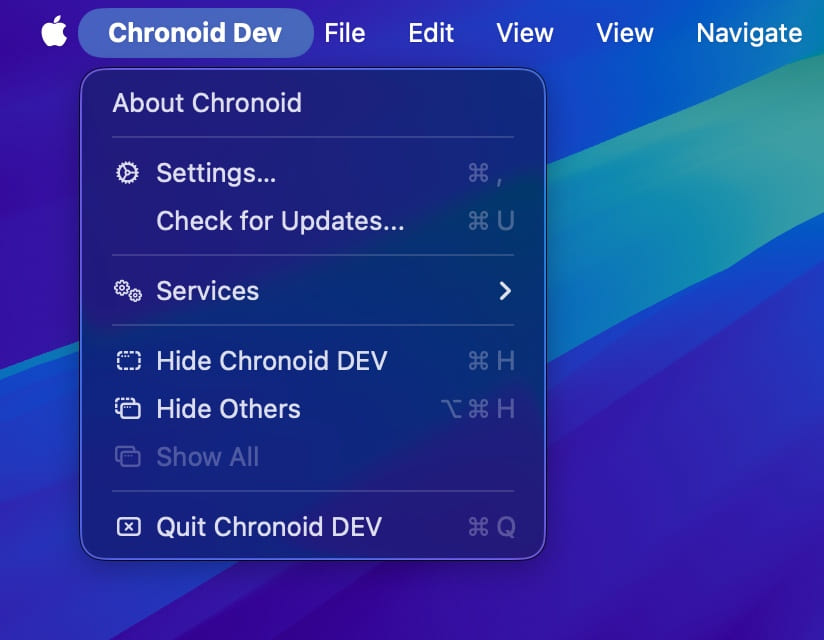
Open Settings in Chronoid. There are several ways to do this:
- Press ⌘ + ,
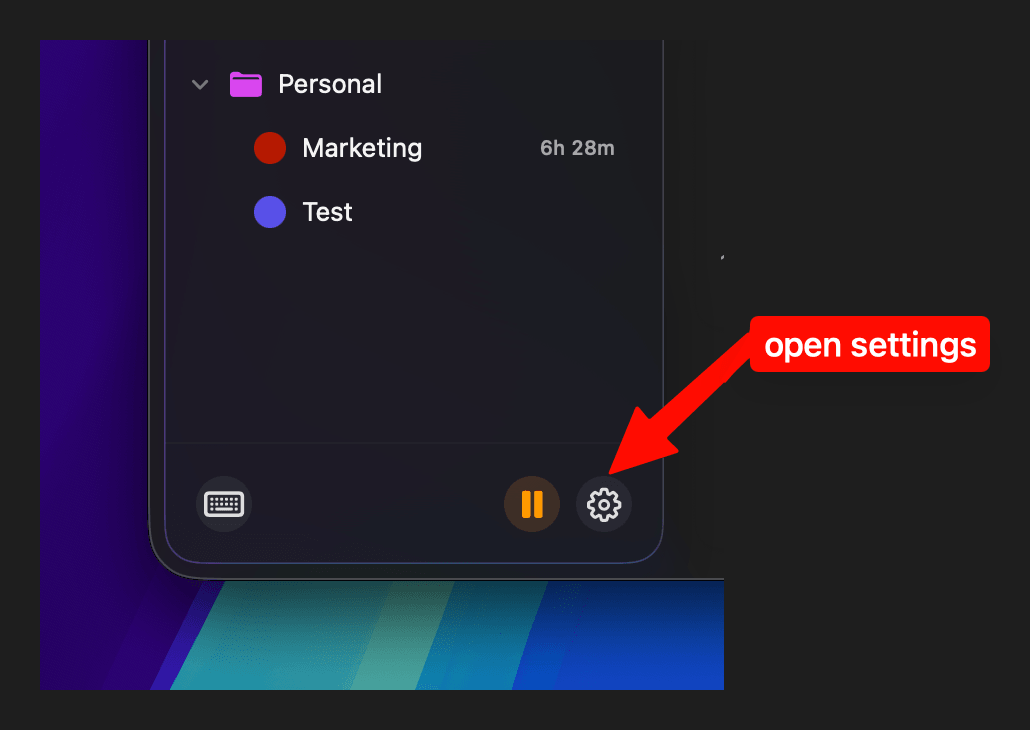
- Click the Settings button inside the app
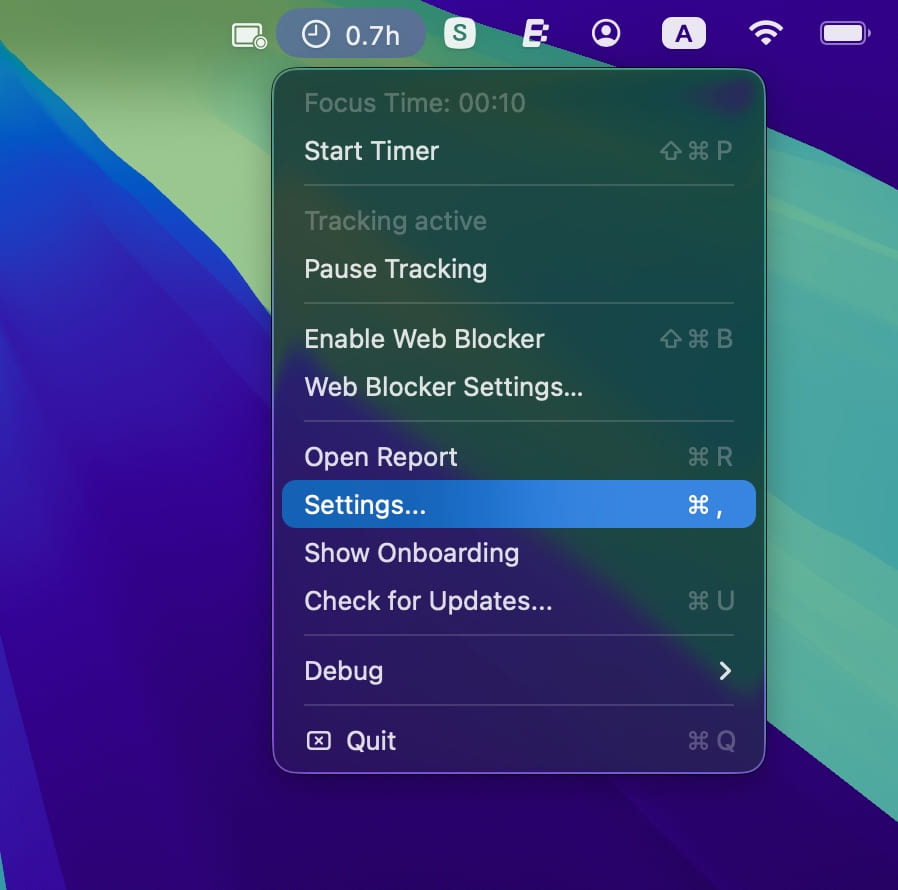
- Click the Chronoid icon in the menu bar → Settings
- 2
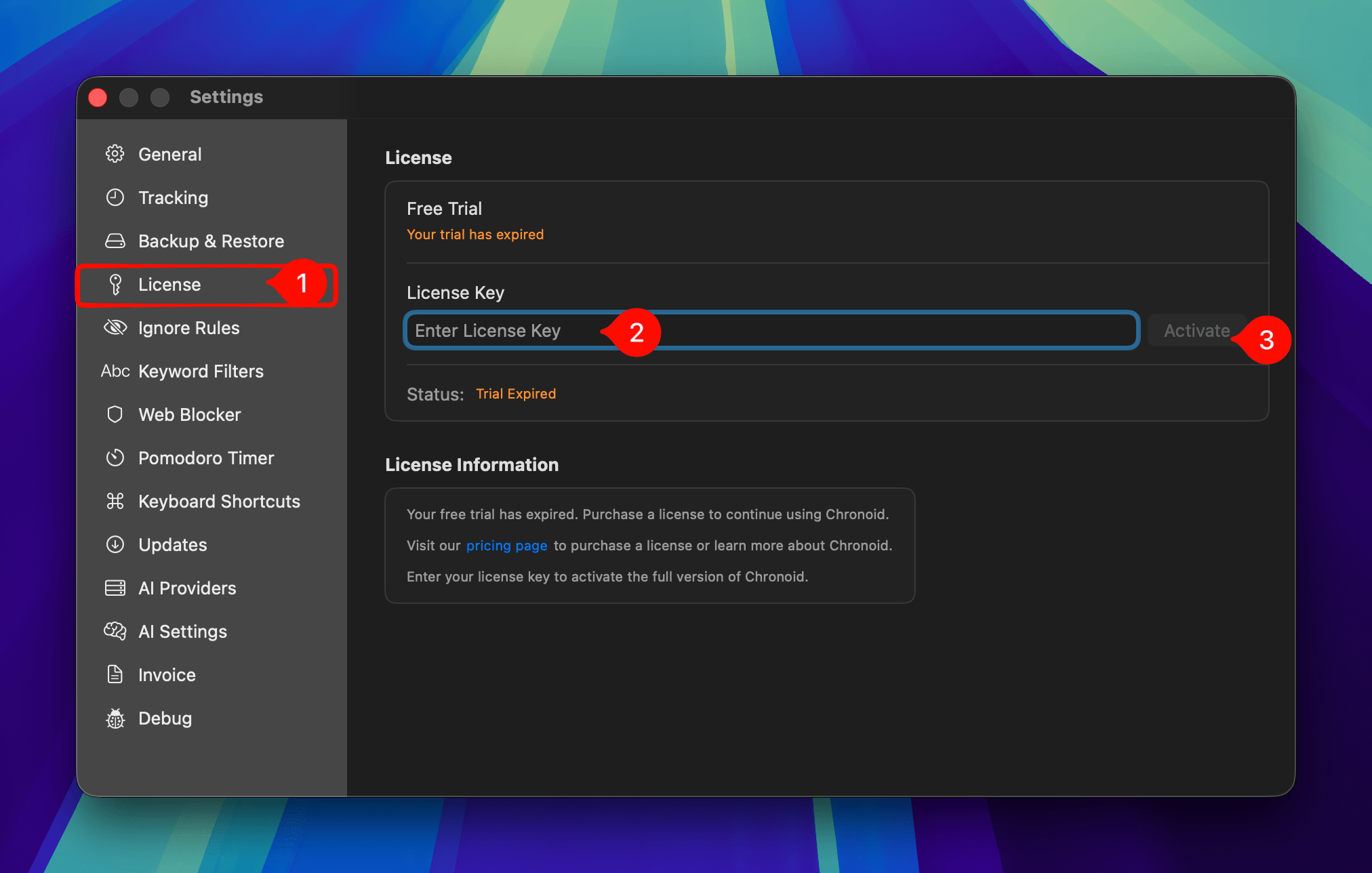
Navigate to the License tab, paste your license key, and click Activate.
Manage Your License
To view your purchase history, download invoices, or manage your license, open the Chronoid customer portal.
Need help?
If you're having trouble activating your license or can't find your license key, contact us at support@chronoid.app