Product Updates

Chronoid Changelog

Release notes, improvements, and bug fixes published directly from markdown files in the repo.

new

Version 1.0.78 (84)

New Features

  • Claude Desktop and Codex Tracking - Chronoid can now recognize activity from Claude Desktop and Codex desktop sessions, giving you better visibility into AI-assisted work.
  • Smarter Onboarding Experience - New animated onboarding demos, upgrade prompts, and trial reminders make it easier to understand Chronoid and get set up faster.

Improvements

  • Better Timeline Suggestions - Smart manual time entry suggestions are more accurate, and you can now accept all suggestions at once.
  • Faster Timeline Navigation - Timeline zooming, scrolling, and visible-hour trimming now feel smoother and more focused on the time ranges you actually used.
  • Project-Based Billing for Manual Time - Billing and export calculations for manual time entries now follow the selected project's billing setup more consistently.
Bug Fixes

  • Fixed Timeline Alignment at Low Zoom - Timeline blocks now stay aligned correctly when you zoom far out.
fixed

Version 1.0.77 (83)

Improvements

  • Remove All Rules - Quickly remove all rules from a project at once using the new option in the rule configurator footer.

Bug Fixes

  • Fixed Missing Rules in Rule Tree - Rules created outside the rule configurator now correctly appear in the rule tree view.
new

Version 1.0.76 (82)

New Features

  • Apple Intelligence Support - Use Apple's on-device AI as a provider for activity categorization and chat, with no API key required. Enable it in Settings > Providers.
  • MCP Server - Chronoid now includes an MCP (Model Context Protocol) server that lets AI assistants like Claude query your time tracking data directly. Analyze productivity, distractions, work sessions, and more through natural conversation.
  • AI-Powered Time Entry Suggestions - Get smart suggestions for manual time entries directly on the timeline. Chronoid uses AI to recommend titles, notes, and project assignments based on your activity context.
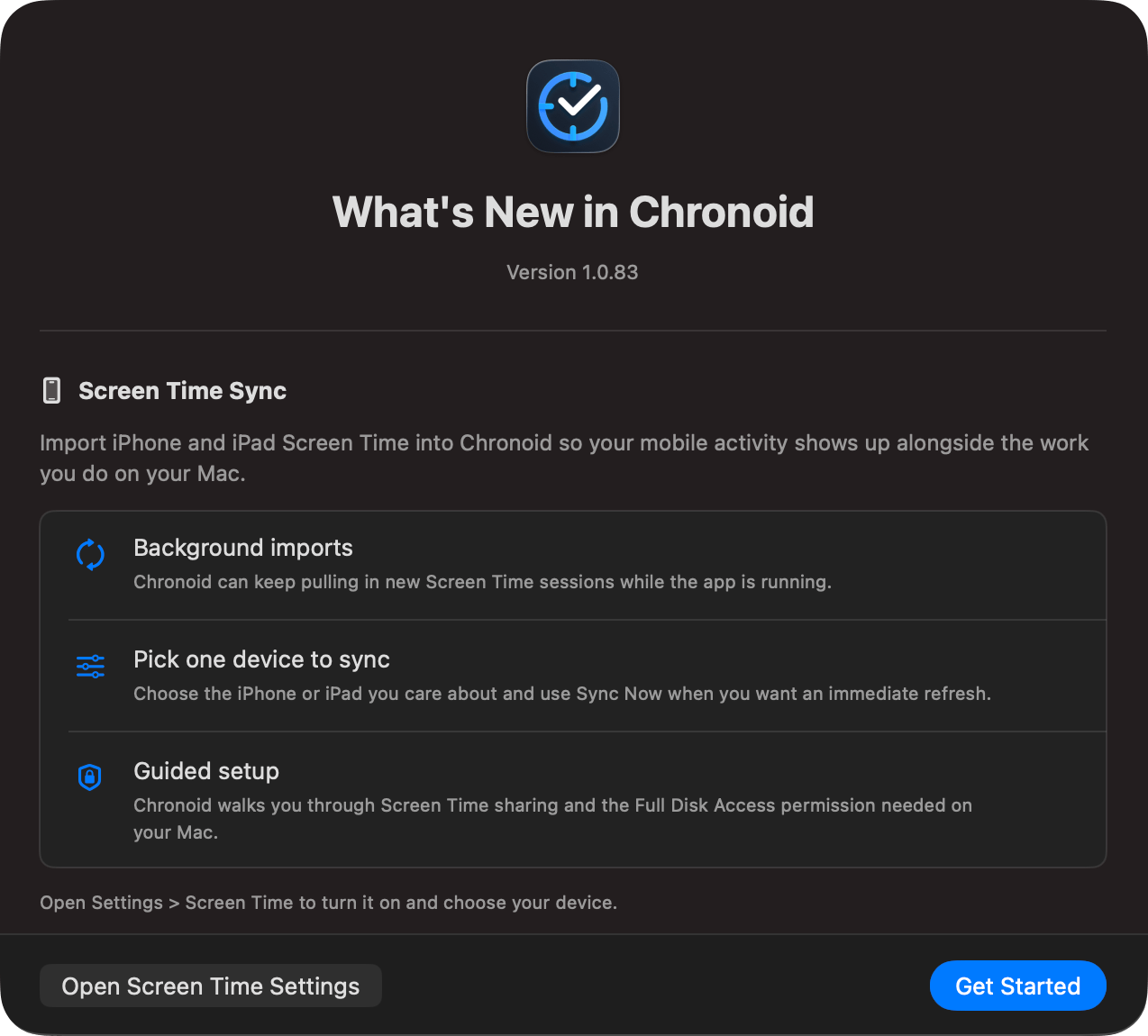
  • What's New Dialog - See a summary of the latest features and improvements each time the app is updated.
  • CMD Scroll to Zoom Timeline - Use CMD mouse wheel to quickly zoom in and out of the timeline view for faster navigation.

Improvements

  • Accept All Suggestions - Quickly accept all pending AI suggestions at once instead of reviewing them one by one.
  • Better AI Summaries - Improved AI-generated summaries when creating manual time entries, especially with smaller language models.
new

Version 1.0.75 (81)

New Features

  • Quit Confirmation - Chronoid now asks for confirmation before quitting to prevent accidental app termination.
new

Version 1.0.74 (80)

New Features

  • Meeting Time Logging - Chronoid now detects when a video call ends (Zoom, Teams, FaceTime, Google Meet) and shows a floating prompt to quickly log the meeting as a manual time entry. Configurable in Settings > Tracking with a minimum duration filter.
fixed

Version 1.0.73 (79)

Bug Fixes

  • Fixed Full URL Rule Type - Fixed an issue where changing a rule's type to "Full URL" would revert back to the previous type after closing the Settings window.
new

Version 1.0.72 (78)

New Features

  • Full URL Rules - Create rules that match against the complete URL (domain path) for more precise activity categorization.
  • Helium Browser Support - Added support for Helium and other Firefox-based browsers in activity tracking, web blocking, and redirect handling.
  • Undo/Redo for Manual Time Entries - Easily undo or redo changes to manual time entries and category assignments with reliable state handling.
  • Pause Indicator in Menu Bar - The pomodoro progress ring now shows a visual pause indicator, and the status bar icon dims when tracking is paused.

Improvements

  • Extended Timeline Zoom - Maximum timeline zoom increased from 1000% to 2000% for even more detailed views.
  • More Accurate Time Tracking - Improved tracking reliability by preventing App Nap interference and fixing sleep span inflation.
  • Better Favicon Loading - Faster and more reliable website icon loading with improved caching.

Bug Fixes

  • Fixed Sleep and Idle Time Display - Corrected time tracking accuracy for sleep, idle recovery, and pomodoro break periods.
new

Version 1.0.71 (77)

New Features

  • Revamped Timeline View - Completely redesigned timeline with smoother zooming, visible time gaps, and activity titles displayed directly on the timeline bars.
  • Manual Time Entry on Timeline - Create and edit manual time entries directly from the timeline view with project color coding for easy identification.
  • Pinch to Zoom - Use trackpad gestures to zoom in and out of the timeline for detailed or overview perspectives.
  • Final Cut Pro Support - Automatically extract and display your current project name when working in Final Cut Pro.

Improvements

  • Extended Free Trial - Free trial period extended from 14 days to 30 days.
  • Context Menu Icons - Added icons to context menus throughout the app for better visual recognition.
  • Better Event Popovers - Improved time format display and project name visibility in activity popovers.
new

Version 1.0.69 (75)

New Features

  • Compound Rules - Build powerful nested rule groups with AND/OR/NOR logic to precisely categorize your activities. Combine multiple conditions into hierarchical groups for fine-grained control.
  • Regex Matching - Use regular expressions in rules for advanced pattern matching, with real-time validation and context-aware examples for each condition type.
  • Predefined Groups - Quickly create rules using curated domain and app groups like "Social Media", "Development", "Gaming", and more — no need to add sites one by one.
  • Chinese (Simplified) Localization - Full Simplified Chinese language support across the entire app.

Improvements

  • Smarter Web Blocker - The web blocker now uses the same powerful rule engine as project categorization, supporting compound rules, regex, and predefined domain groups for more flexible blocking.
  • Context-Aware Suggestions - Smart suggestions now use predefined domain groups to provide more relevant project assignment recommendations.
  • Less Interruption from Suggestions - Activities that already match an existing project rule no longer trigger suggestion prompts.
  • Inline Help - Added contextual help tooltips throughout the rule editor to guide you through creating effective rules.
  • Better Onboarding - Refreshed onboarding flow with smoother animations and clearer setup steps.

Bug Fixes

  • Fixed Settings Navigation - Resolved an issue where navigating to settings from the status menu could be overridden by the deep link handler.
fixed

Version 1.0.68 (74)

Improvements

  • Daily Total in Status Bar - The menu bar now displays your total tracked time for the day alongside the Chronoid icon for a quick glance at your daily progress.

Bug Fixes

  • Fixed Settings Layout - Adjusted settings pane padding for a cleaner, more consistent appearance.
  • Fixed Rules Documentation Link - Updated the documentation URL in the rules view to point to the correct help page.
improved

Version 1.0.67 (73)

Improvements

  • Better Onboarding Experience - Improved responsiveness of the onboarding flow for a smoother first-run experience.
  • Reduced Error Tracking - Removed app hang tracking for improved privacy and reduced overhead.
new

Version 1.0.66 (72)

New Features

  • Import Contacts for Invoice - Automatically import contacts from your system contact list when creating invoices for faster business information entry.

Improvements

  • Better Rule Configuration - Improved rule setup interface and scoped observations to selected project for better focus.
  • Reduced Backup Warnings - Simplified backup deletion confirmation prompts for less intrusive user experience.
new

Version 1.0.65 (71)

New Features

  • Favicon Support - Domain reports now display website favicons with automatic caching and offline fallback for easier visual identification.

Bug Fixes

  • Fixed Icon Priority - Resolved issue where progress timer icon would override the web blocker icon in the menu bar.
  • Fixed Status Bar Colors - Corrected status bar icon color rendering in light mode for better visibility.
new

Version 1.0.64 (70)

New Features

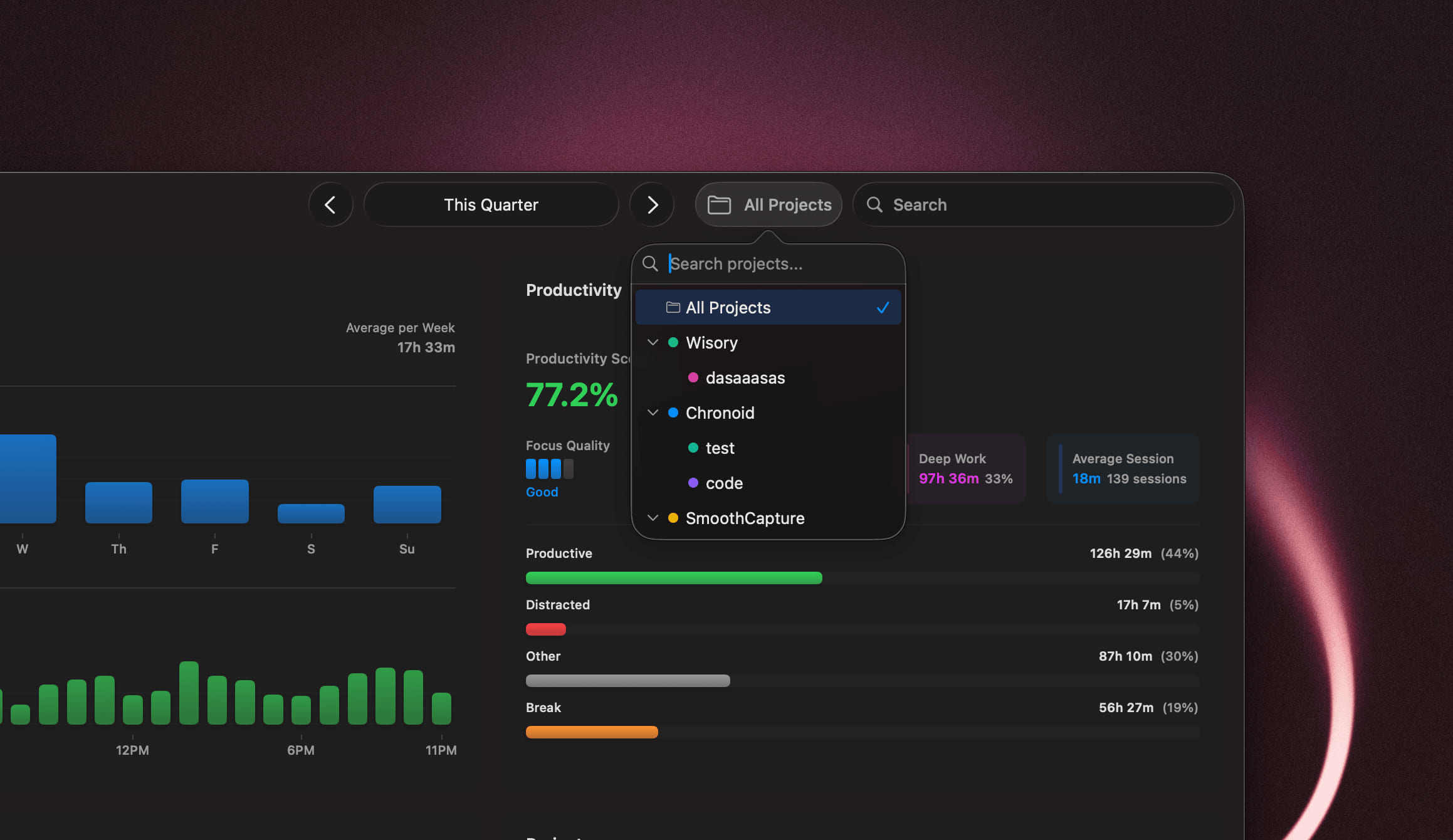
  • Project Filtering in Stats - Filter your statistics by specific projects for more focused insights. CleanShot 2025-12-22 at 2 

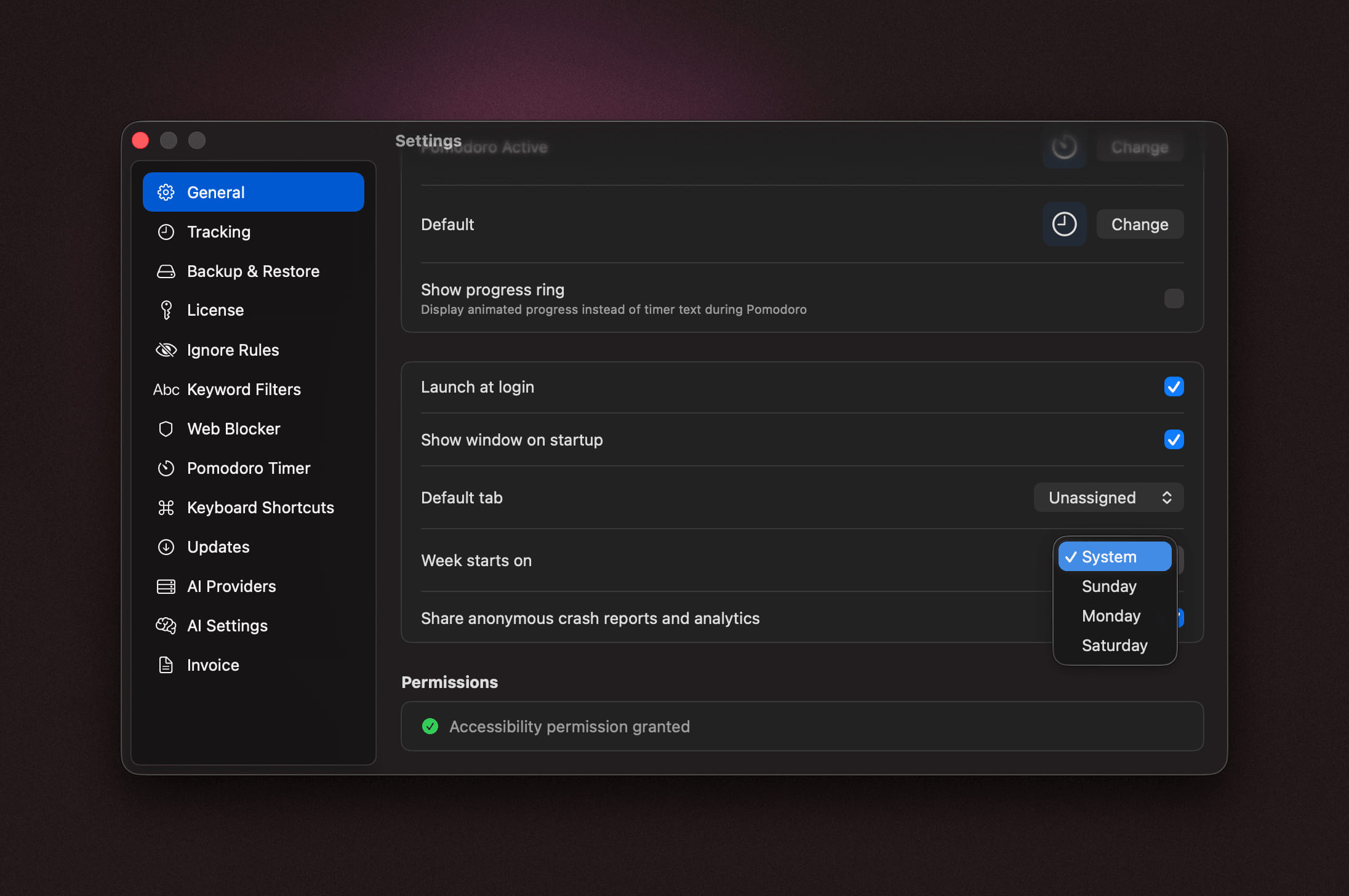
  • Configurable First Day of Week - Choose your preferred first day of the week in Settings, applied across all stats charts and reports.

CleanShot 2025-12-22 at 2 

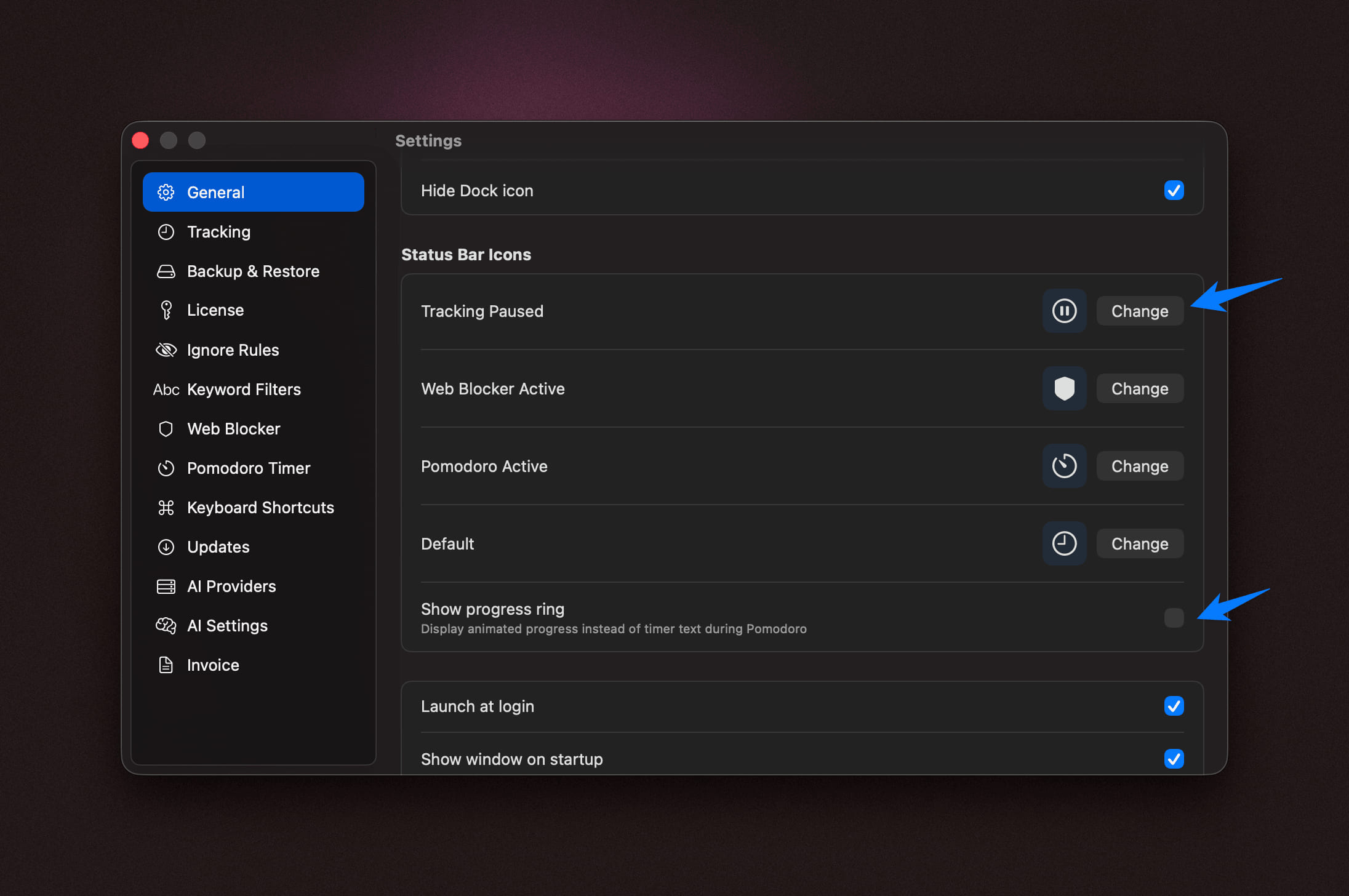
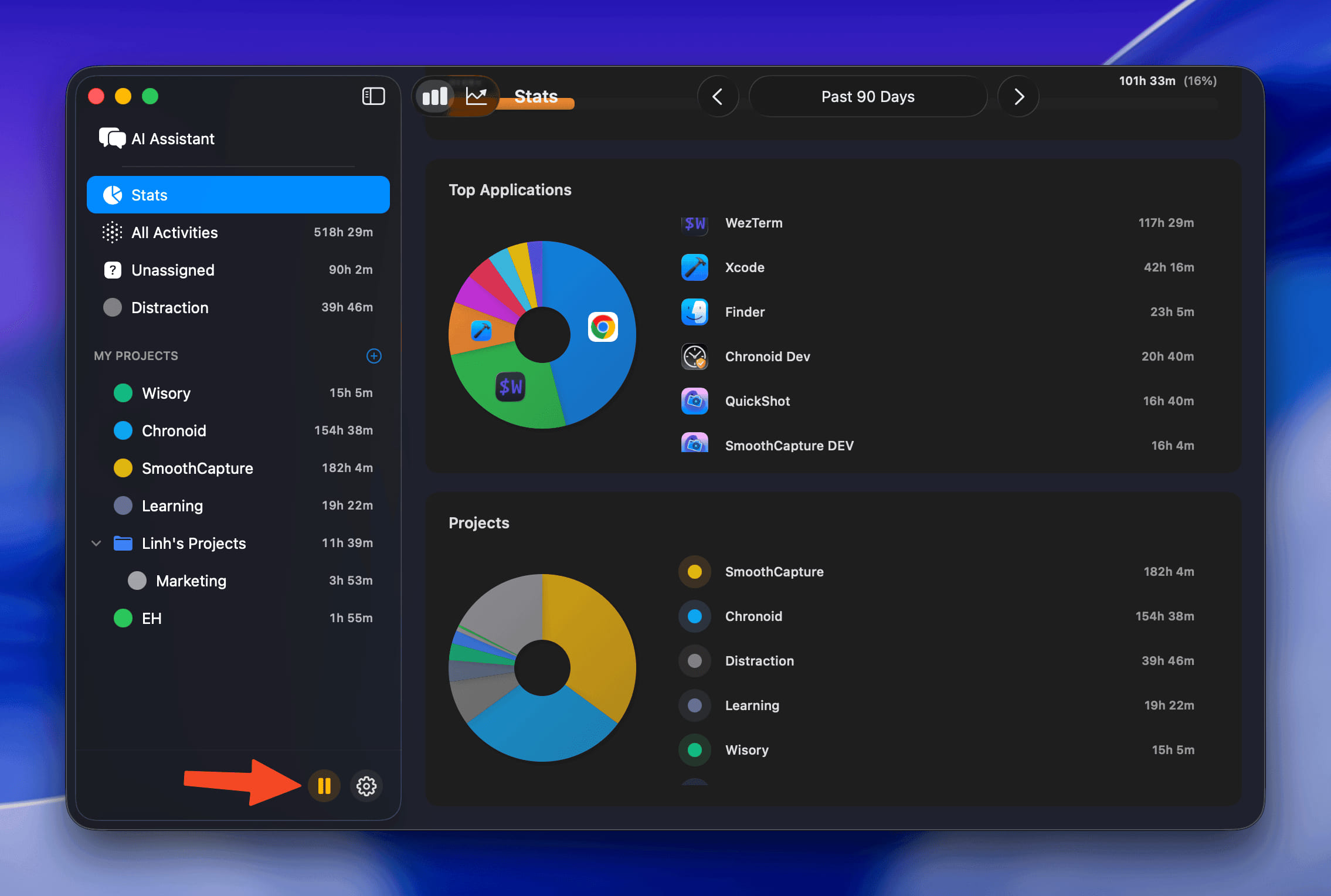
  • Tracking Paused Status Icon - Menu bar now shows a distinct icon when tracking is paused.

  • Progress Timer Icon - Option to display the pomodoro timer as a progress icon instead of text in the menu bar.

CleanShot 2025-12-22 at 2 

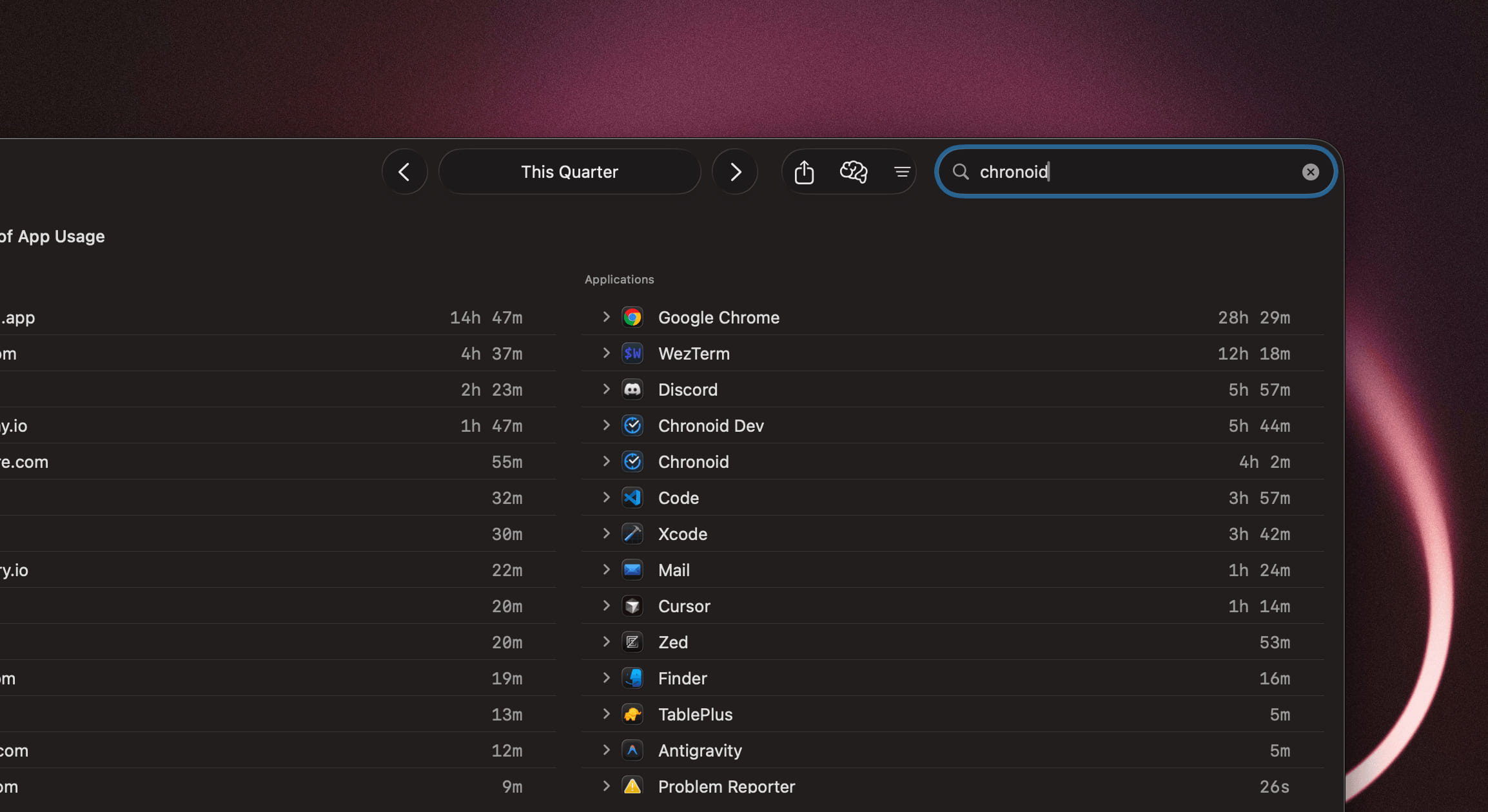
  • Search - Add activity search. CleanShot 2025-12-22 at 2 

Improvements

  • Enhanced Invoice PDF Export - Improved multi-page support and better PDF template design.
  • Quick Domain Access - Double-click any domain in the report view to open it directly in your browser.
  • Reveal Files in Finder - Right-click on file paths to reveal them in Finder.

Bug Fixes

  • Fixed Light Mode Colors - Resolved filter text colors not displaying correctly in light mode.
  • Fixed Break View Button - Improved clickable area of the stop button in the break view.
improved

Version 1.0.63 (69)

Improvements

46669

  • Native Status Bar Icons - Replaced emoji icons with SF Symbols for a cleaner, more native macOS appearance in the menu bar.

88918 image

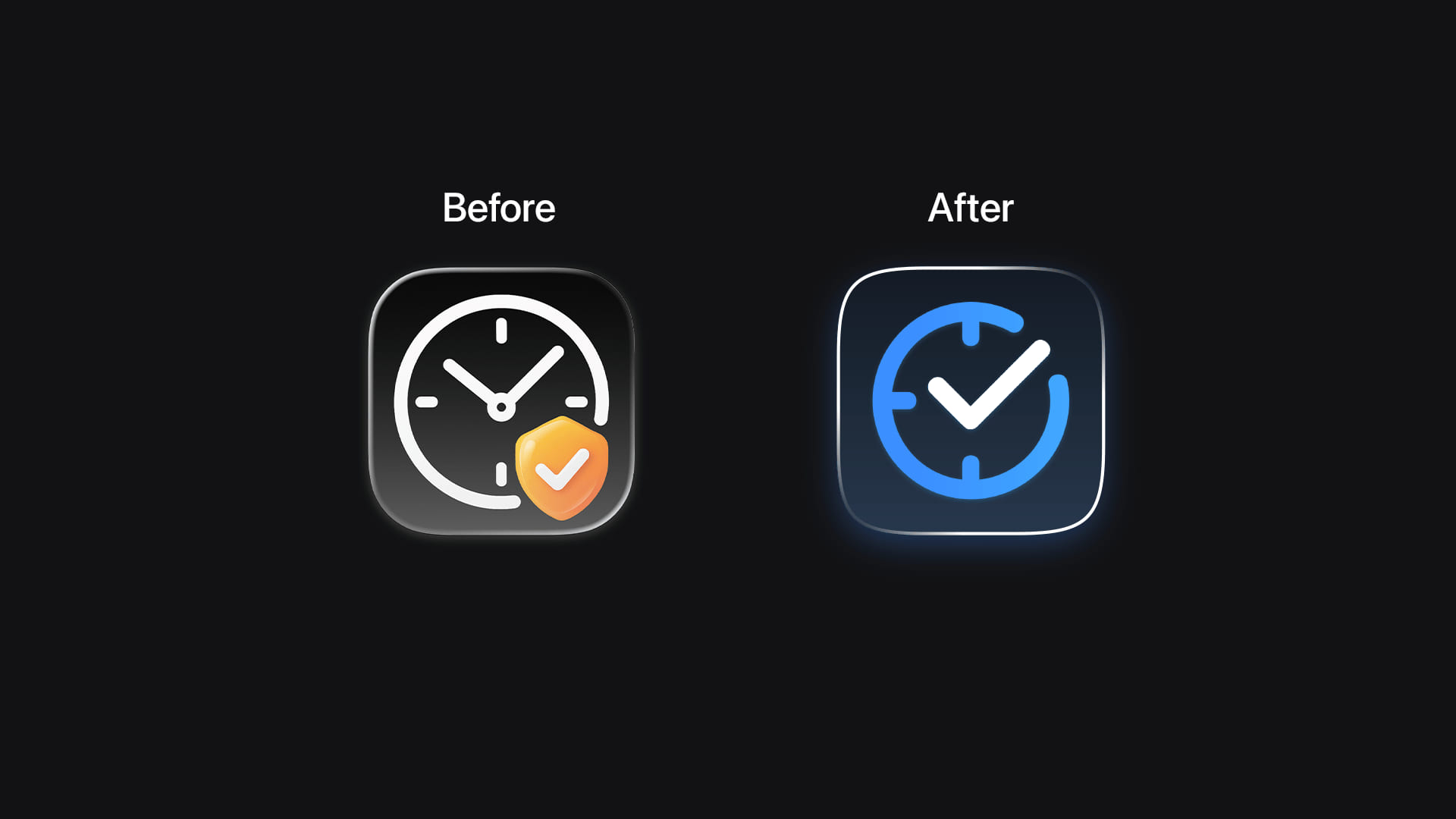
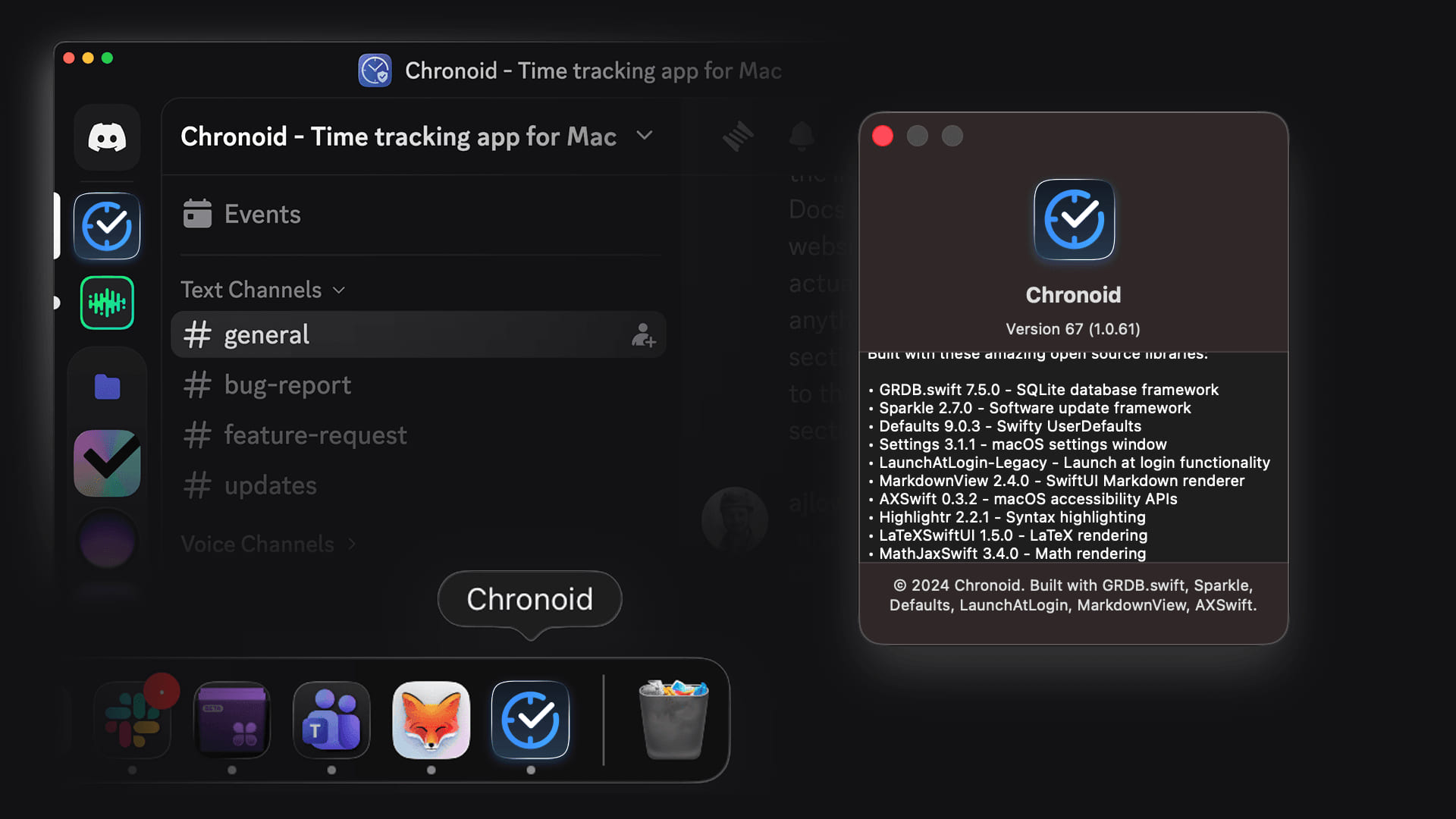
  • Refreshed App Icon - Updated to a modern, polished app icon design.

  • Improved Settings Window - Settings window now opens more reliably on macOS 13 and later.

new

Version 1.0.61 (67)

New Features

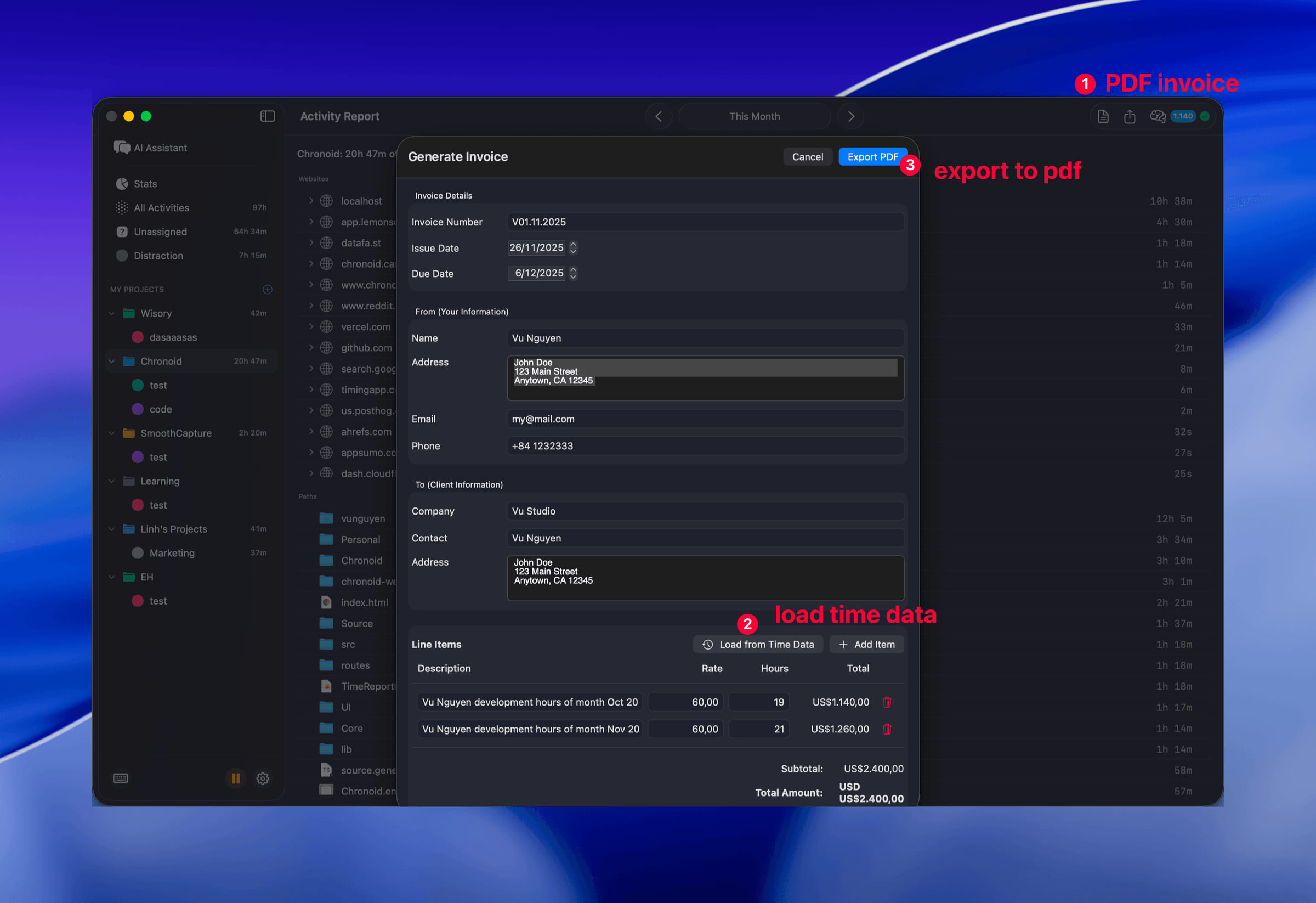
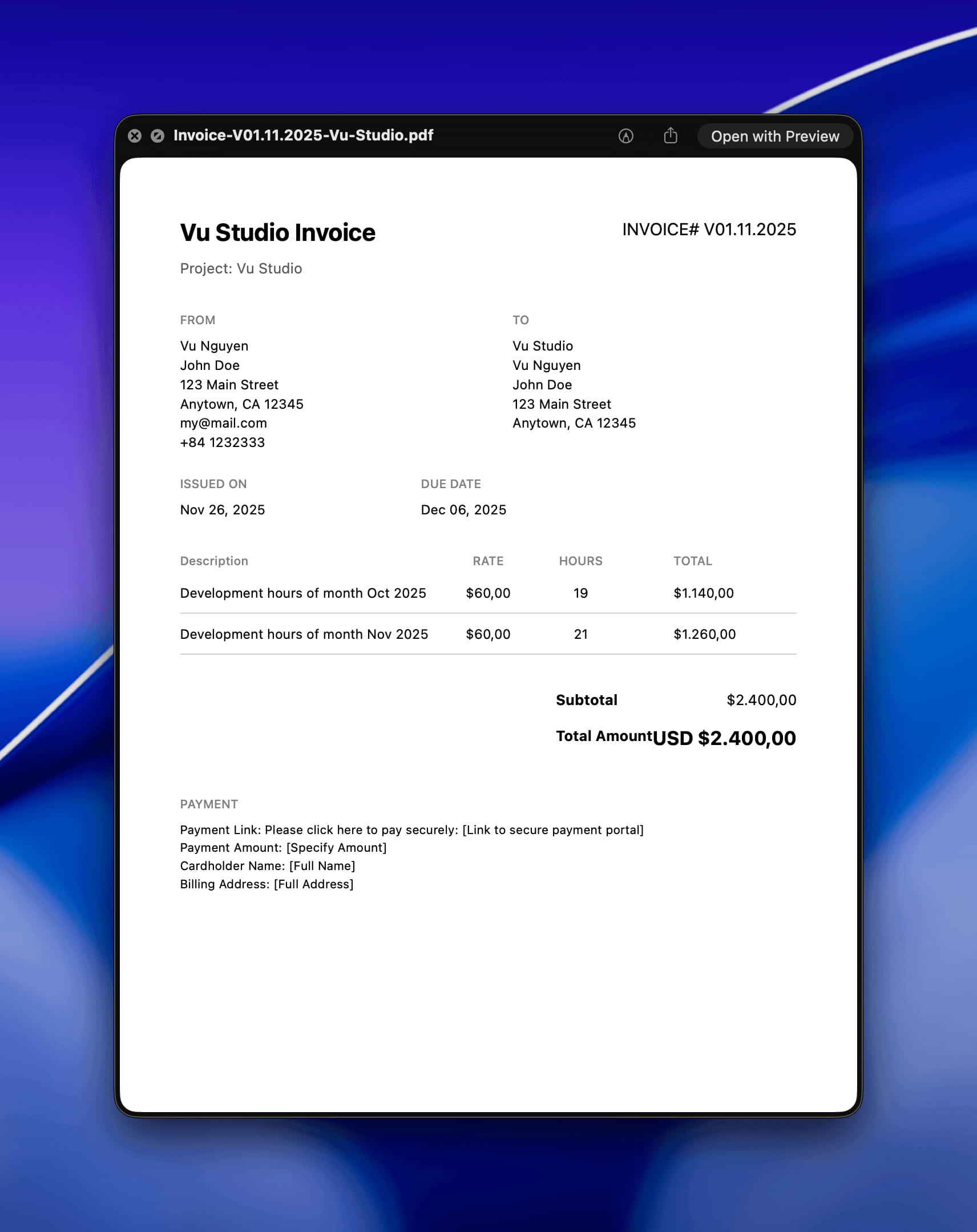
Invoice PDF Generation CleanShot 2025-11-26 at 3  CleanShot 2025-11-26 at 3 

Export professional PDF invoices based on your tracked time. Configure your business details, hourly rates, and payment terms in Settings > Invoice, then generate invoices filtered by project and date range.

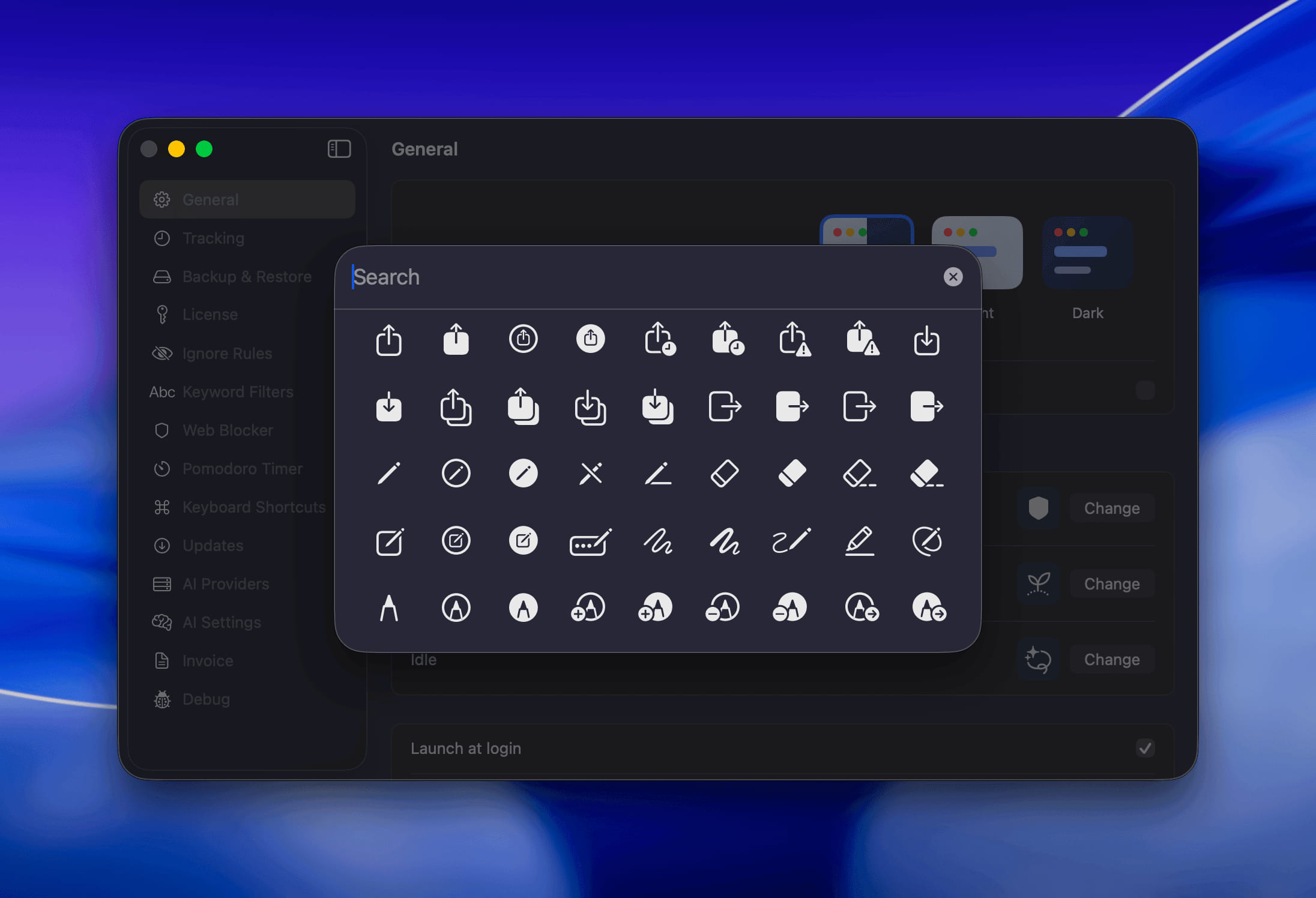
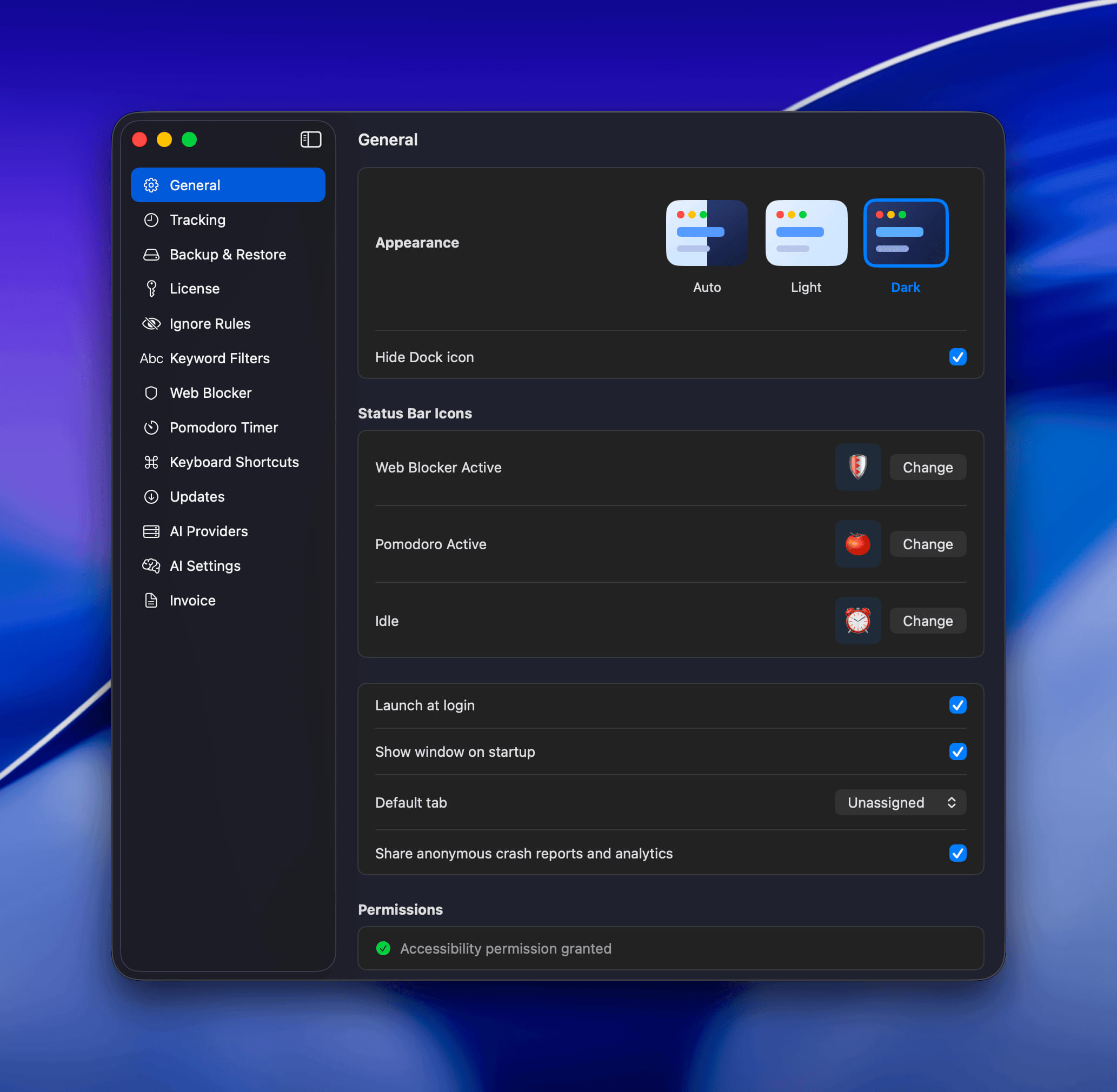
Customizable Status Bar Icons

CleanShot 2025-11-26 at 3 

Personalize your menu bar experience with custom emoji icons for different states. Choose your own emojis for Web Blocker Active, Pomodoro Active, and Idle states through Settings > General.

Bug Fixes

  • Fixed Sidebar Navigation - Resolved issue where sidebar selection wasn't properly syncing between system and user categories, ensuring consistent navigation experience.
new

Version 1.0.60 (66)

New Features

67177 69541

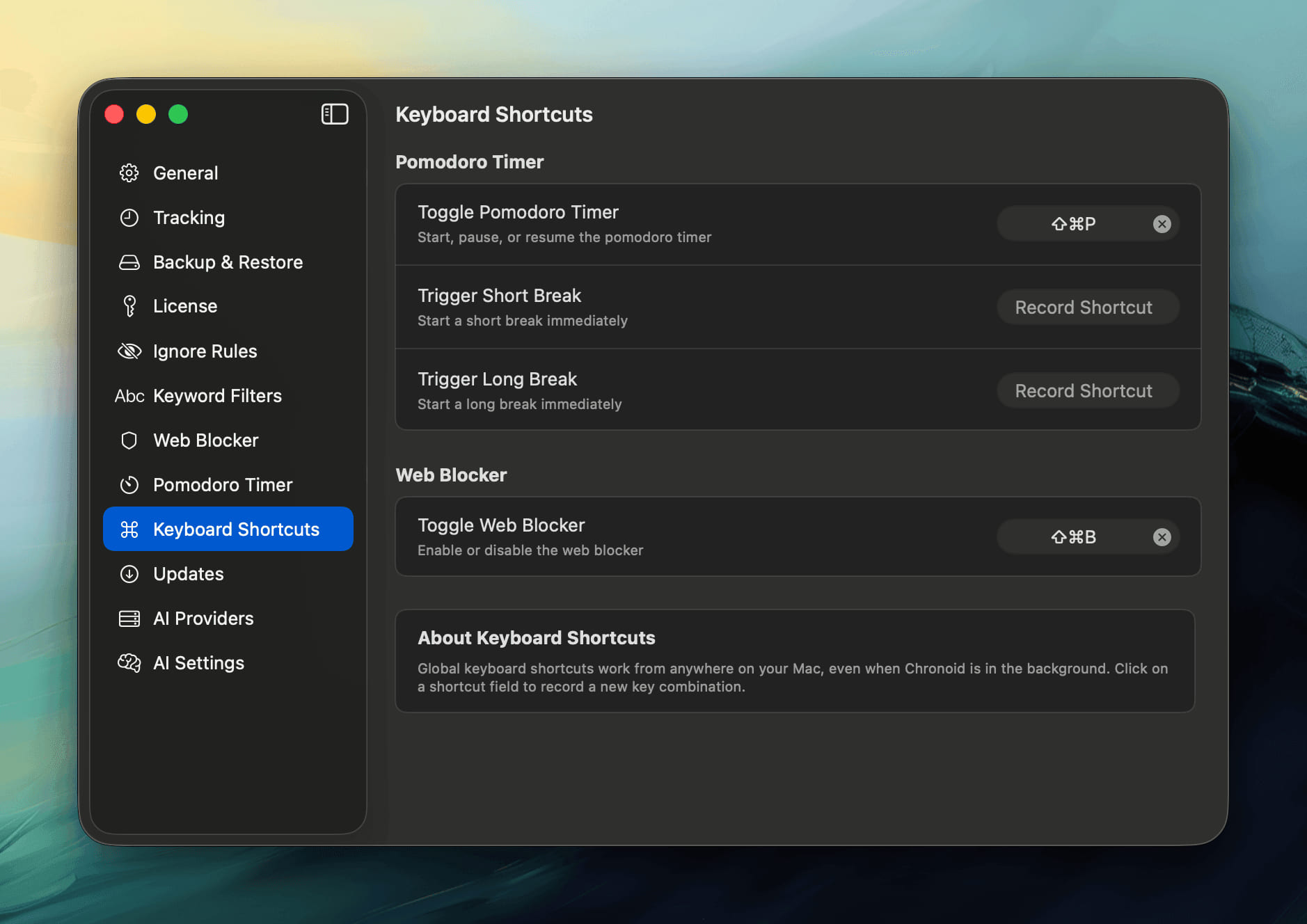
**Global Shortcuts **

  • Ability to start/stop Pomodoro Timer
  • Trigger Short/Long Break
  • Start/Stop web blocker

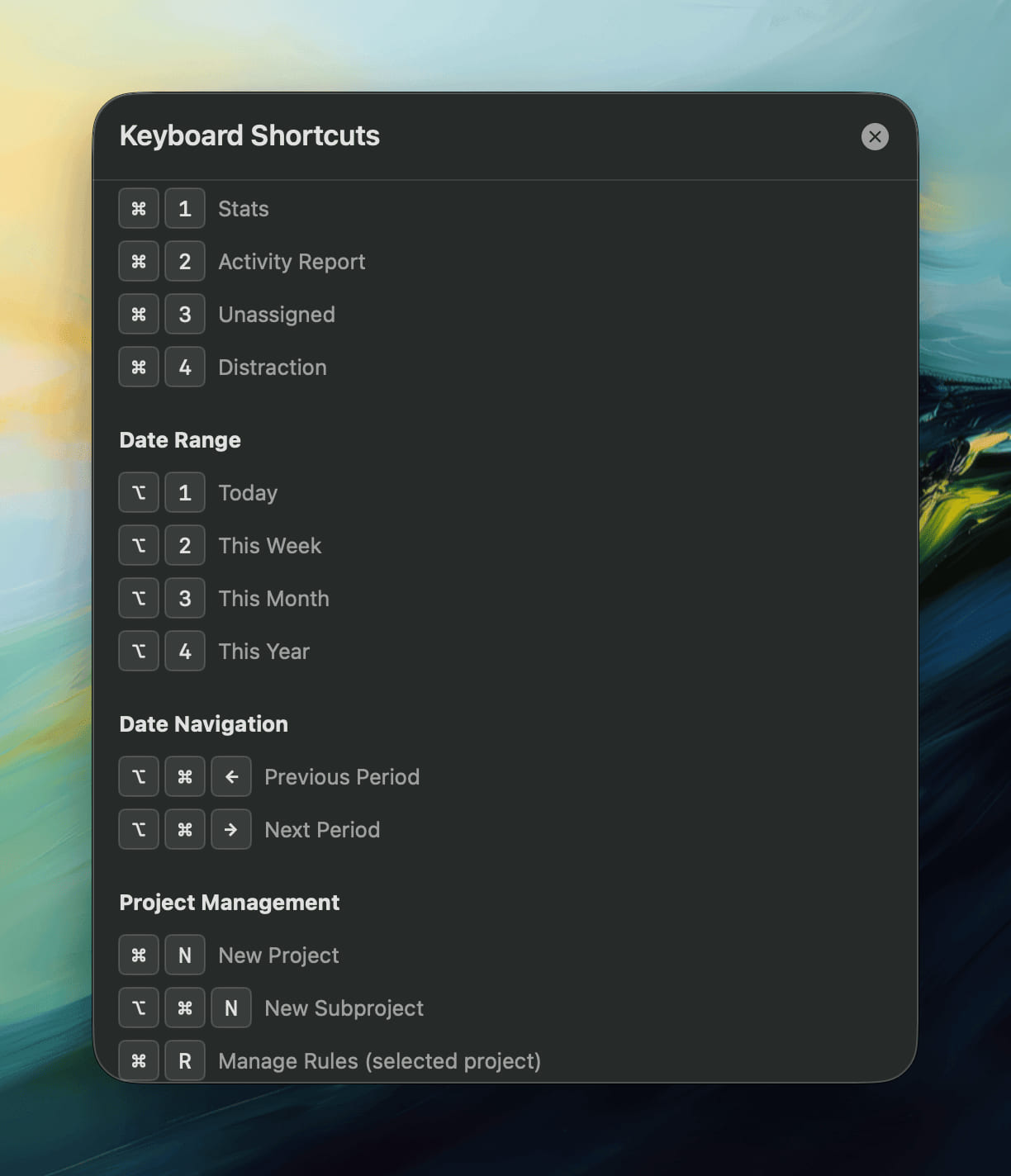
Local shortcuts: View Navigation

  • ⌘ + 1. Stats
  • ⌘ + 2. Activity Report
  • ⌘ + 3. Unassigned
  • ⌘ + 4. Distraction

Date Navigation

  • ⌥ + 1. Today

  • ⌥ + 2. This Week

  • ⌥ + 3. This Month

  • ⌥ + 4. This Year

  • ⌘ + ⌥ + ←. Previous Period

  • ⌘ + ⌥ + →. Next Period

Project Management

  • ⌘ + N. New Project
  • ⌘ + ⌥ + N. New Subproject
  • ⌘ + R. Manage Rules (selected project)
new

Version 1.0.58 (63)

New Features

  • Configurable Backup Retention - Control how many backups to keep and set a total size limit to prevent excessive disk usage. Choose your own limits for both backup count (1-100) and total storage size (50-5000 MB).
  • Custom Backup Location - Choose where to store your database backups, protecting them from app cleaners by selecting a safe location like Documents or an external drive.

Improvements

  • DodoPayments Integration - Added support for DodoPayments as an alternative payment provider for more flexible licensing options.
  • Enhanced Browser Tracking - Improved reliability of browser URL extraction with better AppleScript timeout handling for more accurate activity tracking.
  • Smarter Web Blocker Suggestions - Improved intelligence and usability of web blocker suggestion prompts for better distraction management.
  • Better App Performance - Enhanced overall app responsiveness and stability for a smoother experience.

Bug Fixes

  • Fixed Window Management - Resolved issues with main report window behavior for more reliable window display and positioning.
fixed

Version 1.0.57 (62)

Bug Fixes

  • Reduced CPU Usage - Reverted menu bar daily total feature that was causing excessive CPU usage. This feature will return in a future update with better performance.
new

Version 1.0.56 (61)

New Features

image

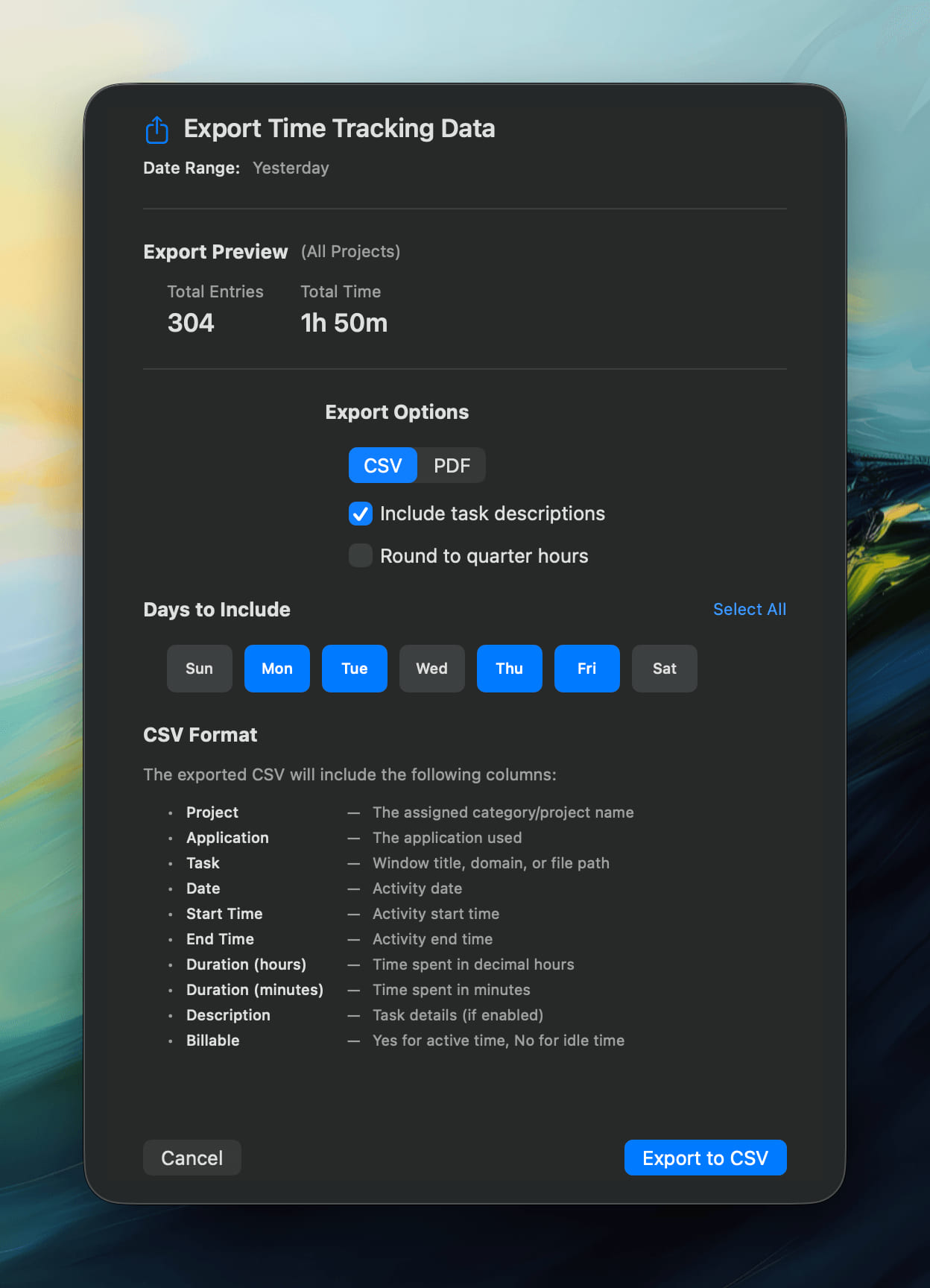
  • Day-of-Week Export Filtering - Export your activity data filtered by specific days of the week for more flexible reporting.

Improvements

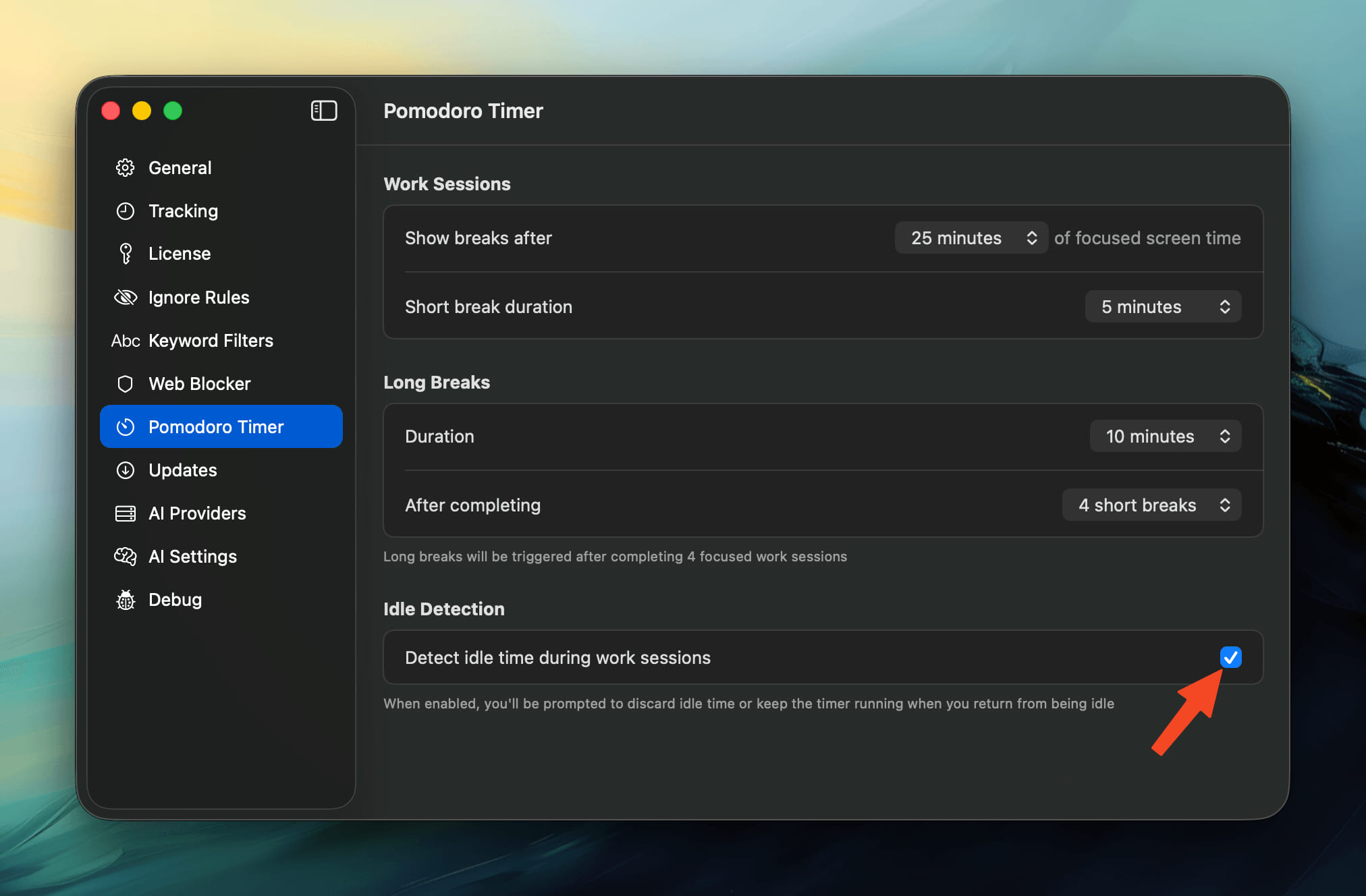
  • Smarter Pomodoro Timer - Pomodoro timer now detects idle time and pauses automatically, ensuring breaks only count when you're actually away. image

  • Auto-Reveal Exports - Exported files now automatically reveal in Finder, making it easier to find and share your reports. image

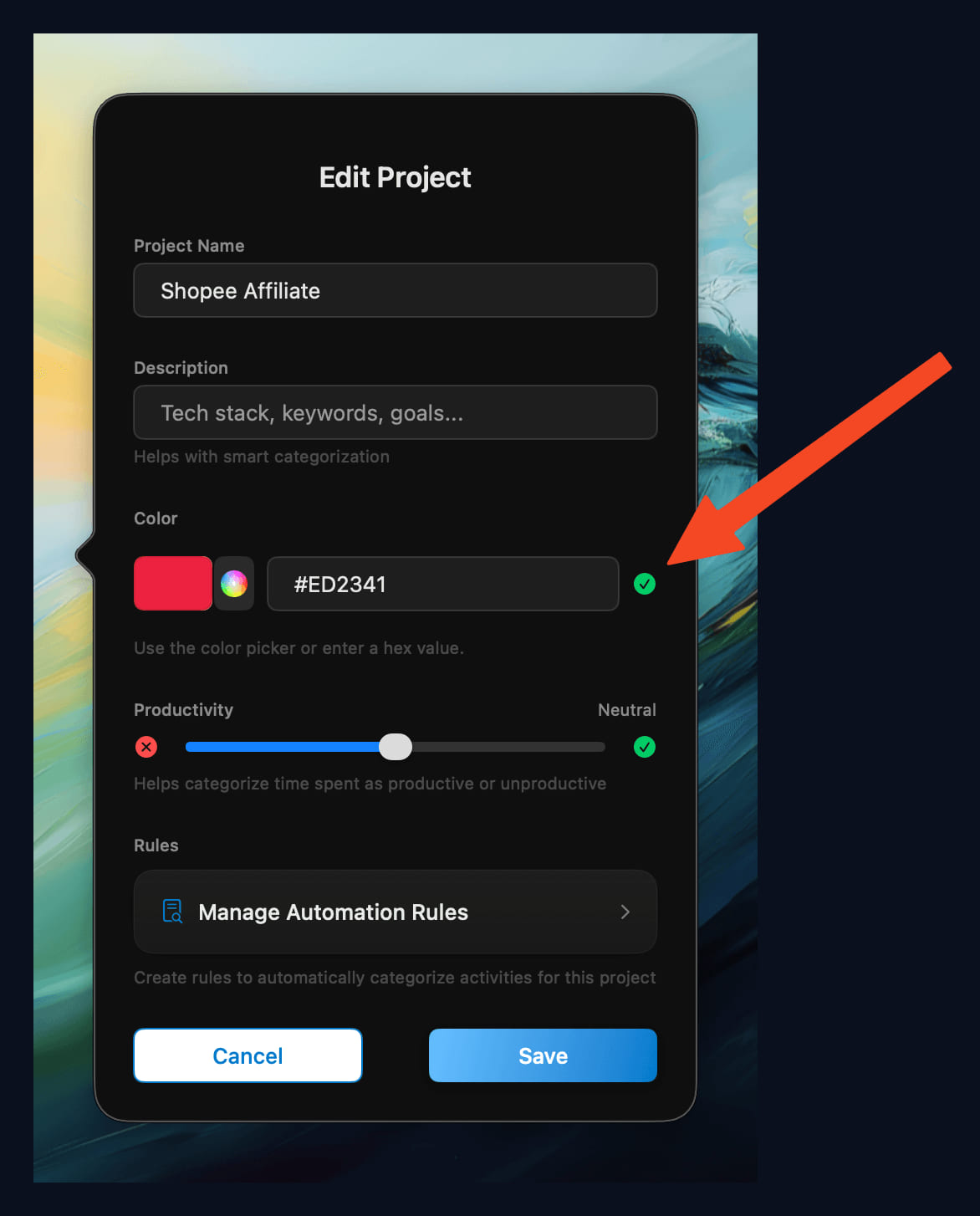
  • Enhanced Project Colors - Improved color picker interface for project customization with better color selection.

  • Better Settings Navigation - Settings window now prevents duplicates and ensures correct tab navigation for a smoother experience.

Bug Fixes

  • Accurate Hourly Stats - Fixed statistics displaying incorrect data for activities that cross hour boundaries, ensuring precise time tracking.
new

Version 1.0.55 (60)

New Features

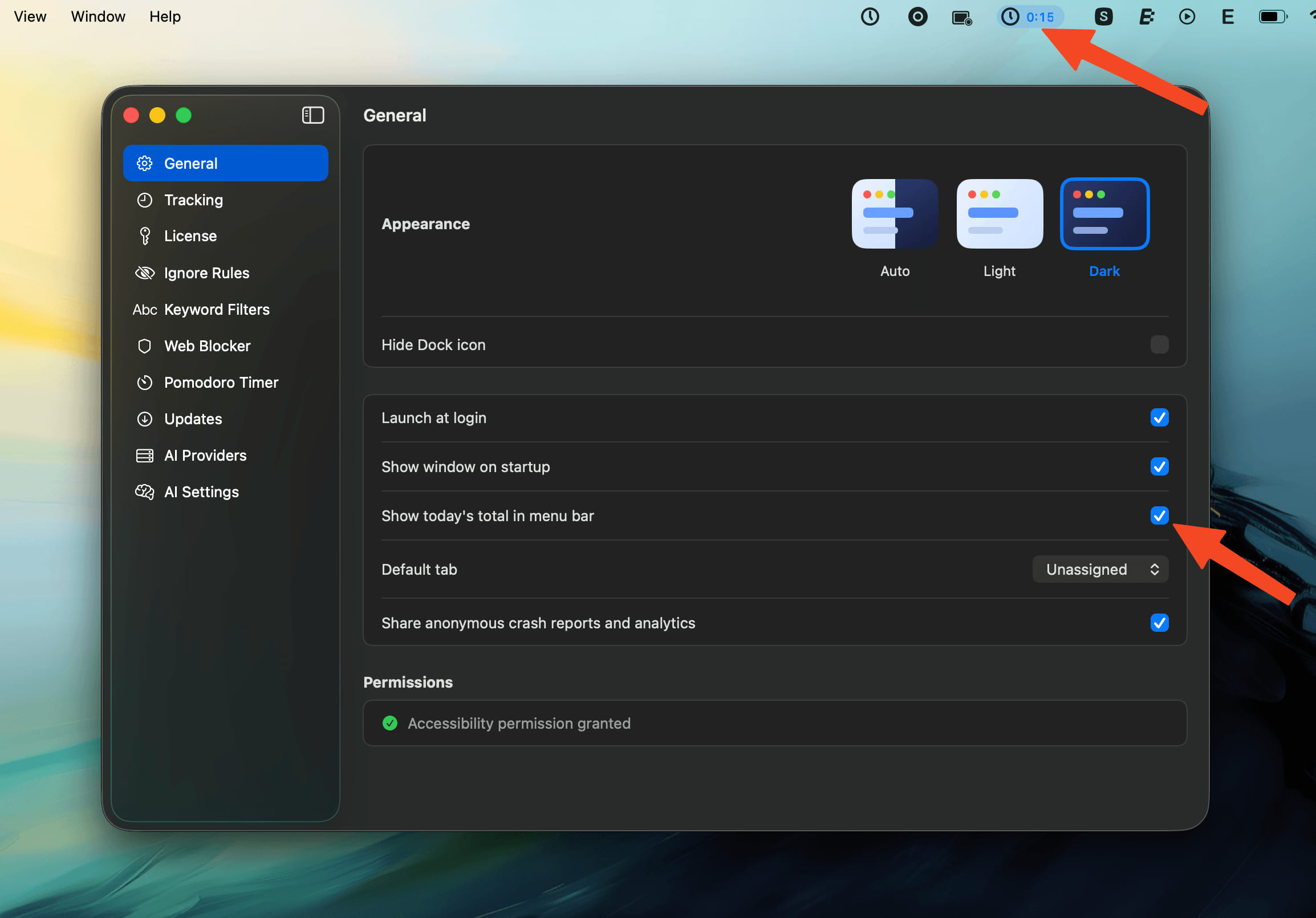
  • Menu Bar Daily Total - Display today's tracked time next to the Chronoid menu bar icon, with a quick toggle in Settings > General.
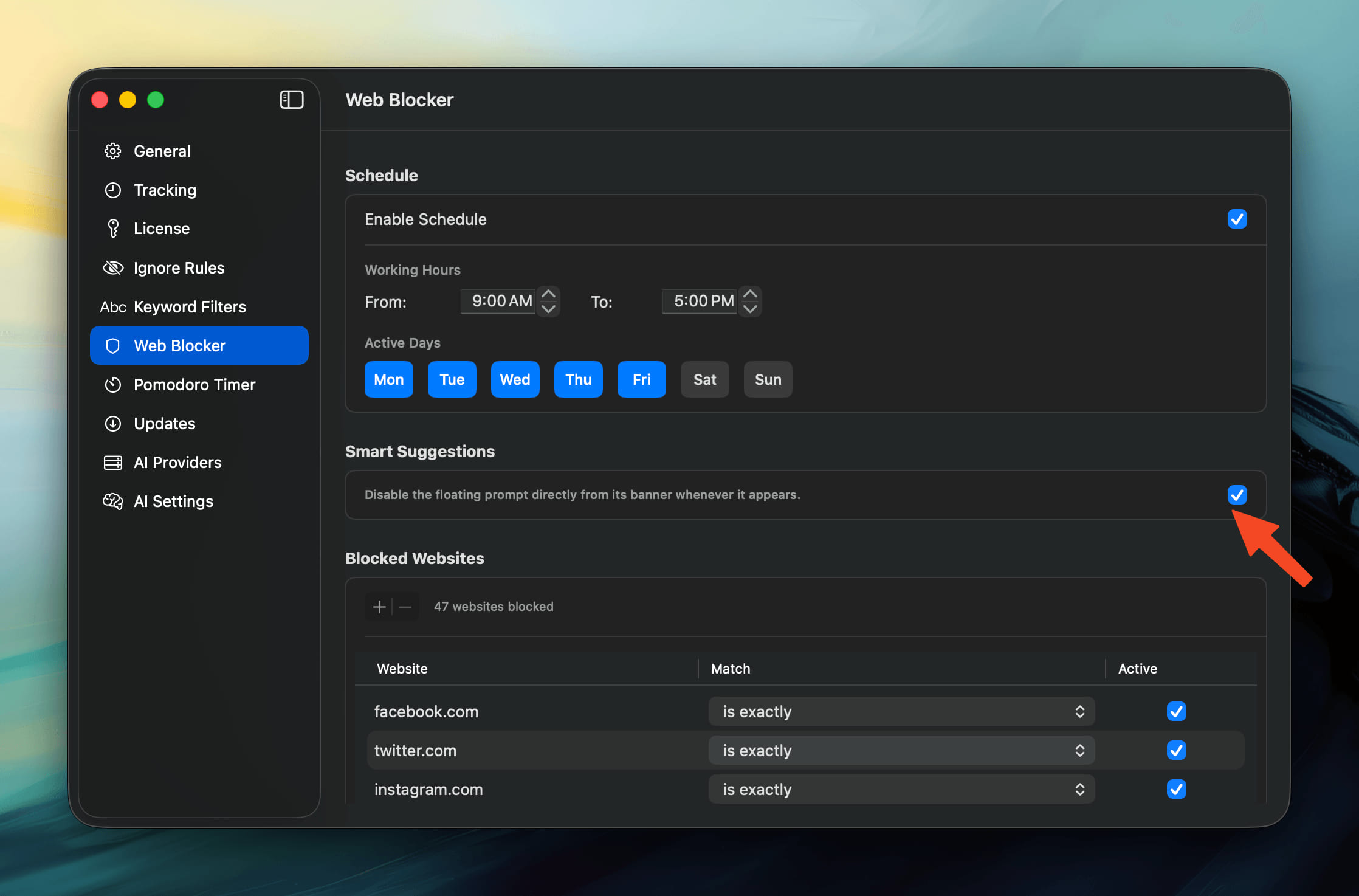
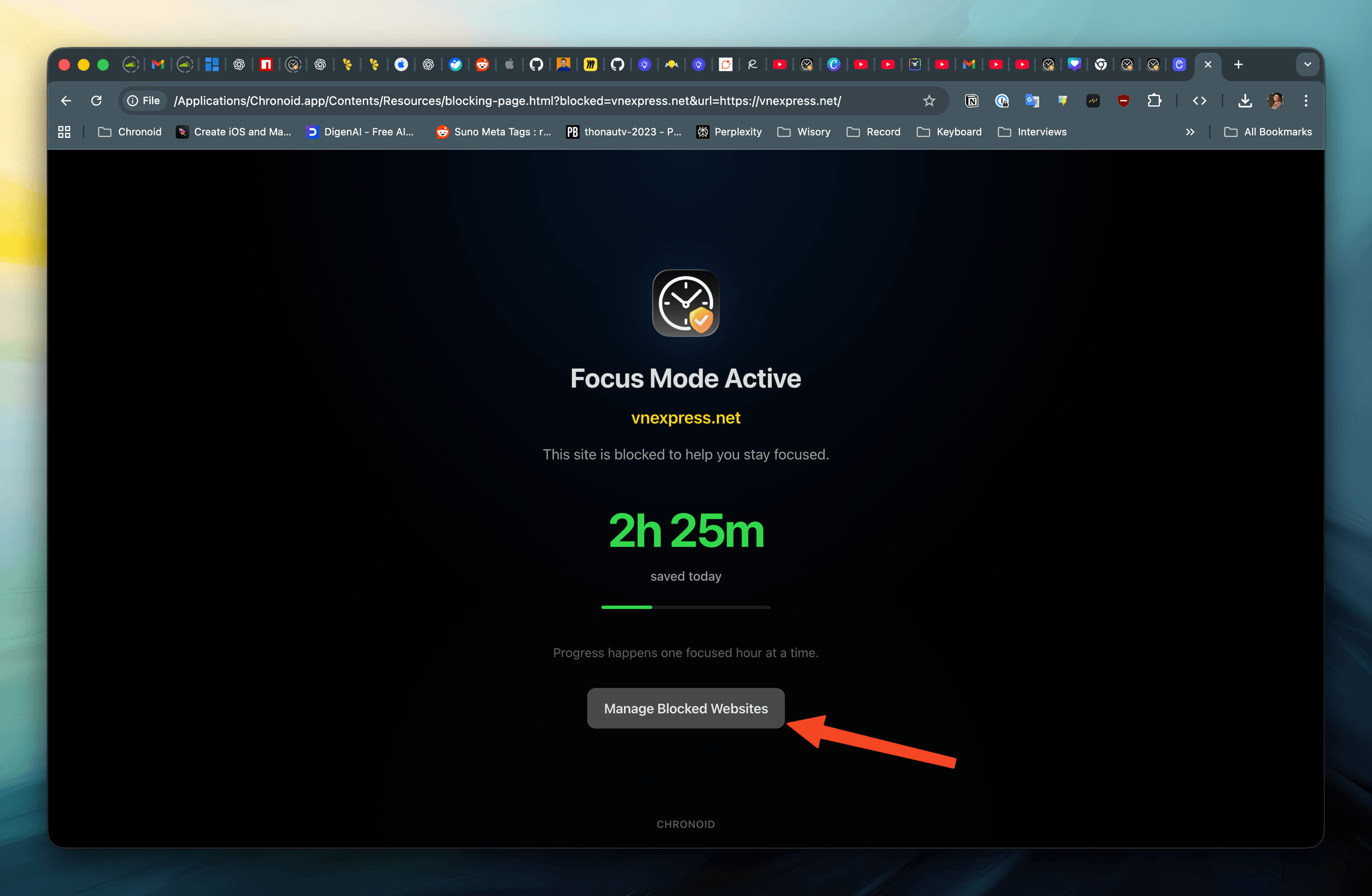
  • Smart Web Blocker Suggestions - Chronoid now surfaces recently distracting websites as suggestions you can block in one click.
  • Blocked Sites Manager - Manage blocked domains directly from the Web Blocker settings, with quick access from the menu bar and the blocked-page link.
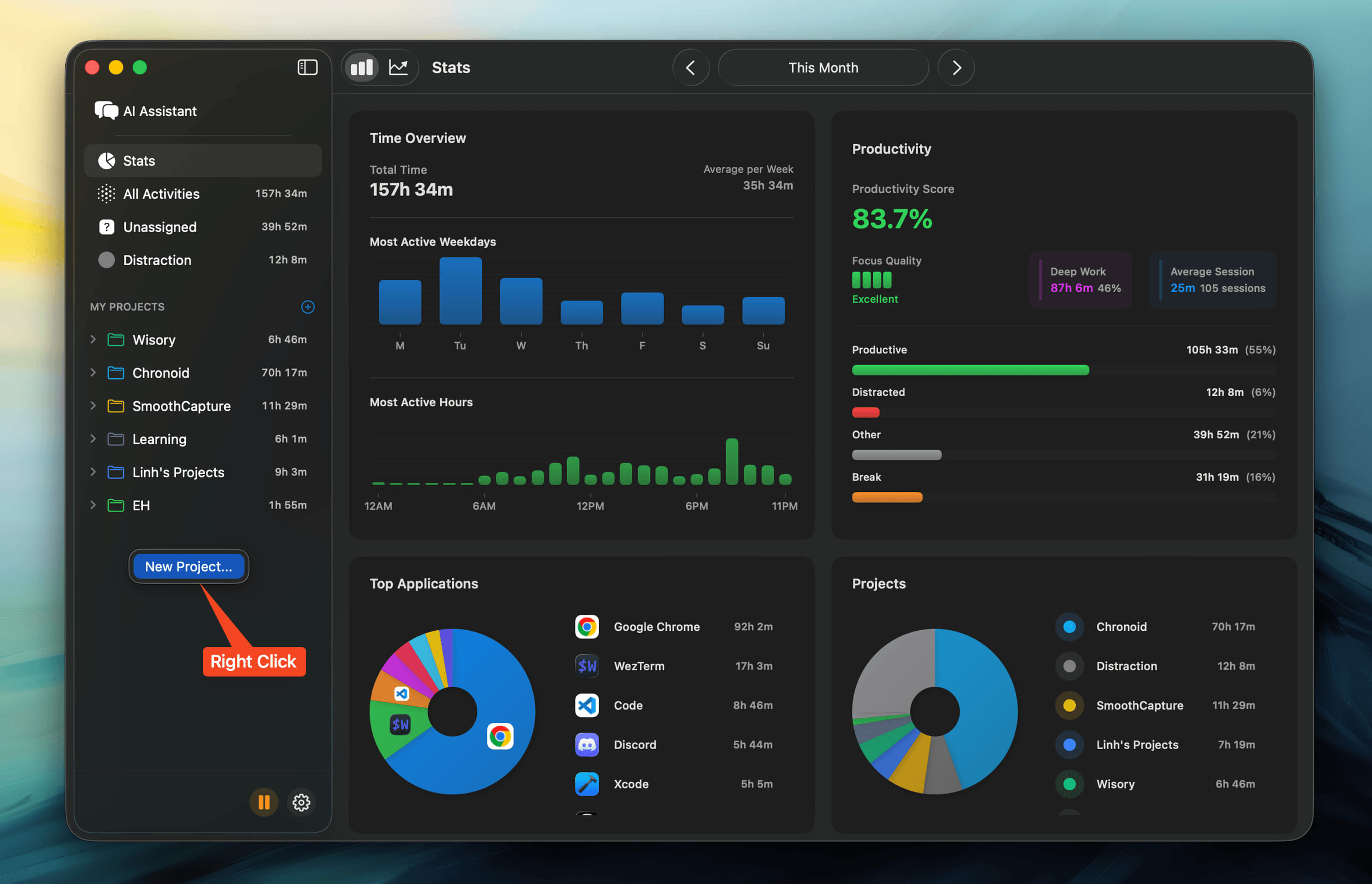
  • Quick Project Creation - Right-click empty space in the sidebar to add a new project without leaving your current view.

SCR-20251030-iscp

SCR-20251030-itfm

SCR-20251030-iszk

SCR-20251030-izdt

Improvements

  • Clearer Reports - Report tables now separate each row with subtle dividers for faster scanning.
  • Pinned Sidebar Header - The sidebar's top section stays visible while you scroll, keeping important filters within reach.
  • Smoother AI Suggestions - Reviewing AI suggestions is more responsive with streamlined animations and multi-select accept/reject controls.

Bug Fixes

  • Instant Web Blocking - Newly added domains are blocked immediately without restarting Chronoid.
  • Menu Bar Icon Sizing - Menu bar icon renders at the intended size across different displays.
  • Stability in Date Navigation - Fixed a freeze that could appear when clicking the date navigator.
  • Polished Blocker Suggestions - Cleaned up styling in the web blocker suggestion list for better readability.
new

Version 1.0.54 (59)

35241

New Features

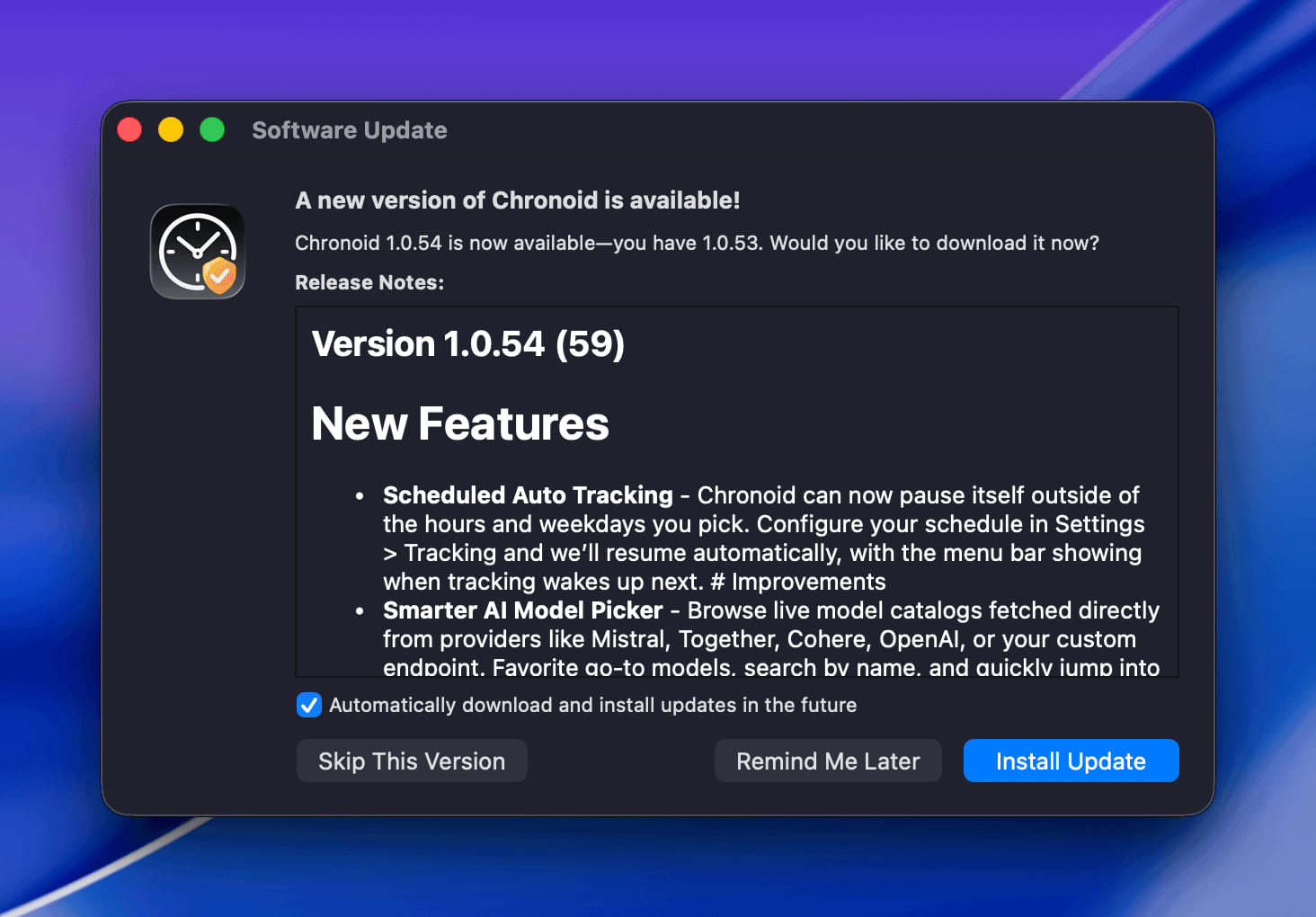
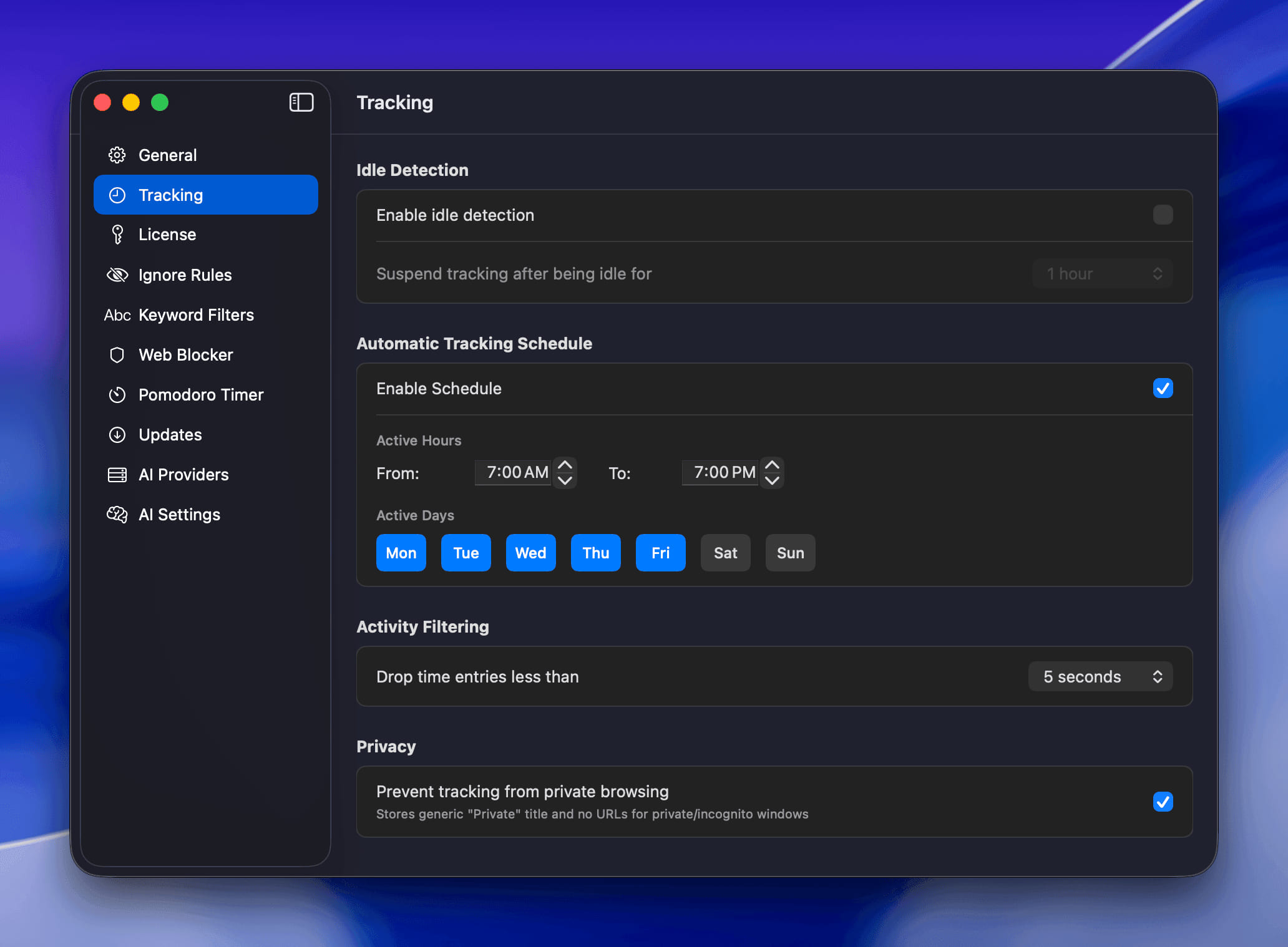
  • Scheduled Auto Tracking - Chronoid can now pause itself outside of the hours and weekdays you pick. Configure your schedule in Settings > Tracking and we'll resume automatically, with the menu bar showing when tracking wakes up next.

99835

95655

Improvements

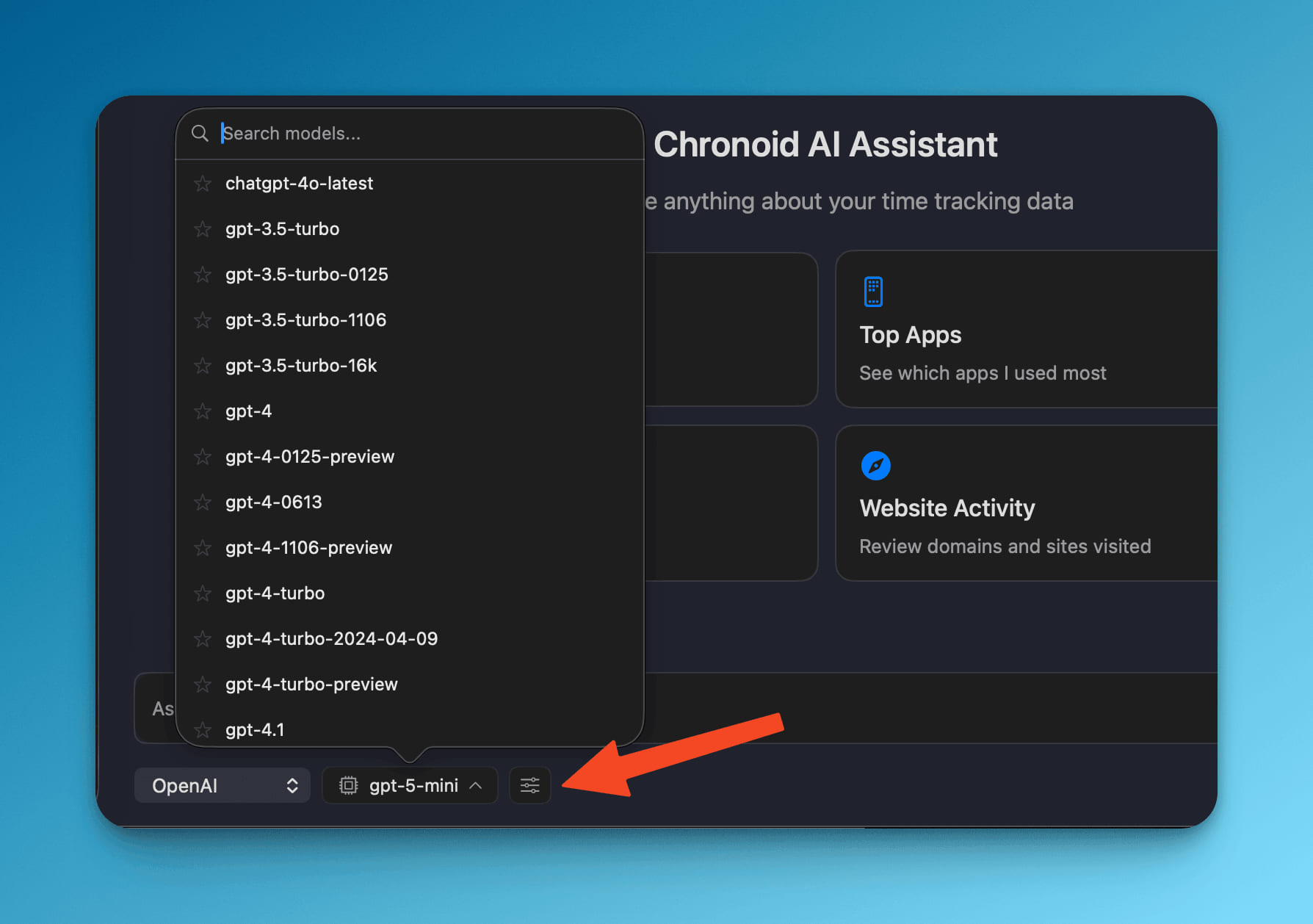
  • Smarter AI Model Picker - Browse live model catalogs fetched directly from providers like Mistral, Together, Cohere, OpenAI, or your custom endpoint. Favorite go-to models, search by name, and quickly jump into provider settings from chat. 39044

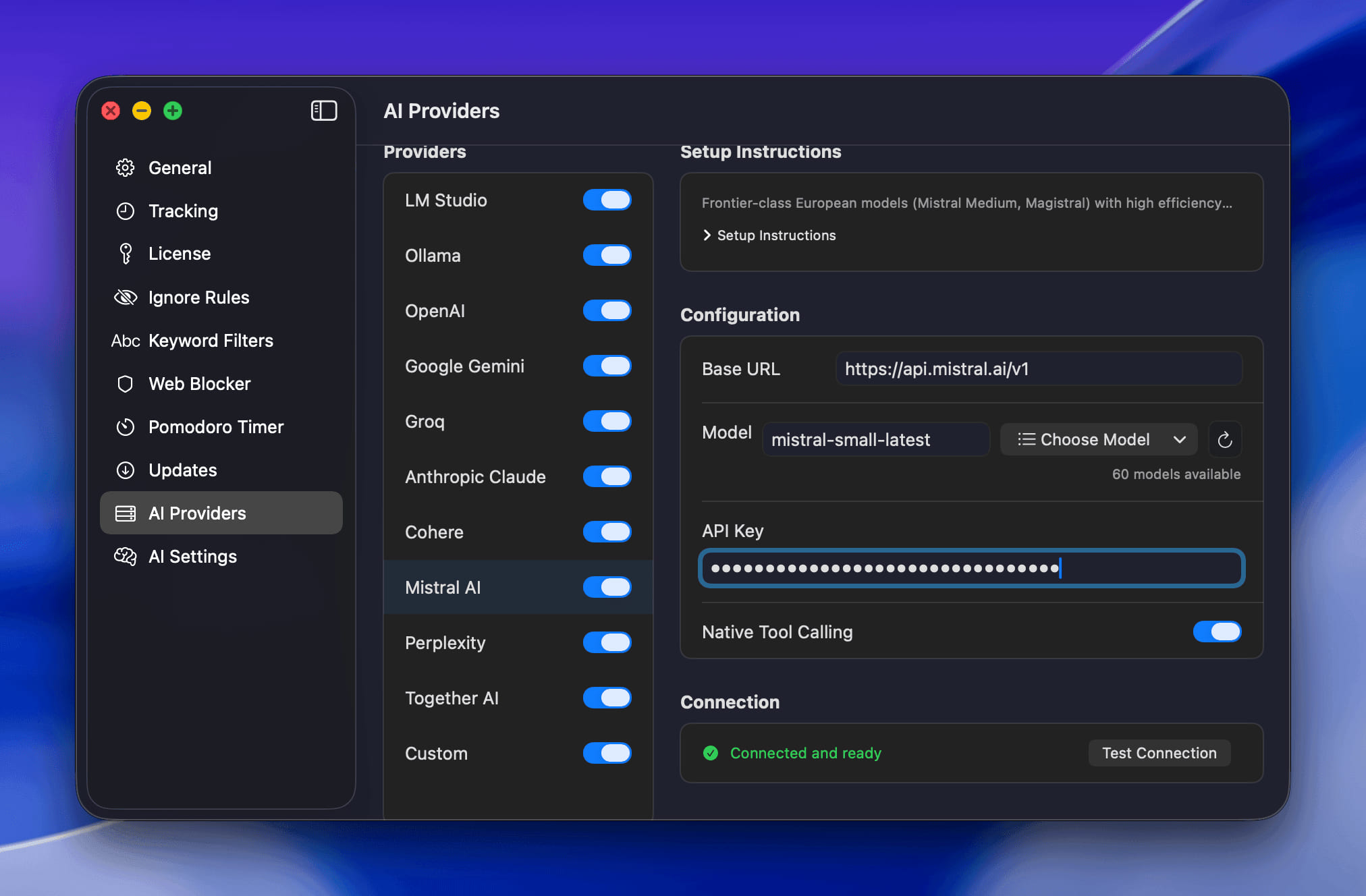
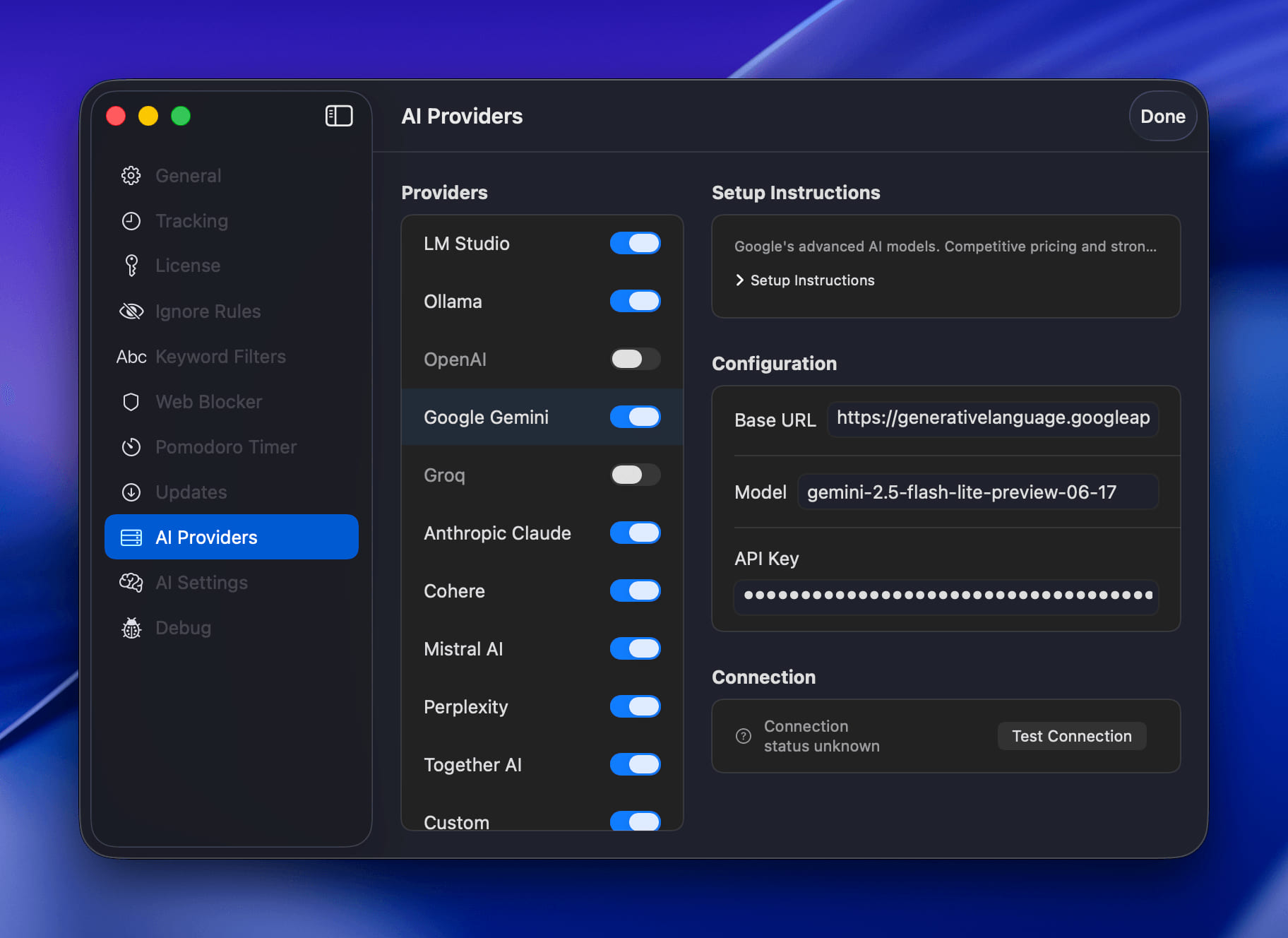
  • Guided Provider Setup - Provider settings now bundle per-service toggles, inline setup tips, optional base URLs, and real-time connection checks so it's easier to get any model online. 66928

  • Faster Trial Verification - Trial status checks now run in the background, keeping the reports view snappy while still protecting your free trial window.

Bug Fixes

  • Steady License Activation - Entering a valid license key no longer closes the window, letting you stay in the flow.
new

Version 1.0.53 (58)

New Features

  • Theme Controls - Choose between auto, light, or dark modes in Settings > General so Chronoid matches your workspace.

Improvements

  • Instant Rule Editing - Double-click projects or distraction categories in the sidebar to jump straight into rule configuration.
  • Sidebar Quick Actions - The sidebar footer now surfaces license status with one-click access to activation and settings.
  • Clearer Project Icons - Parent projects display folder icons, making nested structures easier to scan at a glance.
  • Reliable License Sync - Licensing refreshes in the background and clears invalid keys to keep activations up to date automatically.
  • Smoother License Activation - Upgrade prompts close immediately after you enter a valid license key, keeping momentum.
  • **Ignore
improved

Version 1.0.52 (57)

Improvements

  • Inline License Activation - Added license activation controls to the upgrade prompt so existing customers can unlock Chronoid without leaving the flow
fixed

Version 1.0.51 (56)

Bug Fixes

  • Fixed Multi-Selection Assignment - Assigning a project from the Applications or Domains reports now applies to every selected window title instead of only the first item.
improved

Version 1.0.50 (55)

Improvements

  • Improved Zen Browser Redirection - Refined the Zen browser redirect flow so visits land on the intended productivity page every time
fixed

Version 1.0.49 (54)

Bug Fixes

  • Fixed Statistics Page Layout - Resolved layout issues in productivity trends view for better visual presentation and readability
  • Improved Menu Bar Icon - Fixed menu bar icon color consistency across different system themes for better visibility
  • Fixed Statistics Page Crashes - Resolved stability issues that could cause crashes when viewing statistics, ensuring smooth performance
improved

Version 1.0.48 (53)

Improvements

  • Enhanced File Icons - File and folder icons now load faster with improved caching, making the path report view more responsive
  • Better Interface Performance - Migrated path and keywords sections to native AppKit for smoother scrolling and interaction
  • Clearer Productivity Labels - Productivity charts now show more user-friendly labels and descriptions for better understanding
  • Smoother Animations - Refined animation performance in productivity charts for a more polished experience
fixed

Version 1.0.47 (52)

Improvements

  • Improved Activity Report Performance - Faster rendering performance when loading quarterly and monthly reports, now smooth and responsive
  • Better Project Organization - Improved drag and drop functionality for assigning keywords to projects with more reliable interaction
  • Enhanced Break Window Experience - Break screens now appear consistently across all monitors with keyboard shortcuts to close them easily
  • Smoother Timeline Performance - Optimized timeline scrolling and rendering for better responsiveness, especially with large activity datasets
  • Improved Menu Bar Icon - Better visibility and appearance of the menu bar icon in light mode
  • More Responsive Interface - Enhanced performance when switching between different views and loading activity data

Bug Fixes

  • Fixed Statistics Page Crashes - Resolved issues where the app could crash when viewing statistics with certain data patterns
  • Fixed Timeline Memory Issues - Resolved memory leaks that could occur when scrolling through long activity timelines
  • Improved Context Menu Reliability - Fixed issues with right-click context menus in the new outline view format
  • Better Animation Performance - Reduced processing load from animations to prevent UI slowdowns
fixed

Version 1.0.46 (51)

Bug Fixes

  • Fixed App Freezing on Stats Page - Resolved an issue where the app could freeze when navigating to the Statistics page, ensuring smooth performance across all views
new

Version 1.0.45 (50)

New Features

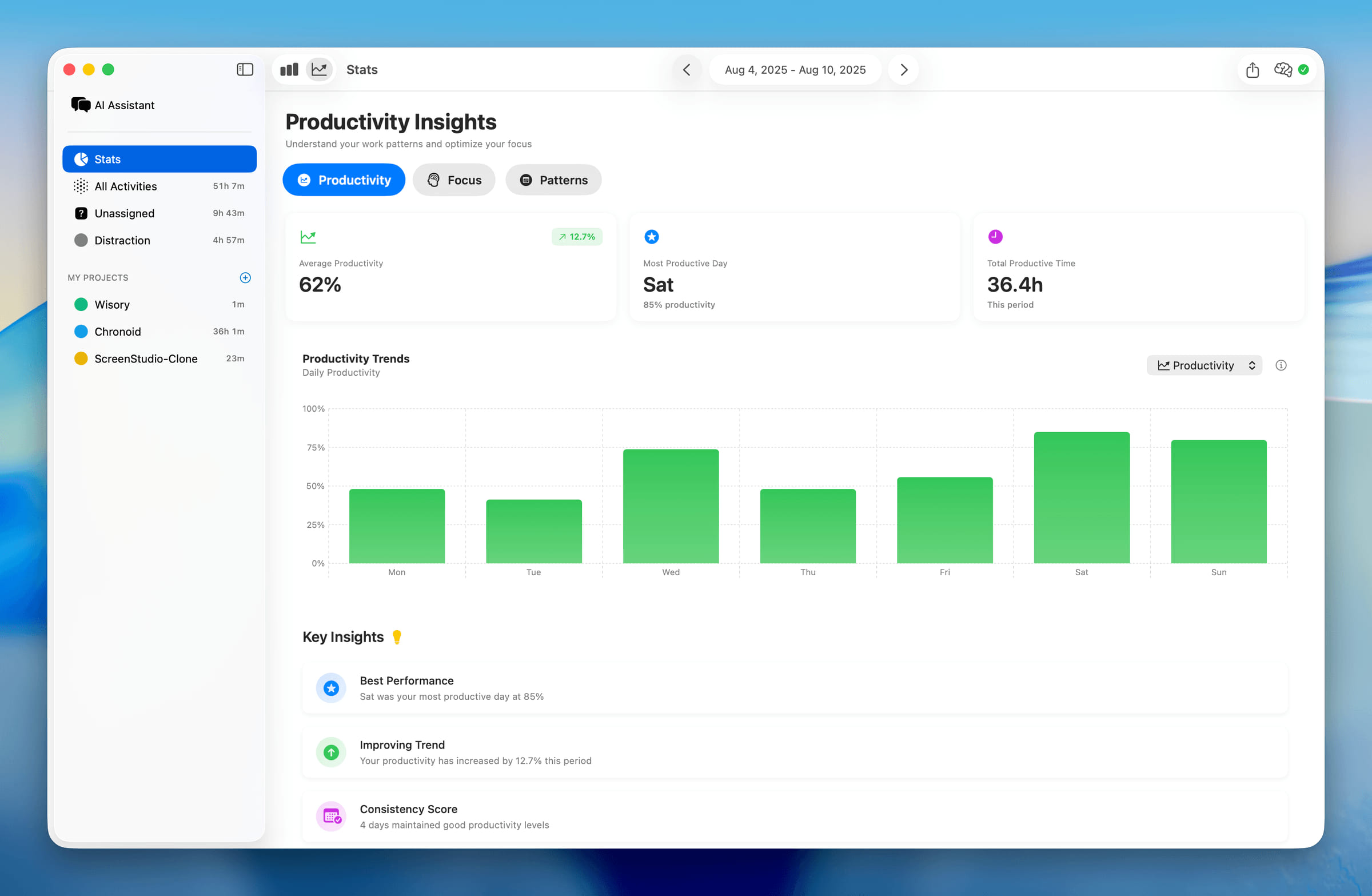
  • Enhanced Statistics Dashboard - Completely redesigned stats view with beautiful productivity trends, daily activity rings, and comprehensive insights into your work patterns image

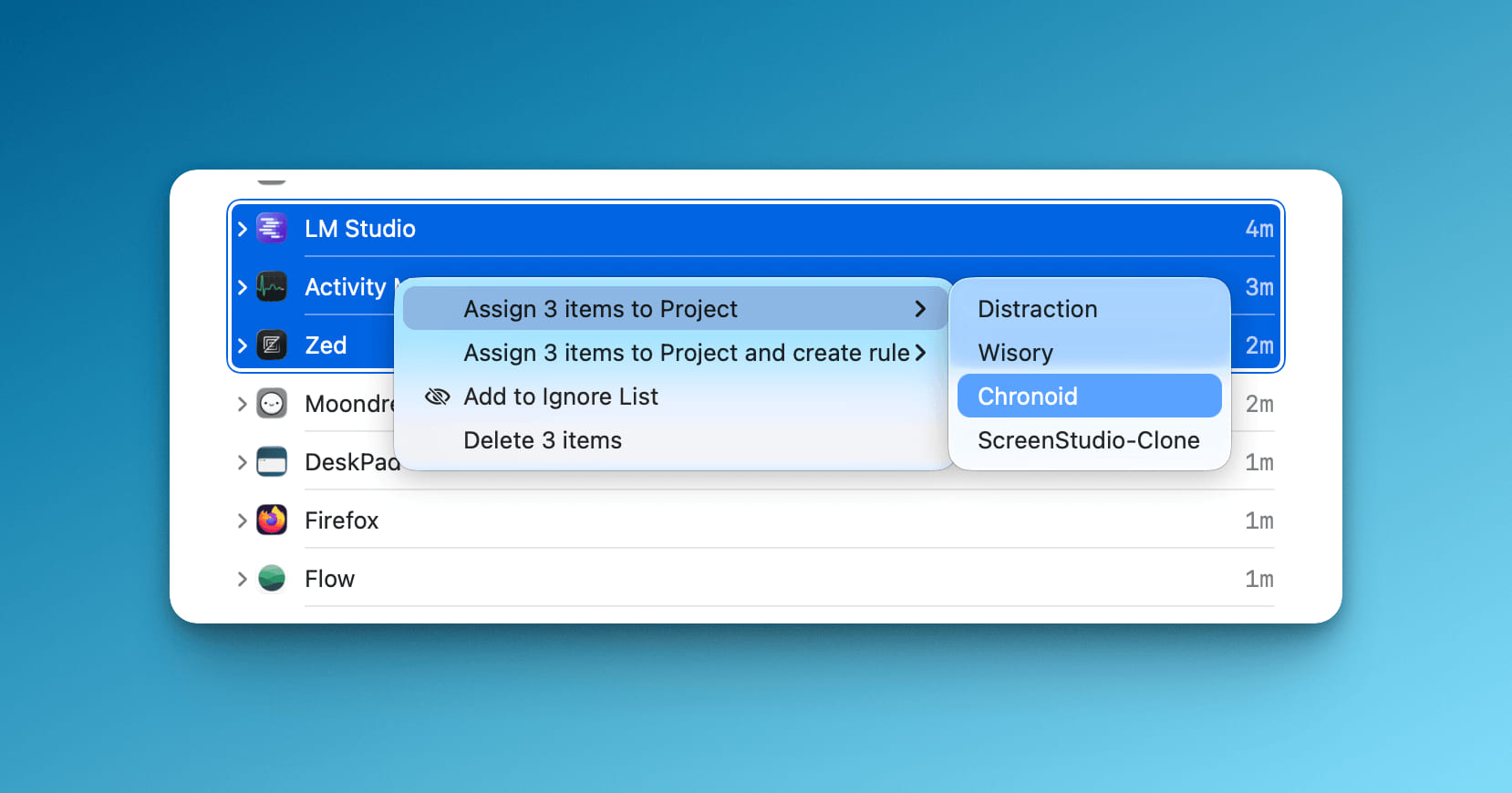
  • Multi-Selection for Activities - Select multiple activities at once to assign them to projects or delete them in bulk, making organization much faster image

Improvements

  • Beautiful Chart Redesign - All charts now have better styling, helpful tooltips, and clearer visual presentation of your data
  • Smarter Web Blocker - Web blocker is now more intelligent about blocking only the sites you specify, without affecting related subdomains unnecessarily music.youtube.com no longer got blocked, subdomains treat as separate domain
  • Better Menu Bar Icon - Improved visibility of the menu bar icon in light mode

Bug Fixes

  • Fixed Daily Reports - Activities that span across midnight are now properly tracked and displayed in daily reports
  • Pomodoro on External Monitors - Pomodoro break screens now work correctly when using multiple monitors
new

Version 1.0.44 (49)

New Features

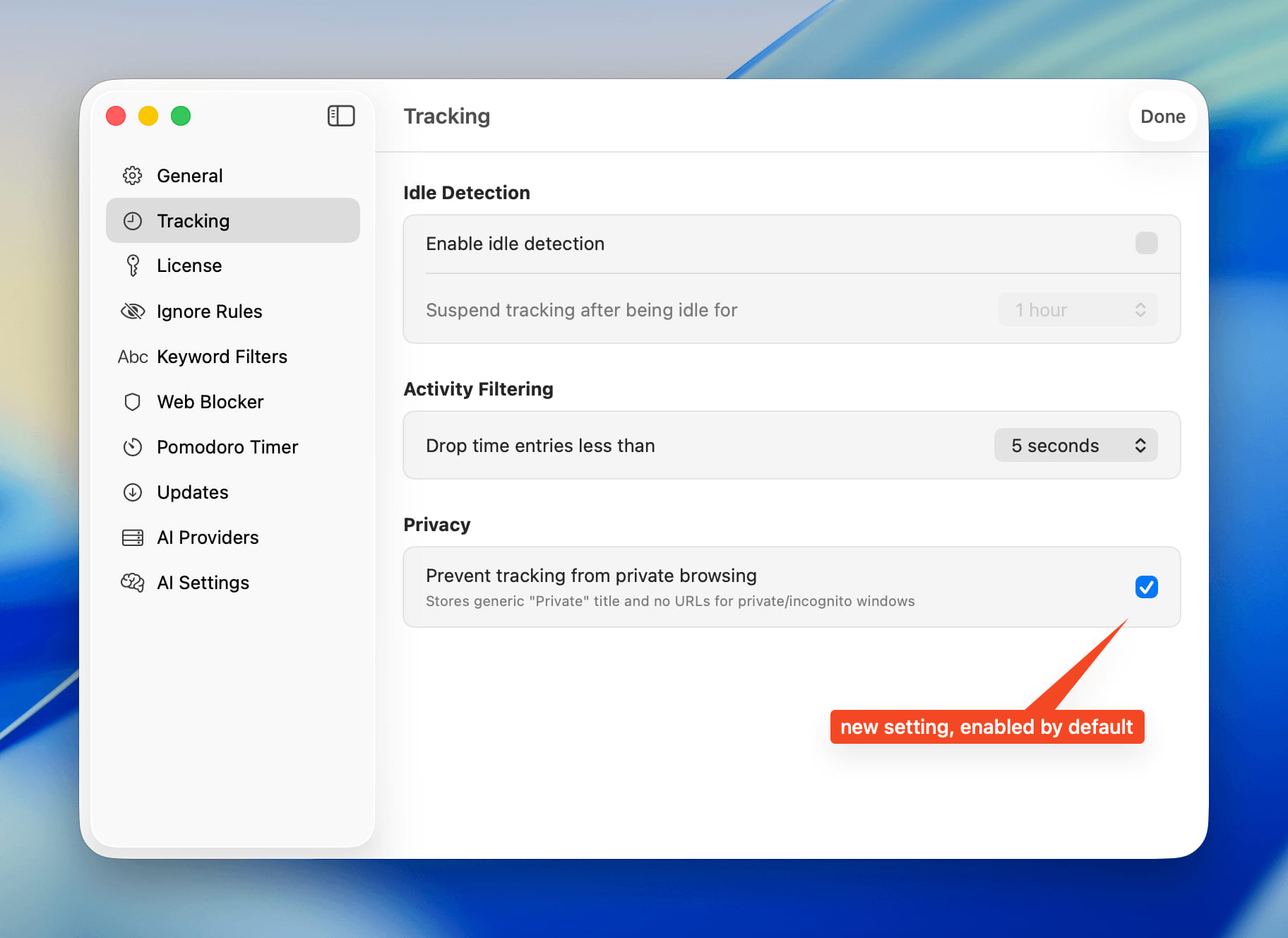
  • Private Browsing Protection - Private browsing sessions are now automatically labeled as "Private Browsing" instead of showing specific page titles, protecting your privacy by default

image

Improvements

  • Cleaner Window Titles - Enhanced window title processing to remove browser names and unnecessary metadata for better readability in your activity reports

Bug Fixes

  • Rule Toggle Reliability - Fixed issues with toggling categorization rules on and off
  • Report Accuracy - Improved calculation accuracy for file path-based activity reports
  • Fixed App Crashes - Resolved crashes that could occur with malformed AI responses and out-of-bounds array access
  • Enhanced Interface - Fixed visual issues with sidebar backgrounds and project outline views for a cleaner appearance
  • Better Provider Status Handling - AI provider enable/disable settings are now properly respected during categorization
new

Version 1.0.43 (48)

New Features

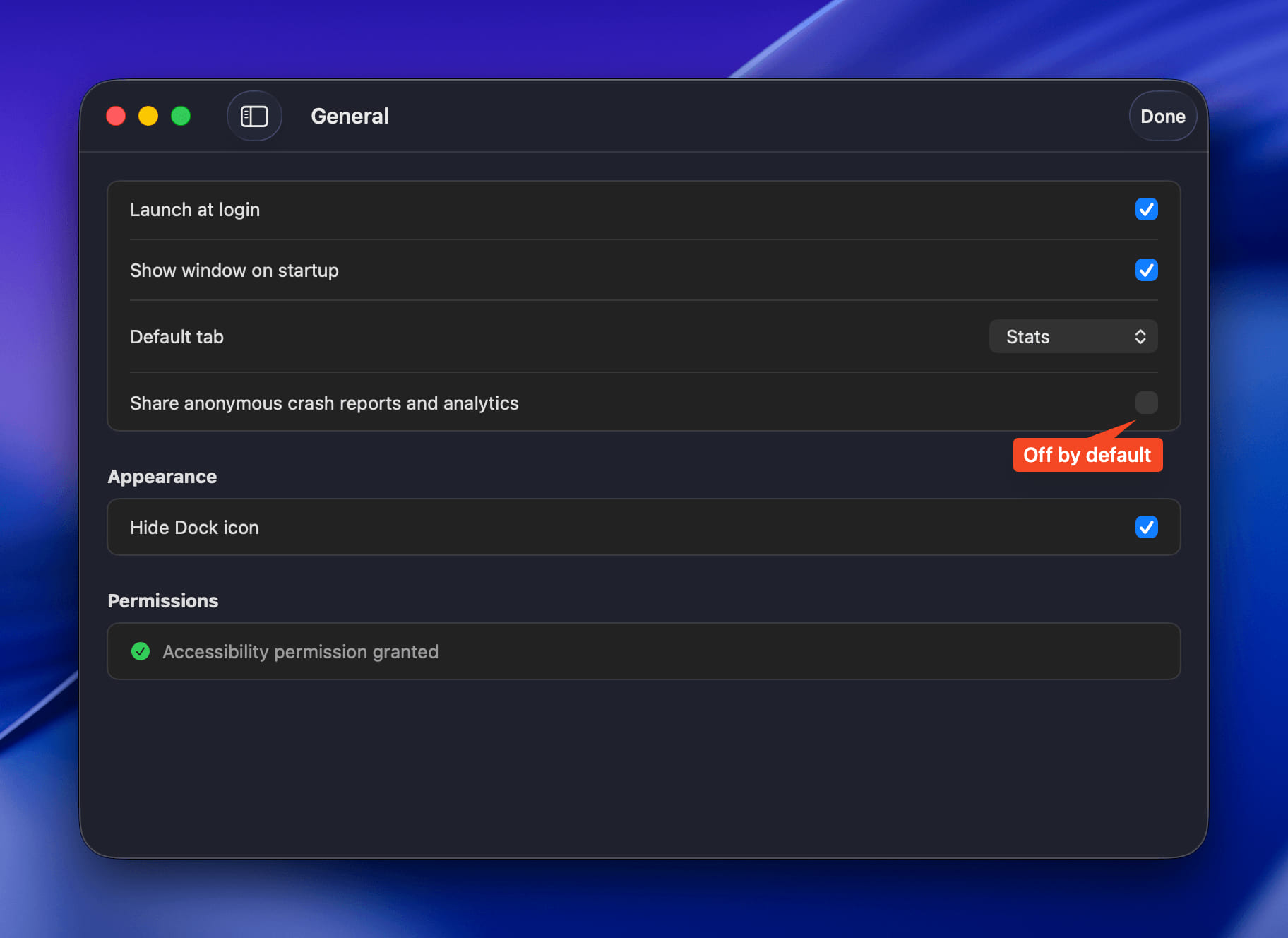
  • Privacy-First Analytics - Error monitoring is now disabled by default, giving you complete control over data sharing image

  • AI Provider Management - Easily enable or disable AI providers directly from settings for better control over your integrations image

Bug Fixes

  • Path Report View - Fix the activity assignments from path report view
new

Version 1.0.42 (47)

New Features

  • Enhanced Error Monitoring - Added Sentry integration for comprehensive crash reporting and performance monitoring to improve app stability and user experience

Improvements

  • Better Error Tracking - All errors and crashes are now automatically captured and reported to help identify and fix issues faster
  • Performance Monitoring - Added performance tracking to identify and optimize slow operations for a smoother experience
  • Enhanced Debugging - Improved error context and breadcrumb tracking for faster issue resolution
new

Version 1.0.41 (46)

New Features

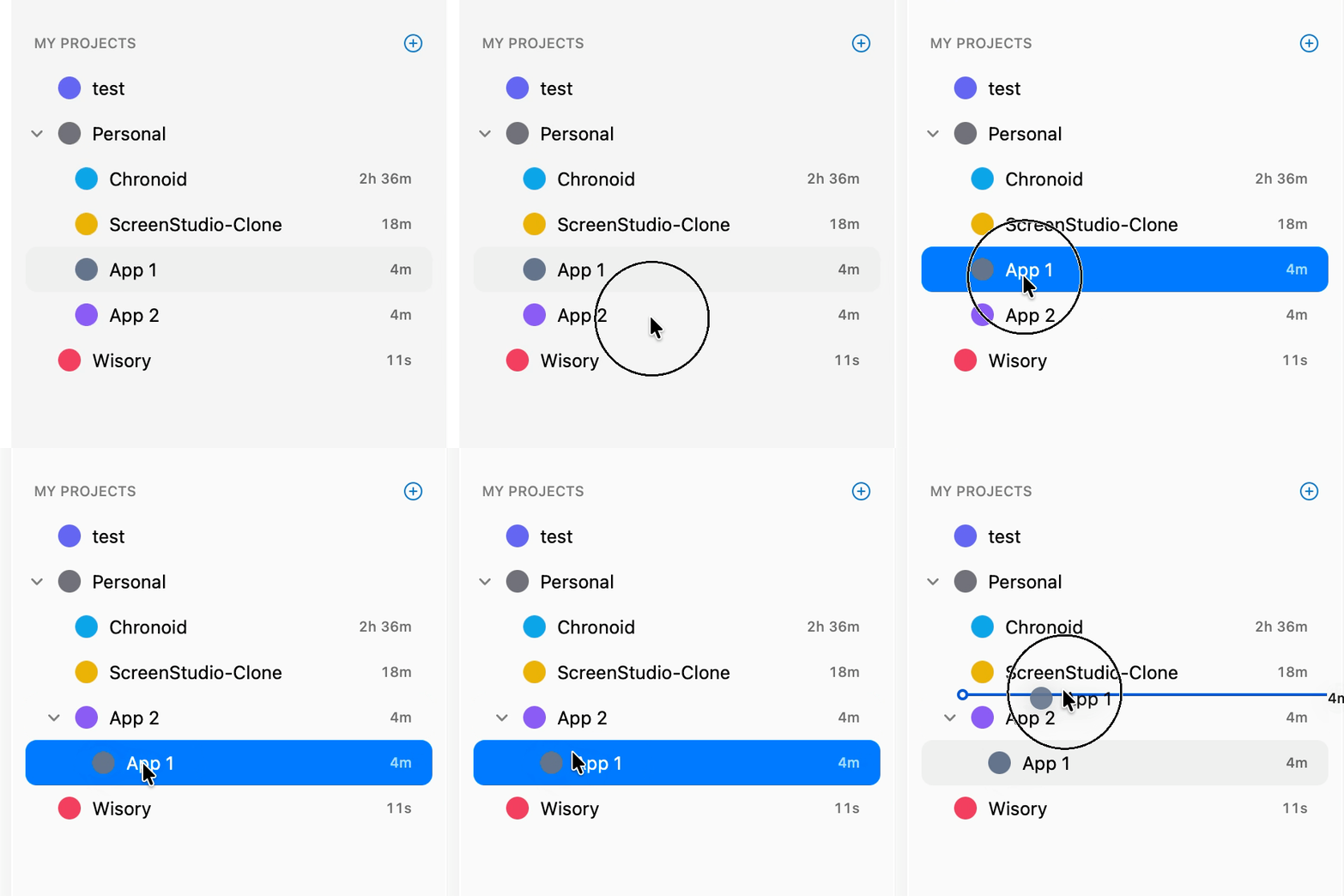
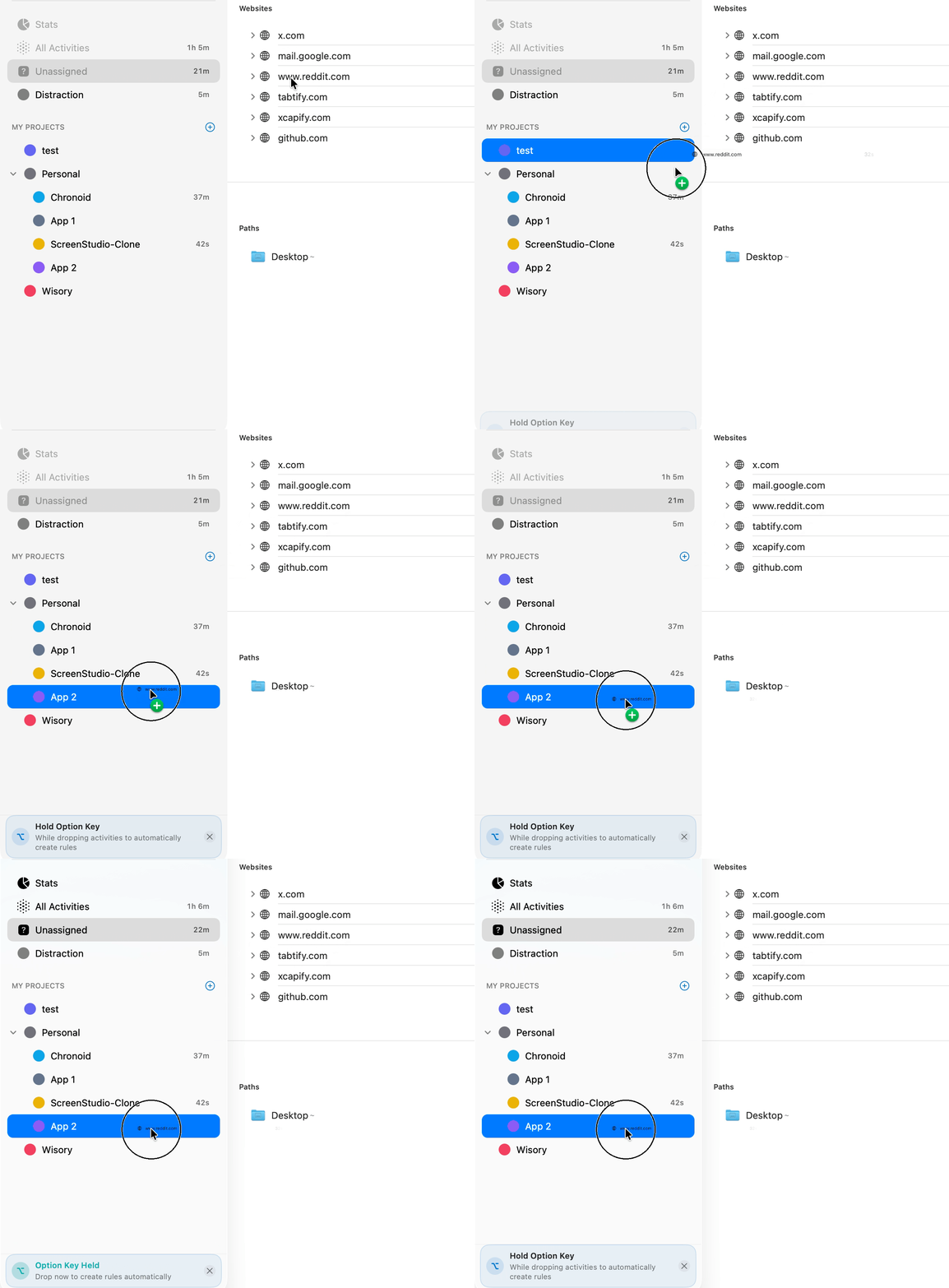
  • Hierarchical Project Structure - Create sub-projects by dragging and dropping projects onto other projects for better organization sidebar-outline

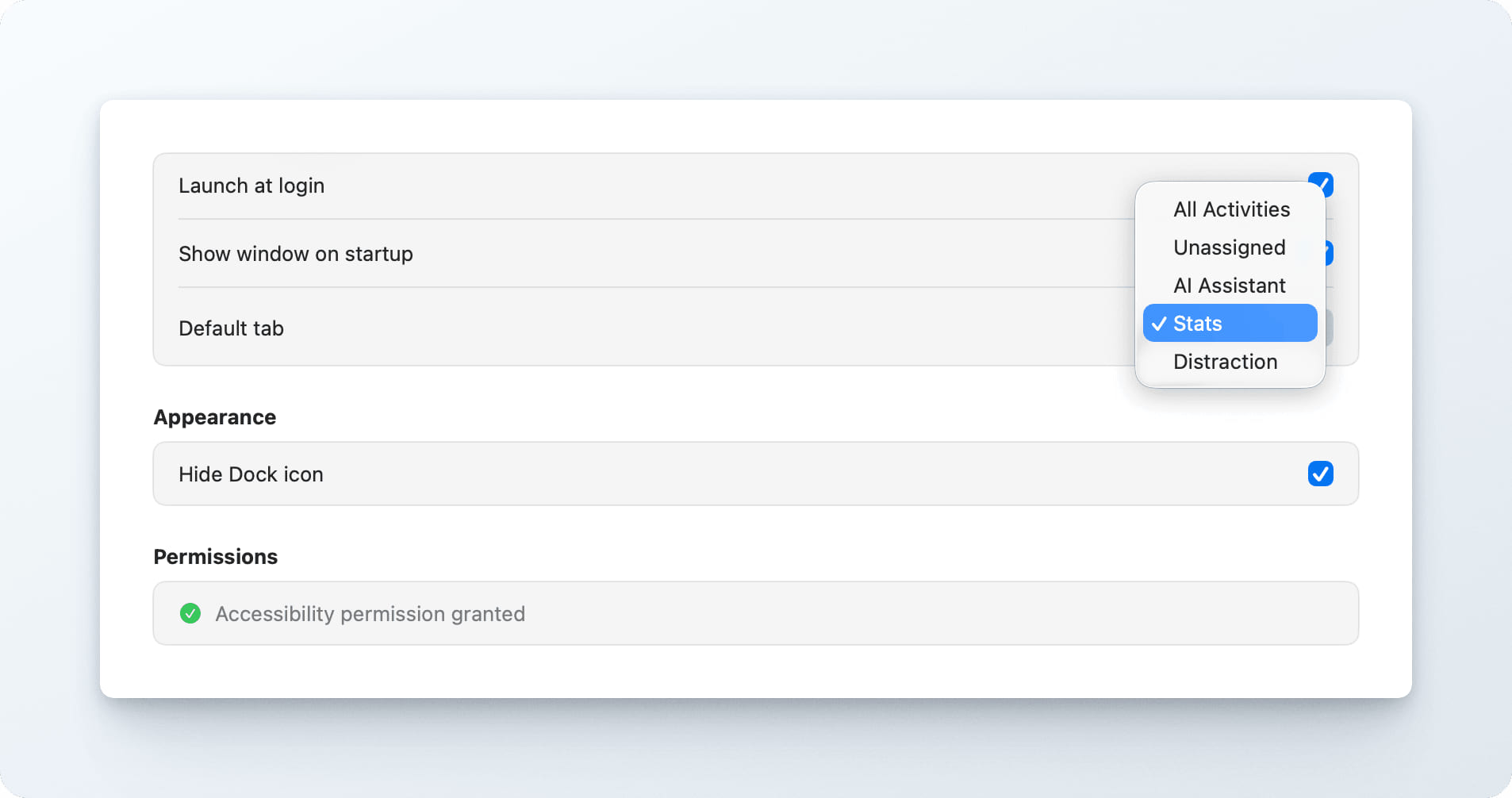
  • Default Tab Setting - Choose your preferred default tab (All Activities, Unassigned, AI Assistant, Stats, or Distraction) for the main report window image

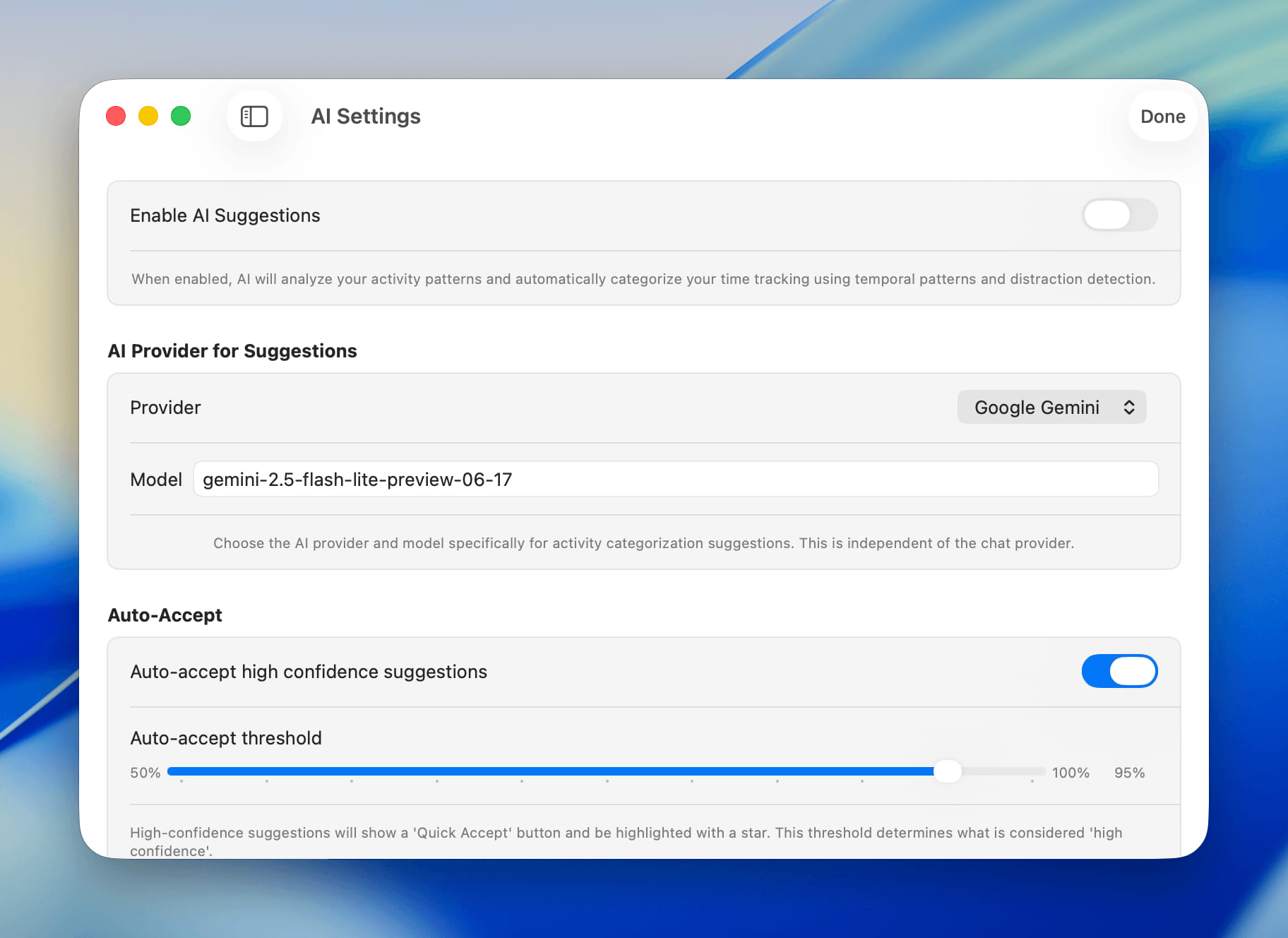
  • Separate AI Provider for Suggestions - Configure different AI providers and models for activity suggestions vs chat functionality image

  • Auto-redirect from Blocked Pages - When web blocker is disabled, automatically redirect back to the original URL you were trying to access

Improvements

  • Better Time Display - Parent projects now show total time including all sub-projects when collapsed

  • Improved Markdown Rendering - Chat responses now render markdown using WebKit for better formatting

  • Visual Feedback for Drag Operations - Clear hints when dragging activities to projects or system categories option

  • Copy Version Number - Easily copy the app version number from Settings

Bug Fixes

  • Fixed Startup Window Behavior - Resolved issue where main window would appear during Mac startup despite setting being disabled
  • Improved Rule Configuration - Better spacing and visual alignment for rule creation interface
  • Enhanced Icon Colors - Fixed AI assistant and stats icon colors for better visibility
new

Version 1.0.40 (45)

New Features

  • Intelligent Activity Suggestions - New AI-powered suggestions using LLM for accurate categorization, with automatic fallback to fastText when LLM is unavailable
  • Web Blocker Quick Toggle - Now you can enable the web blocker at any time, even outside of scheduled hours, for instant focus
  • Temporary Web Blocker Disable - Need a quick break? Temporarily disable the web blocker for a specific duration (5, 15, 30 minutes or custom)
  • Enhanced Model Selection - New model picker in AI chat view with support for both Ollama and LMStudio local models

Improvements

  • Better Rule Management Interface - Redesigned rule configuration view for easier creation and editing of categorization rules
  • Faster AI Suggestions - Improved performance when loading AI-powered activity suggestions
  • Enhanced Search and Filtering - Better search functionality for AI suggestions with modern window design
  • Cleaner Window Titles - Improved window title processing that works better across all Chromium-based browsers

Bug Fixes

  • Web Blocker Settings Persistence - Fixed issue where web blocker settings weren't saved between app relaunches
  • AI Response Processing - Fixed chunked response handling for more reliable AI interactions
new

Version 1.0.39 (44)

New Features

  • Enhanced AI Chat Interface - Redesigned chat input with better auto-sizing, minimum height control, and improved focus management for smoother conversations
  • Advanced Provider Settings - New dedicated settings pane for managing AI provider configurations with better organization and control
  • Weekday Web Blocker Scheduling - Added ability to schedule web blocker activation on specific weekdays for more flexible focus management

Improvements

  • Enhanced Window Management - Added option to control main window visibility on app startup for better user workflow
  • Better License Integration - Added direct link to pricing page from License Settings for easier subscription management
  • Refined Chat Controls - Added cancel, delete, and clear functionality to AI Assistant for better conversation management
new

Version 1.0.38 (43)

New Features

  • Fullscreen Pomodoro Breaks - Break screens now display in fullscreen across all spaces for better focus enforcement
  • Enhanced Productivity Scoring - New productivity analysis with detailed session breakdowns and work pattern insights

Improvements

  • Modern Settings Interface - Redesigned settings with cleaner, more intuitive layout and grouped options
  • Better Break Time Tracking - Productivity calculations now properly account for break time from gaps in activity
  • Enhanced Keyword Filters UI - Better interface for managing filtered keywords with improved usability

Bug Fixes

  • Fixed Keyword Hiding - Corrected keyword visibility issues in report panel
new

Version 1.0.37 (42)

New Features

  • Pomodoro Timer Settings - Added configurable Pomodoro timer with customizable work and break durations in settings
  • Expandable Application Reports - Application sections in reports now expand to show detailed window titles for better activity insights
  • Show in Finder Support - Added ability to reveal tracked files directly in Finder from the activity timeline
  • WhatsApp Activity Tracking - Added support for tracking WhatsApp desktop application activities
  • Dia Browser - Added support web blocker for Dia browser
  • Comet Browser - Added support web blocker and tracking for Comet browser

Improvements

  • Enhanced Firefox Web Blocker - Improved web blocker for Firefox and Firefox-based browsers using copy-paste approach for better accuracy
  • Better Menu Bar Integration - Update menubar icons for various states
  • Enhanced Menu Options - Added "Check for Updates" and improved "Open Main Report" functionality in menu bar

Bug Fixes

  • Fix App Icon - App icon size, now app icon will have a padding to fix the size
fixed

Version 1.0.36 (41)

Bug Fixes

  • Fixed app crash when minimizing windows - Resolved type casting issue that caused crashes when windows were minimized or when accessing window arrays from accessibility API
new

Version 1.0.35 (40)

New Features

  • Enhanced Project Assignment - Added assign to project and create rule functionality for better workflow automation
  • Improved Path Reporting - Enhanced path report view with better categorization options

Improvements

  • Better Chat Performance - Optimized chat view rendering for smoother user experience
  • Enhanced Category Management - Improved category deletion warning with clearer messaging about undo options and activity reassignment
  • Code Cleanup - Removed debug menus and cleaned up logging for better performance
  • Better Activity Tracking - Fixed tracking accuracy and improved URL extraction reliability
  • Database Optimizations - Enhanced database migrations and resource path management
new

Version 1.0.34 (39)

New Features

  • Comprehensive Ignore Rules System - New settings pane to create custom rules for ignoring apps, domains, window titles, and file paths from tracking
  • Context Menu Ignore Options - Right-click on any activity to quickly add ignore rules for domains, window titles, or file paths
  • Dia Browser Support - Added support for tracking and URL extraction from Dia browser
  • Advanced Browser Detection - Enhanced browser URL extraction using accessibility APIs for better tracking accuracy across all major browsers
  • Delete Window Titles - Ability to delete specific window title entries from your tracking data

Improvements

  • Enhanced File Icon Loading - File icons now display without requiring read permissions for sensitive folders, using system-safe methods
  • Better Form Interaction - Press Enter to submit forms in project editing and other input areas
  • Improved Architecture - Major code refactoring with dedicated services for categories, rules, and activities for better maintainability
  • Enhanced Browser Support - Improved URL extraction for Firefox, Chrome, Safari, Edge, and other browsers using accessibility methods
  • Better Window Title Detection - More accurate window title extraction and processing for detailed activity tracking

Bug Fixes

  • Fixed Permission Issues - Resolved file access permission errors when displaying file icons in sensitive directories
  • Improved Code Organization - Major cleanup removing over 1,500 lines of redundant code and better separation of concerns
  • Enhanced Data Management - Better handling of activity data with improved repository patterns and service layers
fixed

Version 1.0.33 (38)

Improvements

  • Enhanced Chat Tools - Improved AI chat experience with better tool integration and response handling
  • Activity Query Enhancements - Better context understanding for activity-related queries and suggestions

Bug Fixes

  • Fixed Chat Response Processing - Resolved issues with chat tool responses not displaying properly
  • Improved Error Handling - Better error messages and recovery in chat interactions
fixed

Version 1.0.32 (37)

Improvements

  • Enhanced Web Blocker Persistence - Web blocker settings now persist better across app restarts for more reliable focus management
  • Better Rule Management Performance - Improved performance when managing large numbers of categorization rules
  • Enhanced Menu Bar Status - Web blocker status is now properly reflected in the menu bar icon for better visual feedback

Bug Fixes

  • Fixed Web Blocker Reset Issue - Web blocker no longer resets unexpectedly when the app terminates
  • Improved Firefox URL Handling - Better URL redirection handling for Firefox browser tracking
new

Version 1.0.31 (36)

New Features

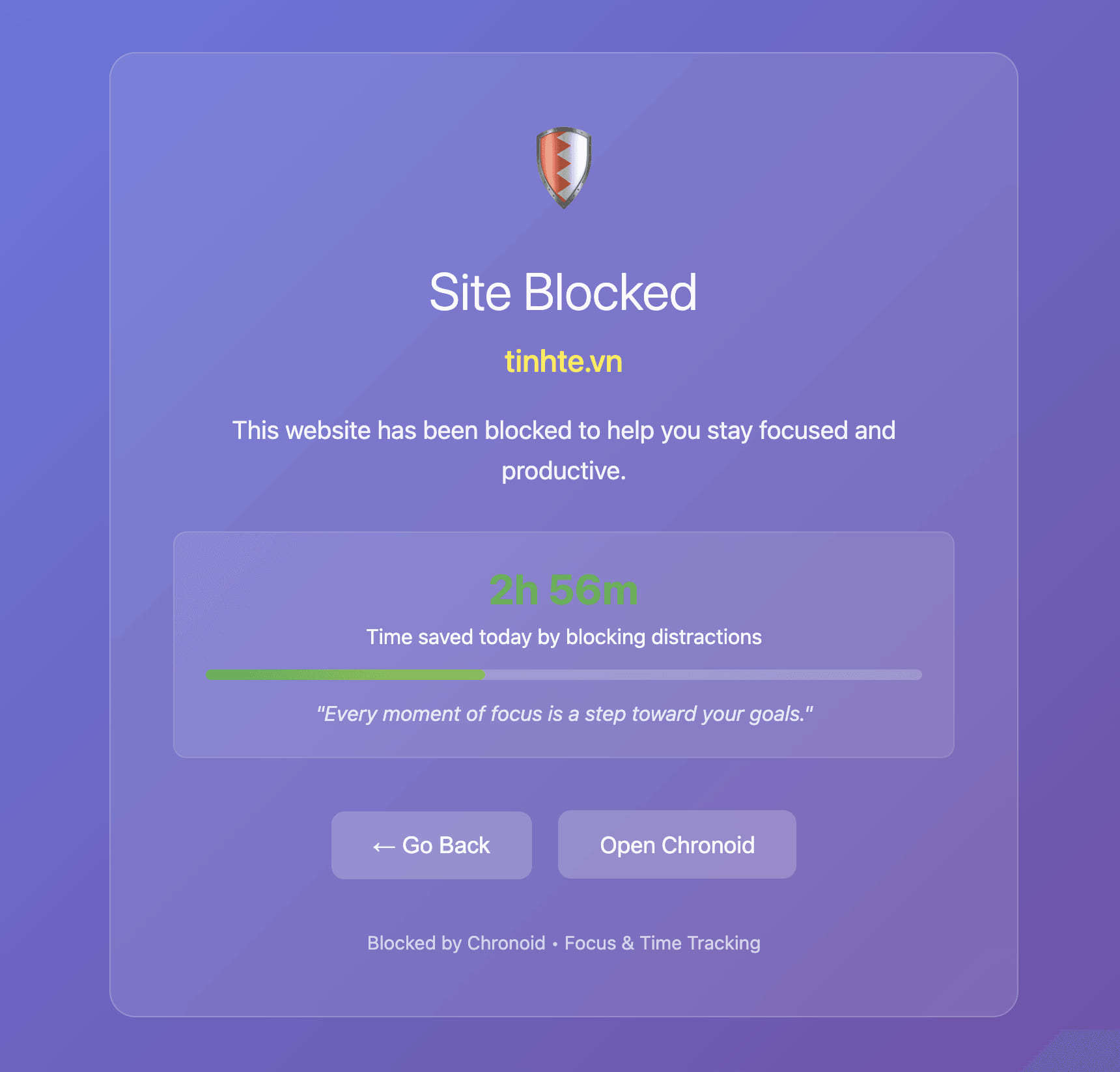
  • Website Blocker - Added a new feature to block distracting websites and stay focused on your work

image

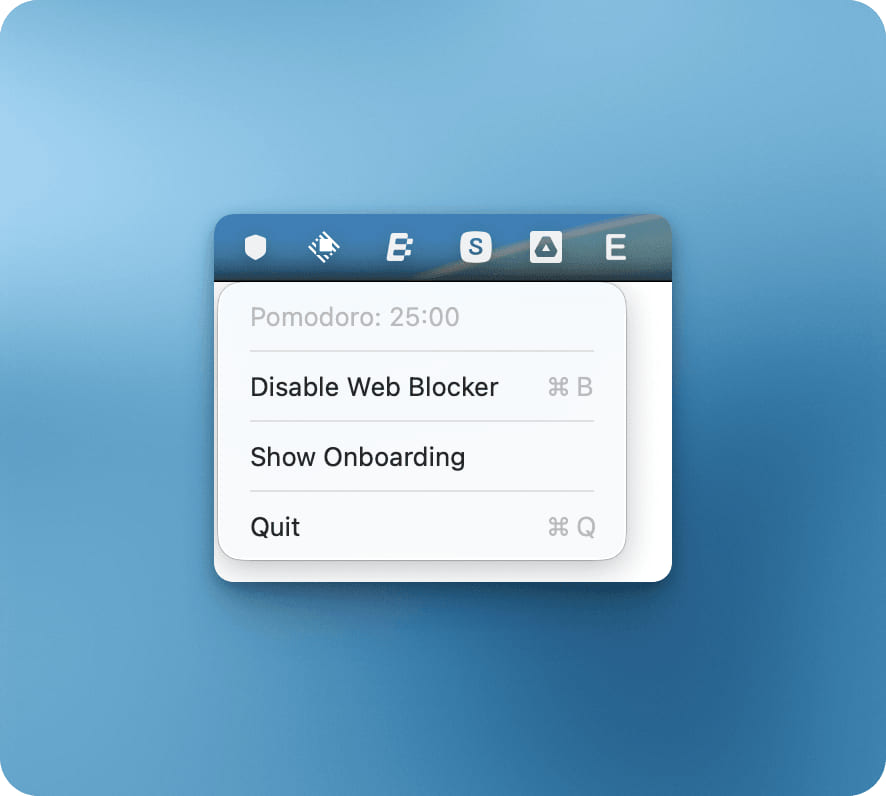
Menu icon will be updated to shield icon when web blocker is enabled image

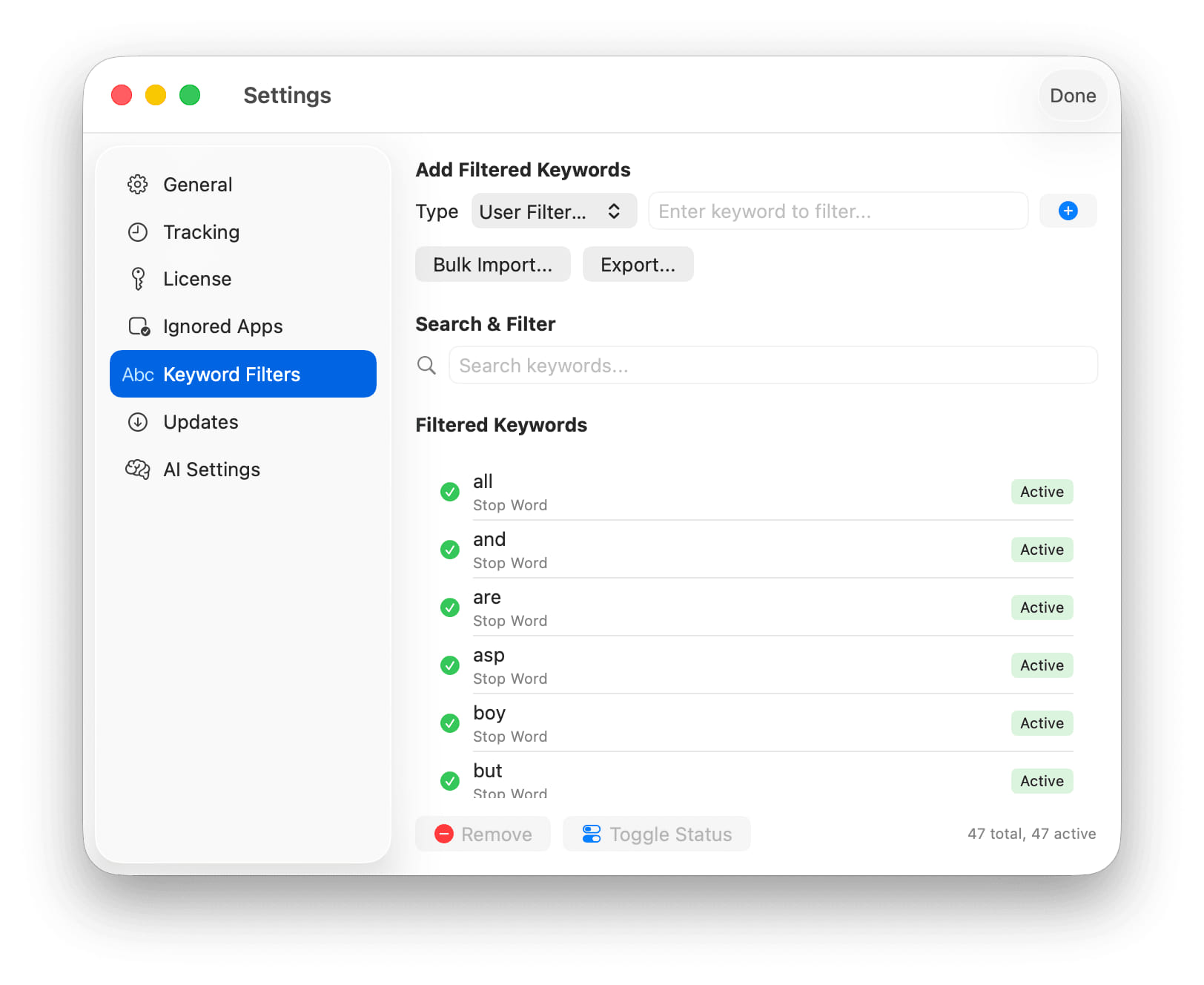
  • Manage Filtered Keywords - You can now view and manage keywords that are filtered out from your activity tracking

image

  • File Path Extraction - Chronoid can now extract file paths from window titles for more detailed tracking in apps like code editors

Improvements

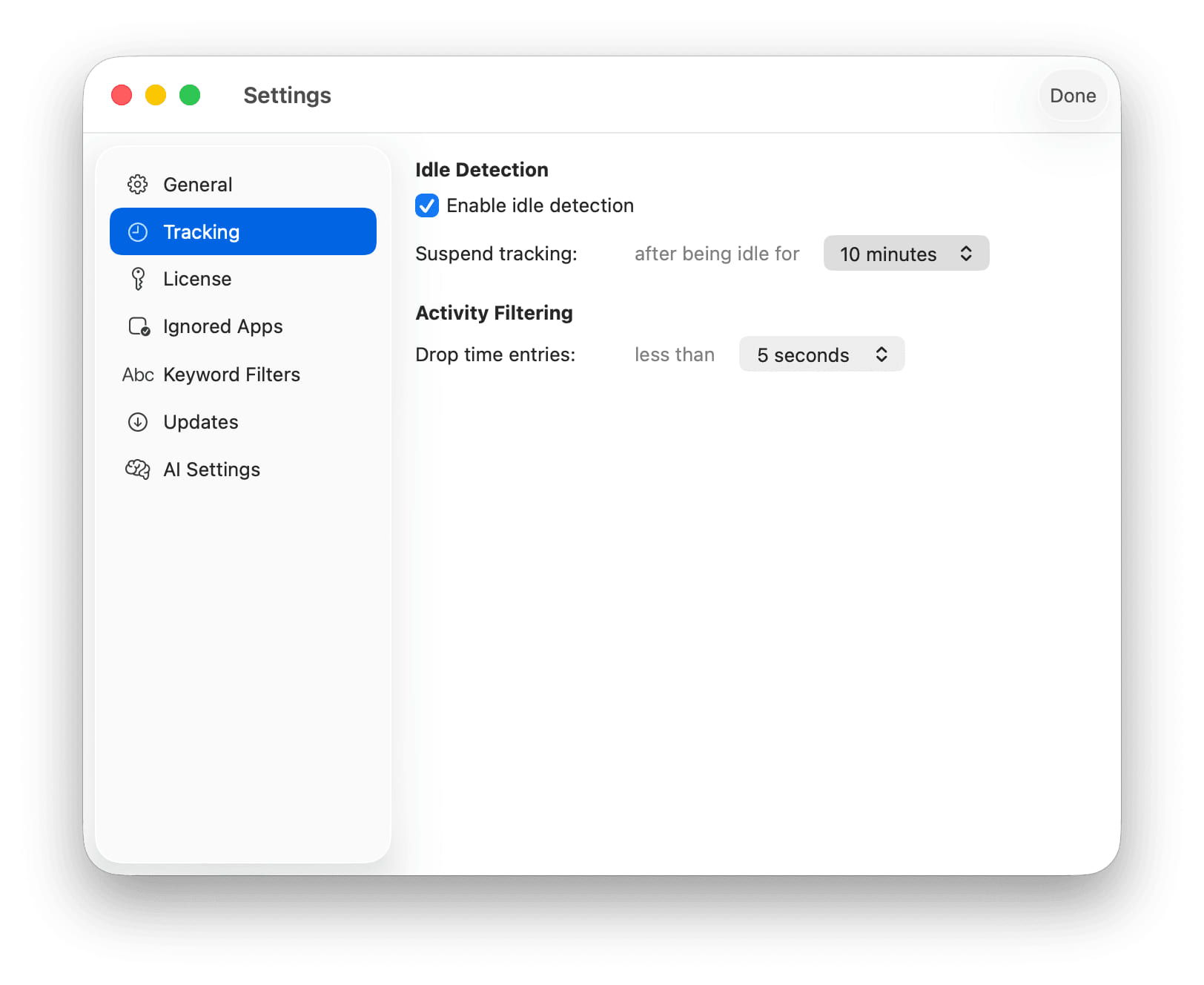
  • Idle Time Detection - Improved idle time detection to more accurately track your active and inactive periods

image

Bug Fixes

  • Activity Tracking - Fixed an issue where activities could be missed for applications with empty window titles
fixed

Version 1.0.30 (35)

Improvements

  • Enhanced Tracking Accuracy - Improved activity span detection to prevent duplicate entries from browser metadata, ensuring cleaner activity records
  • Automatic Activity Filtering - Activities shorter than 5 seconds are now automatically filtered out to reduce noise in your activity data
  • Better Timeline Performance - Optimized tracking code for improved performance and more responsive timeline updates
  • Improved Window Title Handling - Enhanced window title selection and processing for more accurate activity categorization

Bug Fixes

  • Fixed Duplicate Activity Spans - Resolved issue where browser metadata could create duplicate activity entries
  • Enhanced Gap Filling - Improved logic for filling gaps in activity tracking for more complete time records
new

1.0.27 (32)

New Features

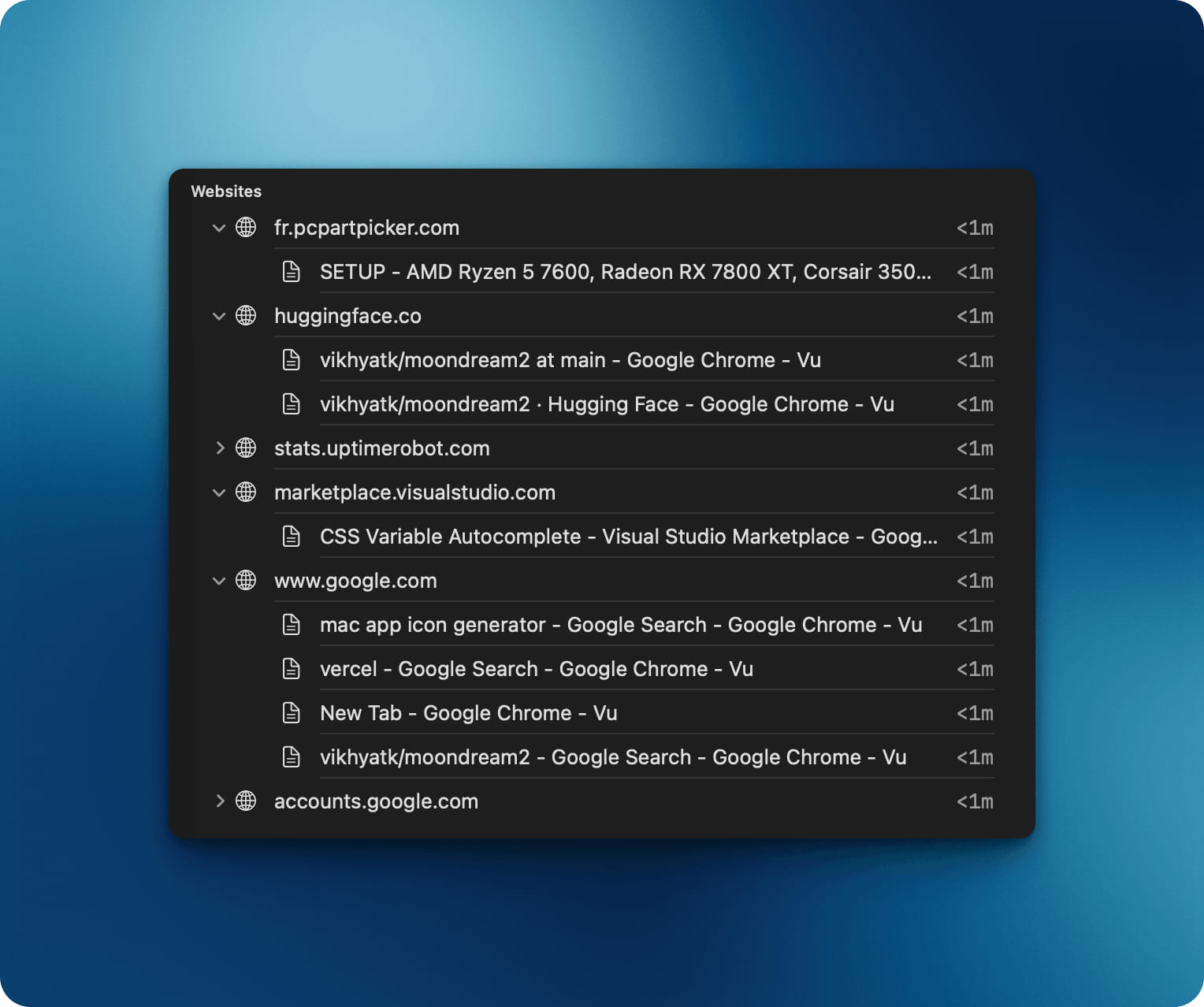
  • Enhanced Website Activity View - Added expandable sections to view detailed window titles for each website, giving you better insight into your browsing activity

image