
You open a browser to look something up. A familiar tab catches your eye, and the next thing you know, the task you sat down to finish is still waiting.
The best distraction blocker app depends on where that detour happens. Freedom is our pick for blocking across devices, Cold Turkey for firm desktop restrictions, and Chronoid for Mac users who want to understand their distractions and build a focus routine around that data. For a free option, start with SelfControl on Mac or LeechBlock NG in your browser.
This guide compares eight options by what they block, how they fit into your day, and what you need to pay for. You’ll also see real Chronoid screenshots and two product demos showing website blocking and the Pomodoro timer.
Updated September 11, 2026. We make Chronoid. These recommendations are based on official product documentation and our own product’s features, not a hands-on benchmark of every app. Vendor links accompany the comparisons so you can check platform support and plans before choosing.
Best distraction blockers at a glance
Start with the device you actually reach for when work gets difficult. A desktop blocker cannot help much if you immediately switch to your phone.
| App | Best fit | Where it works | Blocking approach | Free option and paid plans |
|---|---|---|---|---|
| Chronoid | Understanding distractions on your Mac | macOS | Website rules, schedules, usage insights, and a Pomodoro timer | Trial; current licenses start at $49 once. Pricing changes announced for September 24. |
| Freedom | Blocking across computers and phones | Mac, Windows, iOS, Android, Chromebook | Shared sessions; app blocking varies by platform | Free tier; Premium listed at $3.33/month billed annually or $8.99 monthly |
| Cold Turkey | Firm desktop restrictions | Windows, Mac | Website blocks; Pro adds apps, scheduling, and more locking controls | Free website blocker; paid Pro lifetime license |
| SelfControl | A free timed website block on Mac | macOS | Website/server blocklist that stays active until the timer ends | Free and open source |
| LeechBlock NG | Free browser schedules and time budgets | Firefox, Chrome, Edge and supported derivatives | Rules for websites within the installed browser | Free |
| Opal | Screen time routines on phone and Mac | iPhone, Mac, Android | Focus rules, app blocking, timers, and reports | Check current app plans and local pricing |
| one sec | Interrupting automatic app opening | iOS, Android, desktop browser extension | Pauses before access, plus blocking options | Free download; paid features depend on platform and plan |
| Forest | Making study sessions more motivating | iOS, Android | Tree-growing timer, Deep Focus app blocking, and Time Guard | Free core features; optional Plus subscription |
Plan details come from the official pages linked below. Features can differ between platforms, and app-store prices vary by region. A price expressed per month with annual billing is not a month-to-month subscription.
What to check before choosing
Website blocking and app blocking solve different problems. Blocking discord.com in a browser does not necessarily stop the Discord desktop app. If you leave work to open games or messaging apps, choose a tool with application blocking on your operating system.
Decide how easily you want to pause. A flexible blocker works well when you occasionally need a blocked site for research. A locked session is more useful when you routinely turn restrictions off. Start with a short session and verify access to the tools you need before committing to a long block.
Match the schedule to your work. Recurring weekday blocks suit a predictable routine. A timer suits study sprints. Usage limits suit sites you want to visit briefly rather than remove altogether.
Check the scope of tracking. A usage tracker can help you spot distracting patterns, but it needs access to activity information. Look at storage, sync, and optional AI settings separately when comparing privacy features.
1. Chronoid: best for tracking and reducing Mac distractions
Chronoid combines automatic time tracking, a website blocker, and a Pomodoro timer. It suits people who finish a busy day wondering which apps and websites took their time.
The useful starting point is your activity history. Review the sites that repeatedly pull you away, then make a small blocklist for the work you want to protect. A site can be useful for one task and distracting for another, so a targeted list is easier to live with than blocking every place you spend time.
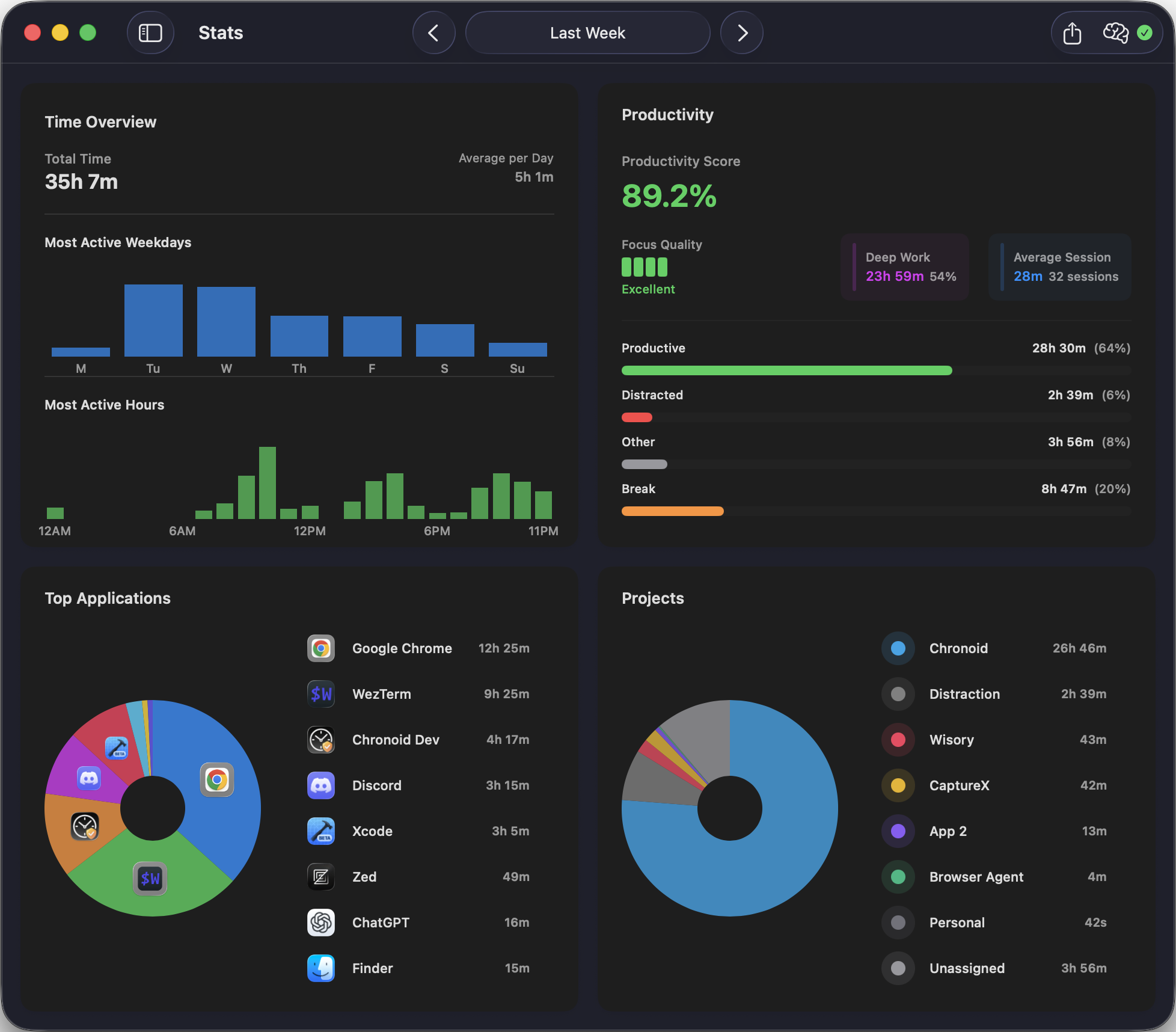
Chronoid’s blocker supports schedules and rules, including compound conditions and regex. Suggestions can show time spent on a site today, and temporary pauses let you handle a legitimate visit without abandoning the routine. Recent releases improved blocking suggestions, added more pause durations, preserved clipboard contents during redirects, and fixed blocking in Dia. See the Chronoid changelog for the latest changes.
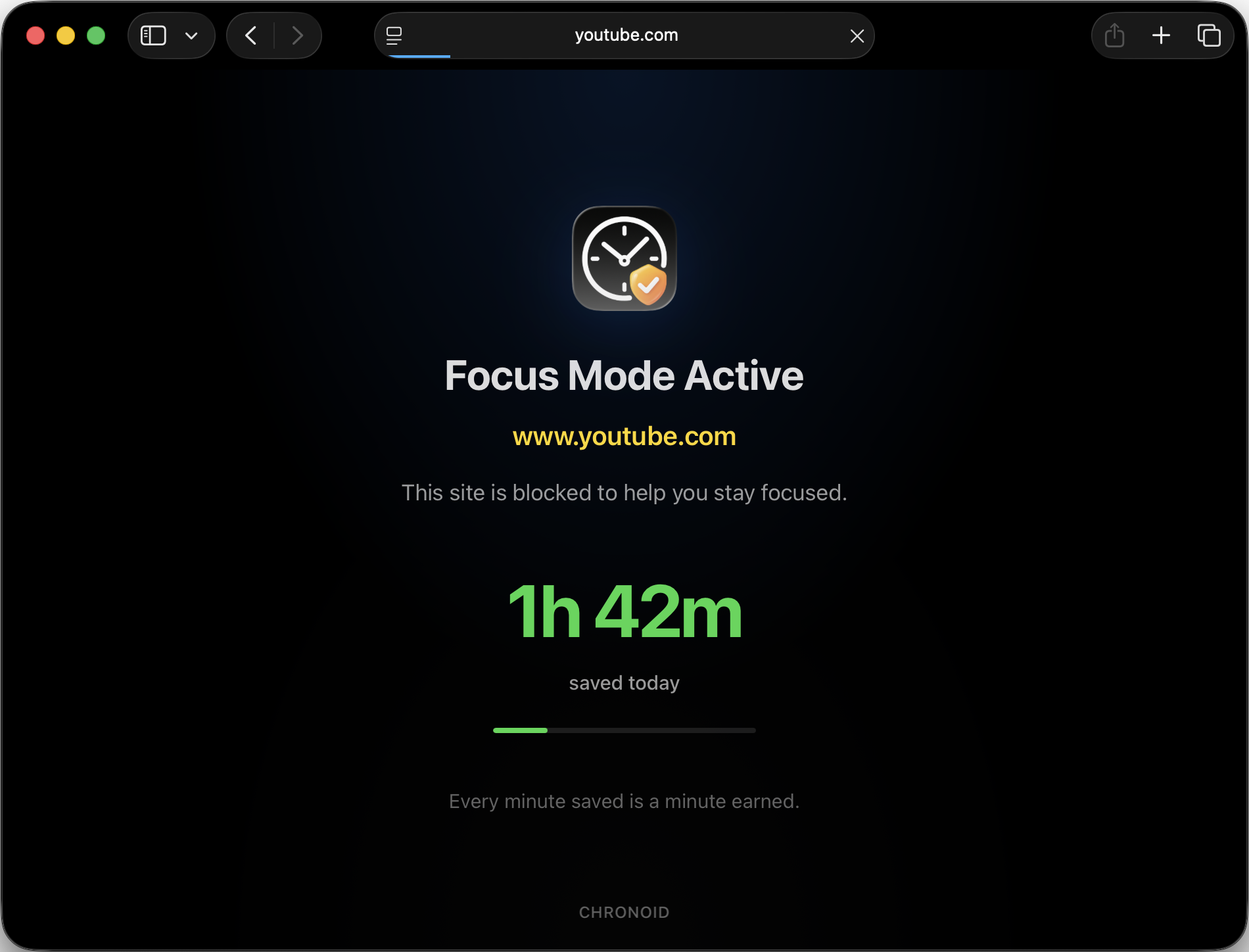
Watch the website blocker in action
Choose it if: you want to see your Mac activity, block distracting websites, and work in timed sessions from one app.
Consider another option if: you need to block desktop applications, enforce restrictions on your phone, or make sessions difficult to pause. Chronoid’s website blocker is a flexible focus tool.
Activity is stored locally on your Mac. Optional iCloud sync and AI integrations have their own data flows; cloud AI is not the same as local processing. Review the privacy features and AI options before enabling them.
Pricing: a trial is available. As of this update, Basic starts at $49 for one Mac as a one-time purchase. A pricing transition is announced for September 24, 2026; consult current Chronoid pricing for the applicable offer and license terms.
2. Freedom: best for blocking across devices
Freedom is a practical choice when a blocked laptop simply sends you to your phone. Its shared sessions cover Mac, Windows, iOS, Android, and Chromebook. Chromebook support is website-focused; desktop and mobile app-blocking capabilities depend on the platform.
The free tier includes cross-device sessions and custom blocklists. Premium adds recurring schedules, advance sessions, locked mode, and unlimited sessions. That makes the paid plan more relevant if you want a regular workday routine to start automatically.
Choose it if: you move between computers and phones and want one blocking routine.
Watch for: platform differences, especially if desktop application blocking or website exceptions are essential to you.
Pricing: Premium is listed at $3.33/month with annual billing or $8.99/month billed monthly. A lifetime offer is also listed; check its current terms. Freedom plans and platform comparison.
3. Cold Turkey: best for firm desktop restrictions
Cold Turkey focuses on Windows and Mac. Its free version blocks websites for timed sessions and includes website exceptions and statistics. Pro adds application blocking, schedules, additional locking controls, and breaks or allowances.
Its appeal is commitment: configure the block, then lock it to make casual changes harder. The exact experience depends on the locking settings you choose and the browser extensions you install. Avoid treating any blocker as a guarantee against every possible workaround.
Choose it if: you keep disabling softer restrictions or need to block desktop games as well as websites.
Watch for: no mobile version, and more setup than a simple browser extension. Check your required sites and apps before locking a session.
Pricing: free basic version; Pro is a one-time lifetime purchase, with a seven-day Pro trial. Confirm the current checkout amount on the official pricing page. The user guide explains installation and locking options.
4. SelfControl: best free timed website blocker for Mac
SelfControl is a free, open-source Mac utility for blocking access to distracting websites, mail servers, or other internet destinations for a set period. Add entries to a blocklist, choose the duration, and start.
The developer explicitly says that restarting the computer or deleting the app does not end an active block. That persistence is the reason to choose it, and the reason to begin with a short session.
Choose it if: you already know which sites distract you and want a straightforward timed restriction without paying.
Watch for: it blocks internet destinations, not arbitrary desktop applications. It also does not provide Chronoid’s activity-review workflow.
Pricing: free. SelfControl’s official site.
5. LeechBlock NG: best free browser blocker
LeechBlock NG lets you set time windows and usage budgets for websites. For example, you could allow a news site for ten minutes each hour, or block social feeds during your morning writing session. Its separate block sets help you apply different rules to different groups of sites.
It works in Firefox, Chrome, Edge, and supported related browsers. Because it is a browser extension, its boundary is the browser where you install it.
Choose it if: most distractions happen in one browser and you want flexible rules at no cost.
Watch for: switching to an unprotected browser or a native app falls outside that boundary. Configure every browser you normally use.
Pricing: free. LeechBlock NG features and downloads.
6. Opal: best for screen time routines on phone and Mac
Opal now lists iPhone, Mac, and Android support. It combines focus rules, app blocking, a focus timer, and reports to help you build a routine around reducing screen time.
It is worth considering if phone distractions are the main problem and you prefer a visual record of your focus habits. Confirm which features are available on each device before expecting identical behavior across platforms.
Choose it if: you want app restrictions and visible feedback on your screen time routine.
Watch for: platform-specific feature and plan differences. The older description of Opal as an iPhone-only VPN blocker is no longer a useful basis for choosing it.
Pricing: consult the current app offer for your platform and region. Opal’s official product site.
7. one sec: best for interrupting automatic checking
one sec puts an intervention between the impulse to open an app and access to it. That pause can help you notice a habitual check before it becomes a long visit. It also offers blocking options, including scheduled app blocks, and a desktop browser extension for website distractions.
This makes it a useful choice when you still need access to an app but want opening it to become a deliberate decision.
Choose it if: your main problem is repeatedly opening the same apps without a clear reason.
Watch for: an intervention that lets you continue serves a different purpose from a locked session. Check the available blocking settings if you need a firmer boundary.
Pricing: free download with paid features; consult the plan for your device. one sec features and downloads.
8. Forest: best for making study sessions more motivating
Forest turns a focus session into a growing virtual tree. Your forest becomes a visible record of time spent concentrating, and group sessions can make studying with friends feel more collaborative.
Its current offering includes more than a timer: the free tier lists Deep Focus app blocking and Time Guard for one app or site. Plus adds features such as a custom app allowlist, expanded Time Guard, and additional analytics.
Choose it if: a small reward and a visible record help you start and finish study sessions.
Watch for: platform differences and the distinction between old Pro purchases and the current Plus subscription. Forest says existing Pro users retain Pro status, while Pro is no longer sold to new users.
Pricing: free core features; Plus subscription pricing varies by region and platform. Forest’s official feature and plan comparison.
Build a focus routine you can repeat
Installing a blocker is the easy part. The useful experiment is whether it helps you finish something specific. Here is a simple workflow you can try on your next workday.
1. Identify the detour
Review a recent day’s activity, or write down the sites you catch yourself reopening. Pick two or three repeated distractions. Keep the resources your task needs available.
2. Protect one short session
Choose a concrete outcome, such as drafting an introduction, reviewing a pull request, or completing a practice set. Start with 25 minutes. Set a website block for that window and put your phone out of reach, or use a separate mobile blocker.
3. Use a timer and take the break
A timer gives the session an endpoint. Chronoid includes a Pomodoro workflow; the video below shows its timer interface. You can also try the free browser Pomodoro timer before choosing a desktop app.
4. Review what happened
After a few sessions, check whether the work moved forward. If you kept switching to your phone, extend the blocking routine to that device. If you repeatedly needed a blocked site for work, narrow the rule. If you kept pausing the blocker to browse, try a tool with stronger locking controls.
For Mac users who want activity tracking alongside those sessions, download Chronoid and begin with one focused work period.
Frequently asked questions
What is the best free distraction blocker?
SelfControl is a strong choice for timed website blocking on Mac. LeechBlock NG suits browser schedules and usage limits. Cold Turkey also has a free website-blocking tier. Choose based on where you get distracted and how much control you need over an active block.
Which distraction blocker works across phones and computers?
Freedom supports Mac, Windows, iOS, Android, and Chromebook, with capabilities that vary by platform. Opal lists iPhone, Mac, and Android. Check that the app blocks the specific websites or applications you use on every device you plan to include.
Can Chronoid block desktop applications?
Chronoid’s blocker targets websites. It tracks application usage, but tracking an app does not mean it can prevent you from opening it. For desktop application restrictions, consider Cold Turkey Pro or Freedom on a supported platform.
Can I pause a distraction blocker?
It depends on the tool and the session settings. Chronoid supports temporary pauses. Other tools offer locked sessions that restrict changes, and SelfControl keeps its block active until the timer expires. Choose the level of control that fits your work.
Is a Pomodoro timer enough to stop distractions?
A timer gives your session a start and finish, but it does not necessarily restrict access to distracting sites or apps. If you keep browsing during the countdown, pair the timer with a blocker that covers those distractions.