
You’re probably reading this with too many tabs open, a half-finished deliverable on screen, and that familiar thought in the back of your mind: I need a break, but I don’t have time for one.
That’s the freelancer trap. When your hours connect directly to output, a break from work can feel like lost money. So you push through. Then your writing slows down, your design decisions get sloppy, your debugging gets messier, and a “quick reset” turns into ten minutes of scrolling that leaves you more scattered than before.
The fix isn’t taking random pauses and hoping they help. It’s using breaks on purpose. A real break restores attention, lowers mental drag, and helps you get back to billable work with more clarity than you had before. If you track your work at all, you can usually see the difference. Good breaks improve the quality of your next block. Bad breaks just interrupt it.
The Difference Between Stopping Work and Taking a Break
A lot of people stop working, but they don’t recover.
You close the document. You stand up. You grab your phone. A few minutes later, you’ve checked messages, skimmed social feeds, maybe glanced at email, and your brain is still holding the same open loops. You paused the task, but you never left it mentally.
That distinction matters more than most advice admits. One workplace summary reported that 52% of workers take breaks 3 to 5 times per day, the average break length is 12 minutes, and 68% prefer short frequent breaks according to the Bureau of Labor Statistics leave release reference included here. Breaks are already part of the day for many people. The problem usually isn’t that people never stop. It’s that many of those stops don’t restore anything.
Freelancers feel this especially hard because the line between deep work and admin work gets blurry. You finish a hard client task, then “take a break” by checking Slack, invoices, or LinkedIn. That isn’t recovery. It’s just switching from one kind of cognitive load to another. If you already know the difference between meaningful focus and low-value task switching, this pattern will sound familiar from deep work vs shallow work.
What stopping work looks like
Stopping work is mostly about interruption. You halt the visible task, but your attention stays hooked.
Common examples:
- Phone scrolling: Your eyes leave the project, but your brain keeps consuming inputs.
- Inbox checking: You tell yourself it’s a break, but you’re still processing demands.
- Task reshuffling: Rewriting your to-do list can feel productive while keeping the same pressure alive.
What a real break does instead
A real break creates separation. It gives your mind less to process, not just different things to process.
Practical rule: If your break still asks you to evaluate, decide, compare, respond, or perform, it probably isn’t much of a break.
That’s why some breaks feel refreshing and others feel like static. The useful question isn’t “Did I step away?” It’s “Did I reduce mental load enough to come back sharper?”
For freelancers, that shift changes everything. You stop treating breaks as indulgences and start treating them like part of the work system.
Why Most Breaks Fail and What True Recovery Feels Like
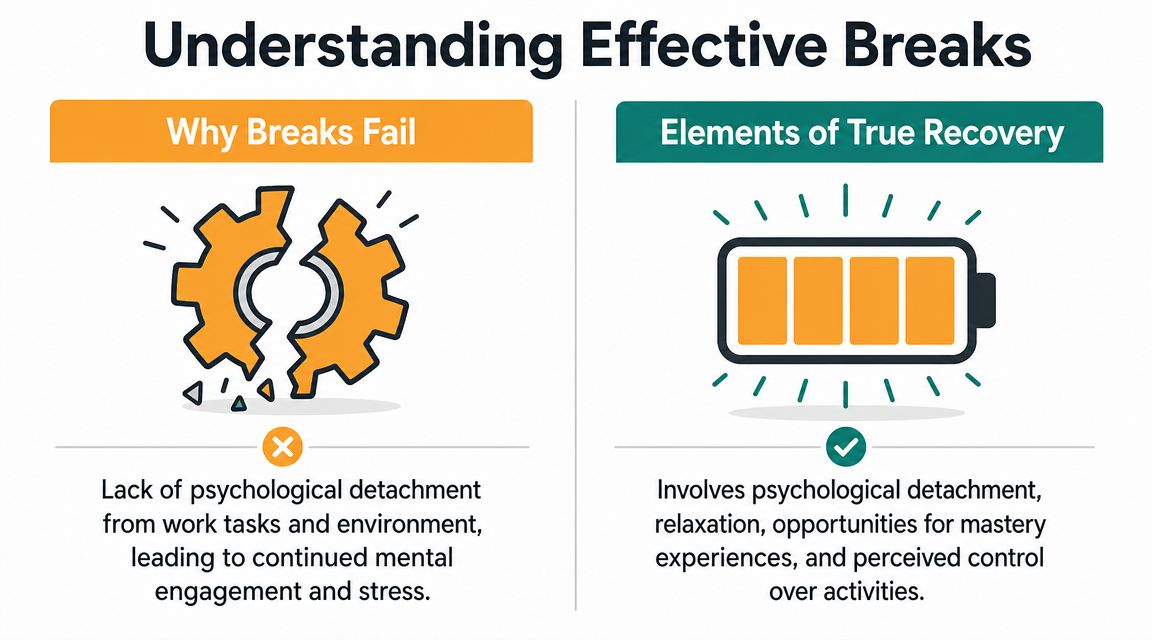
Most breaks fail because they don’t include psychological detachment.
You may leave your chair while keeping your client, deadline, and next revision round fully active in your head. That’s why a break can end with the same tight shoulders, the same internal rush, and the same resistance to restarting.
Research summarized in workplace psychology coverage makes the key point clearly: restorative activities, disengagement from work, and boundary setting matter more than stepping away for a few minutes; a brief scroll or email check can preserve mental load rather than reduce it, as discussed in this Psychology Today article on the importance of taking a break from work.
The break activities that usually backfire
The least effective breaks tend to share one trait. They keep you connected to work’s emotional temperature.
A few examples:
- Checking work notifications: Even a quick glance can reactivate urgency.
- Reading industry news: It feels relevant, but it still demands attention and judgment.
- Using social media as escape: Fast input often leaves your brain more stimulated, not calmer.
- Replaying the task in your head: You aren’t resting if you’re still mentally editing the draft.
What true recovery feels like
Real recovery often feels boring at first. That’s normal.
You might take a short walk without audio. You might refill water, stretch, look outside, or sit somewhere that doesn’t contain a screen. The point isn’t entertainment. The point is lowering cognitive demand enough that your attention can settle.
Signs a break is working:
- Your thinking slows down: Less internal chatter, less rehearsing.
- Restarting feels easier: You don’t need as much friction-breaking effort.
- Your next decisions get cleaner: Fewer false starts, less second-guessing.
- You can hold one task again: Attention stops bouncing.
Breaks work when they reduce load, not when they simply change inputs.
For freelancers, this means your best break from work often looks less impressive than your fake one. It doesn’t generate updates, replies, or content. It creates room.
That room is what lets your next hour become useful instead of just busy.
Choosing the Right Break Type for Your Task
Not every task drains you in the same way, so your break shouldn’t stay fixed all day.
The evidence here is more nuanced than the usual “just take five” advice. A 2022 meta-analysis found that the longer the break, the greater the boost in performance, especially for clerical and creative tasks. For highly depleting work, recovery may require more than 10-minute breaks, according to the systematic review and meta-analysis published here.
That lines up with what many freelancers notice in practice. After repetitive admin work, a very short reset can be enough. After writing, designing, planning, coding, or editing through sustained mental effort, you often need a longer break from work than you want to admit.
Break types and their ideal use cases
| Break Type | Duration | Best For | Example Activity |
|---|---|---|---|
| Micro-break | Under 2 minutes | Repetitive or low-complexity work | Stand up, stretch shoulders, drink water |
| Standard break | 5 to 10 minutes | Focus sprints and routine task blocks | Walk around the room, step outside, breathe, no phone |
| Recovery break | 15 to 30 minutes | Creative, analytical, or mentally draining work | Take a real walk, eat away from your desk, sit somewhere quiet |
How to match the break to the work
Use micro-breaks for friction, not fatigue
A micro-break helps when attention is getting sticky but not depleted. You’re not wrecked. You’re just losing crispness.
Good use cases include inbox processing, file cleanup, basic edits, formatting, or other repetitive work. A fast reset helps posture, eye strain, and momentum.
Use standard breaks during focused sprints
Timer-based work helps. If you work in intervals, a short break protects consistency without letting the day dissolve.
If you already use structured focus blocks, the Pomodoro Technique guide is a practical reference for matching work intervals and rest periods without overcomplicating the system.
Use recovery breaks after real cognitive load
This is the category freelancers skip most often. You finish a demanding task and tell yourself a few minutes is enough. Often it isn’t.
If you’ve been doing concept work, solving hard problems, or producing original output, take a longer break that changes your environment. Some people even like stronger physical reset cues. If you’re curious about that angle, Wellness Apothecary’s cold therapy guide is an interesting read on recovery rituals and why some people use physical contrast to reset state.
Your break should match the cost of the work that came before it.
That one rule solves a lot. Stop giving your hardest tasks the weakest form of recovery.
How to Integrate Breaks Into Your Workflow
Knowing what kind of break you need isn’t the hard part. Taking it before your focus collapses is the hard part.
If you rely on willpower, you’ll usually take breaks too late. Most freelancers wait until they feel fried, distracted, or vaguely resentful of the task. By then, the break is recovery from damage, not maintenance.
The fix is simple. Put breaks into the structure of your day so they happen automatically.
Two systems that work well
Pomodoro for tasks that resist starting
When a task feels heavy, use a short work interval paired with a defined break. You don’t need to negotiate with yourself every few minutes. The timer decides.
This works well for:
- Writing first drafts: You stay moving without obsessing over quality too early.
- Admin catch-up: Short rounds make dull work easier to tolerate.
- Client revisions: You avoid the trap of polishing until your brain goes numb.
Scheduled focus sessions for deeper work
Some work needs more runway than a short sprint allows. For strategy, coding, design, or long-form content, block a larger focus session on your calendar and place a real break after it.
This works better than improvising because it removes guilt. The break is not avoidance. It’s part of the session design.
A simple daily setup
Try this structure:
- Start with one focused block for your highest-value task.
- Take a short break that doesn’t involve work inputs.
- Run a second block for execution or revisions.
- Use a longer recovery break after the mentally heaviest stretch.
- Save reactive work like email and messages for lower-energy periods.
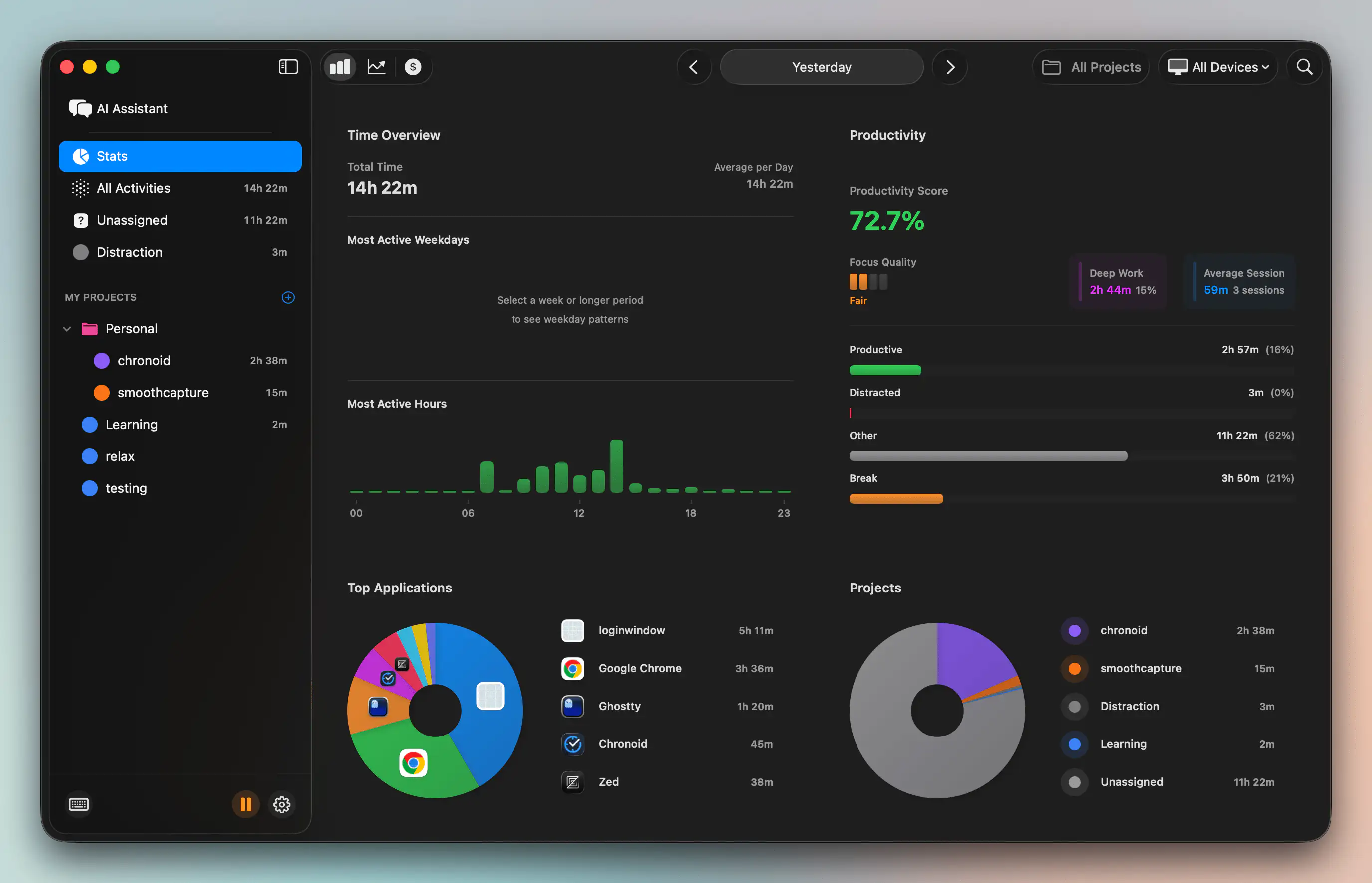
If you want one app to handle both timing and focus controls, Chronoid is one option on macOS. It includes automatic time tracking, a Pomodoro timer, scheduled focus sessions, and a website blocker, which is useful if you want your break system and your attention controls in the same place instead of spread across separate tools.
What makes this sustainable
The break has to be pre-decided.
Don’t ask yourself, “Should I keep going?” every time your energy dips. Decide in advance what happens after each block, where you’ll go, and what you won’t touch. That’s what turns a break from work into a repeatable operating system instead of a guilty interruption.
Protecting Your Focus During Work and Your Peace During Breaks
A break only helps if your work block had enough continuity to matter in the first place.
If your attention gets cut apart every few minutes, you never build enough momentum to feel the contrast between effort and recovery. Then breaks feel random, work feels thin, and the whole day takes on that fragmented quality freelancers know too well.

Protect the work block first
During focus time, reduce the number of decisions your brain has to fend off.
That usually means:
- Block known distraction sites: Don’t depend on self-control when habit is faster.
- Silence work chat temporarily: Most messages can wait until the next response window.
- Keep one task visible: If three projects stay open, your attention will sample all of them.
- Define the finish line: “Draft the outline” is workable. “Make progress” is not.
Then protect the break just as hard
A lot of people build rules for working and none for resting. That’s backwards. The quality of the break determines the quality of the next block.
Use firm break boundaries:
- Leave the workspace: Even a short physical shift helps.
- Turn off notifications: If alerts follow you, work follows you.
- Don’t “just quickly check” one thing: That’s the fastest way to lose the break.
- Choose calming inputs on purpose: Water, light movement, quiet, food, fresh air.
A protected break is part of focus training, not a reward you have to earn after perfect work.
If anxiety makes it hard to disconnect, that’s worth taking seriously. For some people, the issue isn’t productivity technique. It’s that stepping away triggers tension rather than relief. In that case, support around anxious thought patterns can help more than another timer app. A local resource like Vernon anxiety therapy shows the kind of targeted support that can make boundaries feel possible again.
When the work block is defended and the break is defended, both get better. You focus more intently because rest is coming. You rest more fully because you’re not half-working through it.
Measuring the Real Impact on Your Productivity
If you bill by the hour, the question isn’t whether breaks feel nice. It’s whether they improve the hours that matter.
That means looking beyond mood and into patterns. After you adopt a structured break from work, track what changes over time. Not in a complicated way. Just enough to compare your work before and after.
What to measure
Look for signals like these:
- Focused work time: Are you spending more of the day in your core tools and fewer stretches recovering from distraction?
- Context switching: Are you jumping between apps and tabs less often?
- Restart friction: Do you return to tasks faster after a break?
- Timing patterns: Are certain hours producing cleaner work when breaks happen consistently?
If you work on a Mac and want visibility into those patterns, time tracking on Mac is worth understanding at a systems level. The goal isn’t surveillance. It’s seeing where your attention goes.
How to judge whether your breaks are working
Use a short review at the end of the week.
Ask:
- Which breaks left me clearer?
- Which ones left me more fragmented?
- What was I doing before each good break?
- Did my best work happen after specific kinds of recovery?
You’ll usually find that the useful breaks are plain. Less screen time, more separation, better timing.
It also helps to zoom out beyond the workday. Recovery compounds. If your sleep is poor, your breaks have to do more repair during the day. That’s one reason resources on better sleep for daily performance fit naturally into a productivity system. Rest at night and rest between work blocks support each other.
A good break strategy doesn’t reduce output. It protects it. Once you can see that in your own data, it becomes much easier to stop treating rest like wasted time.
If you want to test this in a practical way, try Chronoid for a week and watch what changes when your breaks become deliberate. You can track apps, websites, and documents automatically on macOS, set focus sessions, use the Pomodoro timer, and spot where attention leaks out of the day. That makes it easier to turn “I should take a break” into a workflow that improves focus and billable work.