
You’re probably here because your day keeps disappearing.
You sit down at your Mac with a clear plan. A few hours later, you’ve answered messages, bounced between documents, checked a few tabs you didn’t mean to open, and finished some real work too. But if someone asked where the time went, you’d be guessing.
That’s why the phrase time tracker clock matters now. People don’t just want a clock that records hours. They want a tool that explains their workday without turning it into a surveillance exercise.
What Is a Modern Time Tracker Clock
The old mental image of a time tracker clock is a punch machine on a wall. That’s still part of the story, but it’s no longer the useful definition for most Mac users.
The modern employee time clock dates to 1888, when Willard Bundy patented a time recorder for businesses to log worker shifts, according to this history of the employee time clock. What changed after that is more important than the original machine. Time tracking moved from fixed hardware to software people could use on computers and over the web.
Today, a modern time tracker clock usually means software that helps you understand how your time is spent. For teams in warehouses or job sites, that might still mean an attendance system. For freelancers, developers, designers, consultants, and remote workers on a Mac, it usually means something else entirely: a desktop tool that tracks work activity, organizes it, and helps you review it later.
It’s not a math problem and it’s not just payroll
Some people searching for this phrase run into clock-angle calculators. Others land on employee attendance tools built for shifts and payroll. Neither is wrong, but both miss the intent many users have.
A lot of people mean, “I need something that tracks my time without making me babysit a timer.”
That’s a different category. It’s closer to personal productivity software than to a factory punch clock.
A useful time tracker clock should help you remember your day, not interrupt it every hour.
What modern users actually need
For personal productivity, the practical job of a time tracker clock is simple:
- Capture work reality: Record which apps, websites, and documents filled your day.
- Reduce guesswork: Show what happened after the fact, so you don’t rebuild your timeline from memory.
- Support billing and planning: Help freelancers and consultants turn activity into accurate time entries.
- Protect attention: Reveal distraction patterns without forcing constant manual input.
The shift here is important. The old clock answered one question: “When did this person start and stop?” The modern version answers a better one for knowledge work: “What did this day consist of?”
That’s why the category has changed so much. The best tools for Mac users don’t feel like attendance hardware translated onto a screen. They feel like private, intelligent work logs.
Manual vs Automatic Time Tracking Explained
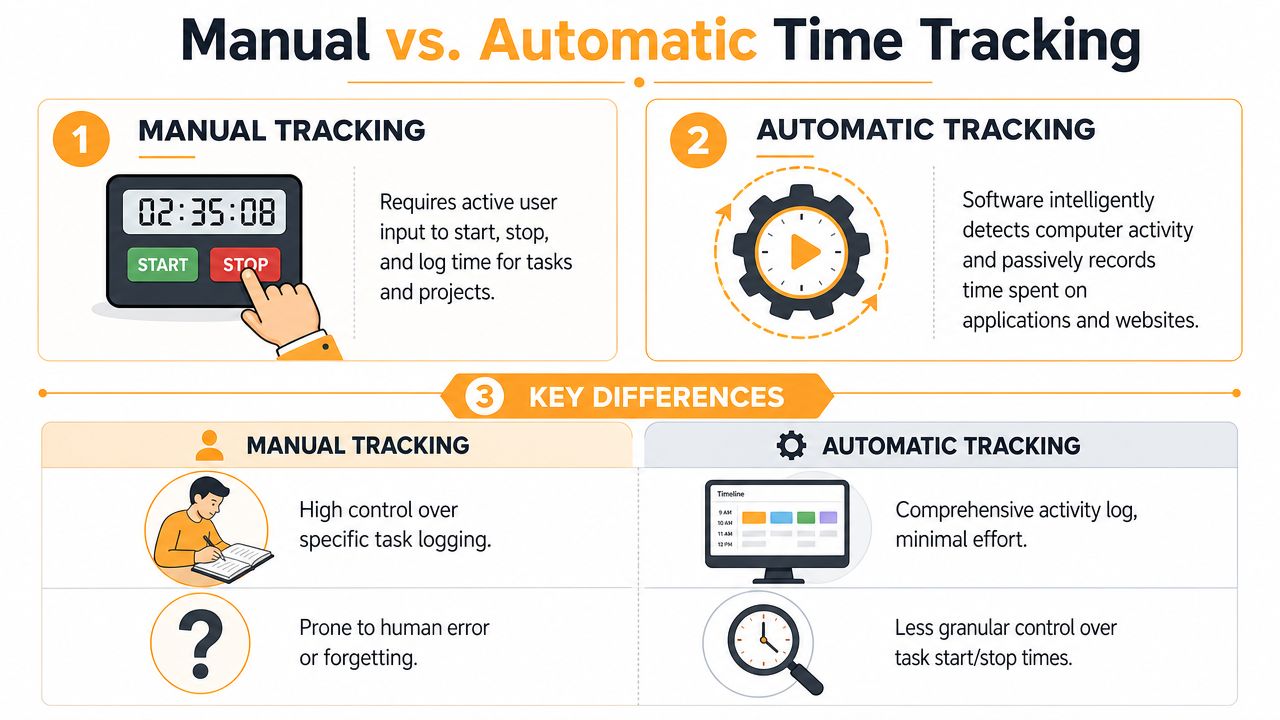
Manual tracking and automatic tracking solve the same problem in very different ways.
Manual tracking is like keeping a food diary by hand. You only get useful data if you remember to write everything down. Automatic tracking is closer to a fitness wearable. It observes activity in the background, then lets you review the record later.
The core difference
With manual tracking, you start a timer when you begin a task and stop it when you finish. If you switch to email, jump into Slack, or review a file for a client, you need to update the timer yourself.
With automatic tracking, the software records activity on your Mac in the background. Later, you review that timeline and assign it to projects, clients, or categories.
That sounds like a small difference. In practice, it changes whether time tracking becomes a habit or an annoyance.
Manual vs Automatic Time Tracking at a Glance
| Aspect | Manual Tracking | Automatic Tracking |
|---|---|---|
| How it works | You start and stop timers for each task | Software records activity in the background |
| Best for | People with very structured, deliberate task switching | People who forget timers or move between many apps |
| Main strength | Clear control over when a task officially begins and ends | Low effort, fuller recall of the workday |
| Main weakness | Easy to forget, especially during busy or interrupted work | Needs review and categorization after capture |
| Billing workflow | Strong if you’re disciplined with timers | Strong if you need to reconstruct work accurately |
| Focus impact | Can interrupt flow | Usually stays out of the way |
What works and what doesn’t
Manual timers work well when your work happens in clean blocks. If you spend two uninterrupted hours writing a proposal, manual tracking is fine. The timer mirrors reality.
It breaks down when your day is fragmented. Consultants, agency owners, product people, and freelancers rarely work in neat chunks. They switch between meetings, email, browser research, edits, and unexpected client requests. That’s where manual tracking starts leaking time.
Practical rule: If you have to remember the tool all day, the tool is competing with your work.
Automatic tracking is usually better for messy, modern work. It catches the things you’d never think to time in the moment, especially the short bursts that add up. It’s the same reason creators use tools that transcribe videos automatically. Once software handles the repetitive capture layer, you spend less energy on admin and more on actual output.
For a deeper look at this model, Chronoid’s article on automatic time tracking software is useful because it focuses on how passive tracking fits real work instead of idealized time blocks.
The trade-off to accept
Automatic doesn’t mean magical. It won’t always know your intent. A browser tab might be research, procrastination, or both. You still need review.
Manual doesn’t mean outdated. It still suits people who want tight control and don’t mind constant interaction.
The practical question is this: do you want to log time, or do you want to understand it? If your answer is the second one, automatic tools usually win.
Key Features of Modern Time Trackers
A good time tracker clock isn’t just a timer with a cleaner interface. It solves specific problems that show up in real workdays.
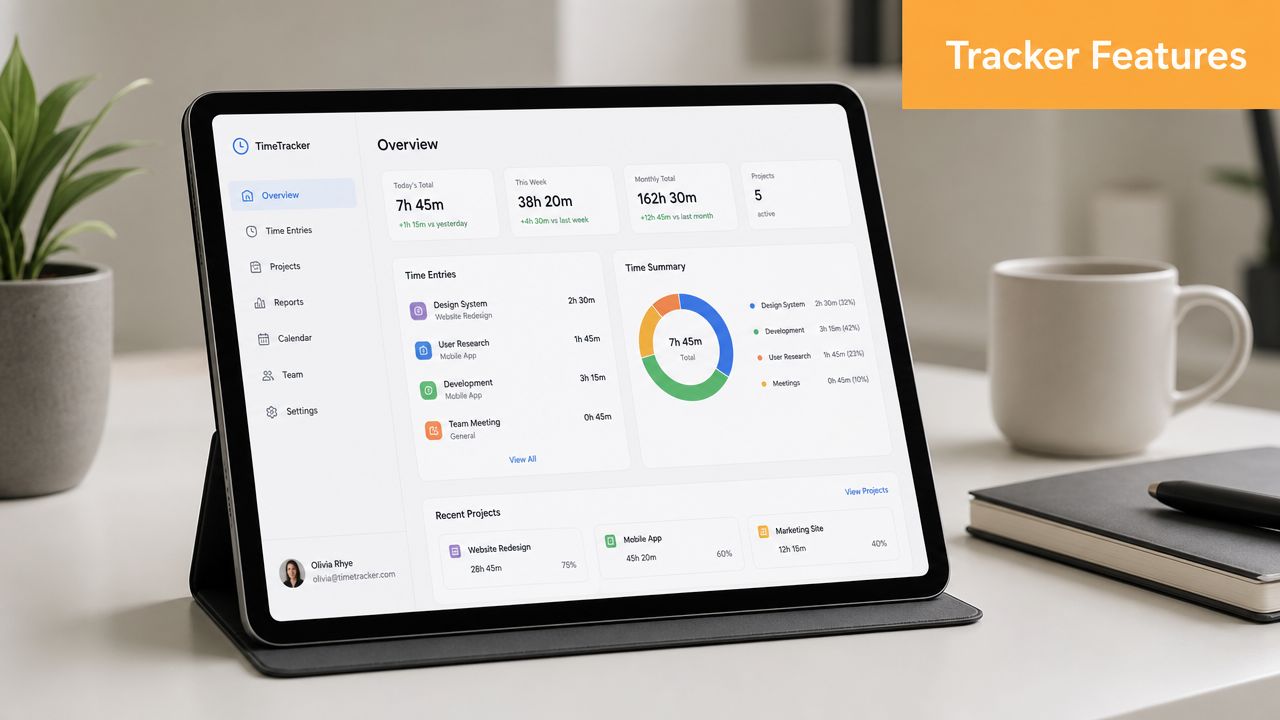
The most useful modern tools combine passive capture, clear review, and privacy boundaries that make sense for individuals.
Idle detection and away-time handling
One of the oldest time-tracking problems is the runaway timer. You start work, get pulled into lunch, take a call, or walk away, and the app keeps logging time.
Modern trackers should detect idle or away time so you can correct the record. This matters for billing, but it also matters for honest self-review. If your dashboard treats keyboard absence as work, the insights won’t mean much.
Look for software that makes these corrections easy. If editing time feels like cleanup after a software mistake, people stop reviewing their logs.
Automatic categorization and searchable history
Raw activity logs are helpful. Categorized logs are where the value shows up.
A strong tracker should help turn “Safari, Figma, Notion, Mail” into something readable like client work, admin, planning, or research. AI-assisted categorization can help here, especially if you work across many projects and don’t want to sort every item by hand.
The other feature that matters is a usable history. You should be able to answer questions such as:
- Client review: Which files and sites were part of this project?
- Estimate repair: How long did revisions take last month?
- Distraction review: Which tools kept pulling me out of focus?
- Schedule planning: What kind of work fills my best hours?
Privacy boundaries matter more than feature lists
At this stage, many tools lose trust.
Some products position themselves as people-friendly, no-screenshot, no-timer options, while others still include monitoring and surveillance features. The more useful distinction is whether the product has clear boundaries around what it captures and where that data lives. As noted in this discussion of time trackers without screenshots, the strongest differentiator is often local-first tracking with transparent data boundaries.
That phrase matters because it changes the feel of the tool. A local-first tracker is built for your awareness first. A surveillance-heavy tracker is often built for somebody else’s oversight.
If a time tracker makes you feel watched, you won’t use it honestly for very long.
Focus tools that belong in the same workflow
Time tracking gets more useful when it connects to focus, not just reporting.
Helpful additions include:
- Website blocking: Prevent easy distractions during deep work.
- Scheduled focus sessions: Create structure without opening a separate app.
- Pomodoro support: Useful for people who work better in defined intervals.
- Visual charts: Show productive periods, top tools, and recurring patterns.
Many users make the mistake of collecting separate apps for tracking, focus, blocking, and reporting. In practice, fragmentation creates friction. The cleaner setup is one system that captures time and helps you protect it.
Practical Time Tracking Tips for Professionals
Different professionals need different kinds of evidence from a time tracker clock. A payroll-style tool won’t help much if your real problem is scope creep, fragmented focus, or fuzzy billing.
The practical way to use tracking is to match it to the decisions you make every week.
Freelancers and consultants
A freelancer usually loses time in small, unbilled fragments. Ten minutes reviewing a brief. Fifteen minutes replying to revision notes. A quick round of research before a call.
Those pieces are easy to forget. They’re also real work.
Use your tracker to review the day before sending invoices. Don’t rely on memory at the end of the week. If you quote projects, compare estimated time with actual time after delivery. Over a few cycles, you’ll spot where proposals are too optimistic.
If you need a starting point for organizing your logs and billing routine, this article on how to keep track of work hours is a practical reference.
Creatives and small agencies
Designers, editors, and content teams rarely work in one app only. They move between creative software, browser research, feedback threads, and asset folders.
That’s why digital activity matters more than physical check-in systems. Some distributed workforce time clocks use GPS and photo capture for verification, but many professionals like developers and creatives need something centered on workstation activity instead of location monitoring, as described in this overview of portable time clocks for distributed workforces.
Use tracked data to defend revision time. If a client asks why the last round took longer, you can point to the actual sequence of work instead of arguing from memory.
Remote workers and developers
Remote workers often want proof of productivity without turning their laptop into a monitoring device.
The cleanest approach is to track output context, not body location. Review which apps, documents, and workflows consumed your day. Then use that record to build boundaries. If communication tools keep eating your best hours, block them during focus windows.
Developers can also use this method to separate deep work from support overhead. Coding may feel like the whole day, but logs often show a different picture: issue triage, environment setup, browser debugging, and chat interruptions.
For knowledge work, location is often the least interesting signal. The stronger signal is where attention moved on the screen.
Students and creators can apply the same logic. If you’re making short-form content, your tracker can reveal whether your time goes into scripting, editing, research, or distraction. That’s useful context if you’re also exploring tools like this guide to AI tools for TikTok, where production speed matters but attention management matters more.
How Chronoid Solves Common Tracking Pains
The biggest problems in time tracking are usually predictable. People forget to start timers. They don’t trust surveillance-heavy software. They end up with messy logs that take more time to clean than they saved.
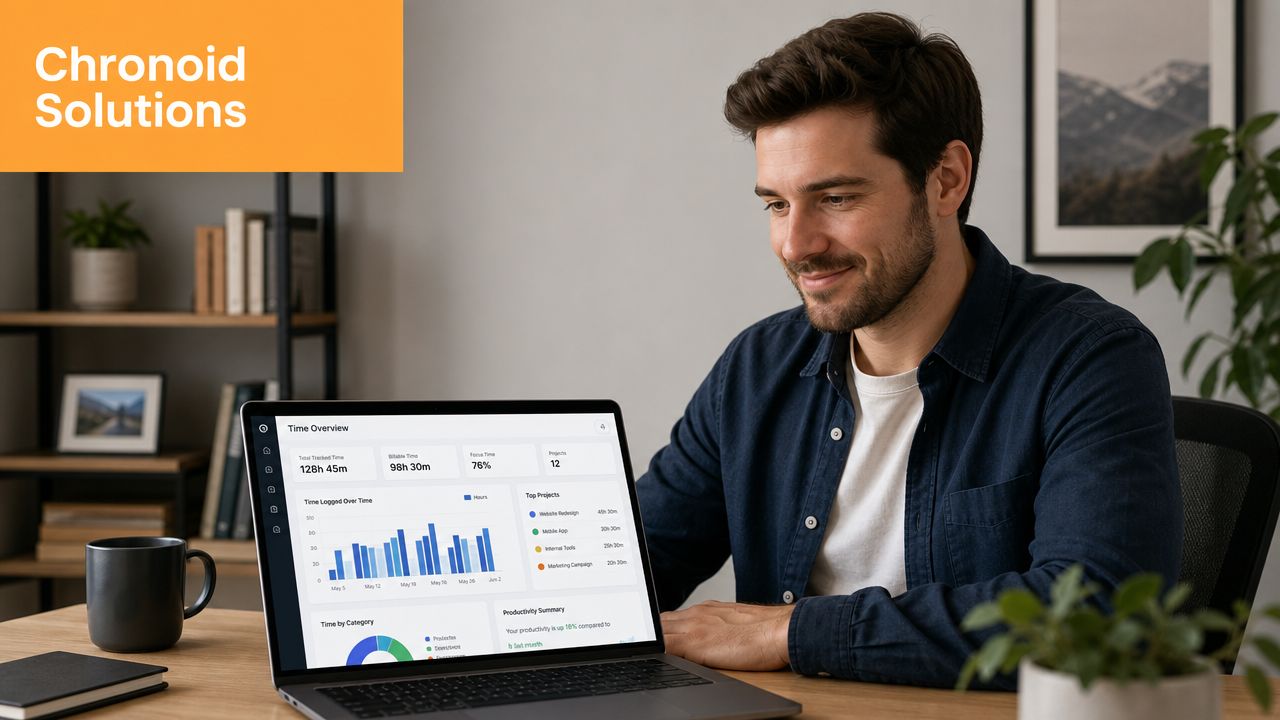
Chronoid addresses those problems by taking a different approach on macOS. It automatically tracks apps, websites, and documents in the background, detects idle and away time, and keeps activity data local by default. Its feature set is outlined in Chronoid’s page on automatic time tracking.
Common pain and the practical fix
| Problem | What usually goes wrong | Practical fix |
|---|---|---|
| Forgetting timers | Work starts before the timer does | Background tracking captures activity without manual start and stop |
| Privacy concerns | The tool feels like monitoring software | Local-first storage creates clearer boundaries |
| Messy time logs | Raw activity becomes another admin task | AI-powered categorization reduces manual sorting |
| Poor review habits | Data exists but never turns into insight | Charts and natural-language review make patterns easier to spot |
| Too many apps | Tracking and focus happen in separate tools | Built-in focus tools keep analysis and action in one place |
Where this fits best
This type of setup is especially useful for Mac users whose work is digital and fragmented. That includes freelancers juggling client projects, remote workers trying to protect focus, and developers who spend the day switching between code, docs, browsers, and communication tools.
The key point isn’t that automation removes judgment. It doesn’t. You still review, categorize, and decide what counts. The advantage is that the record exists before memory starts editing the story.
Reclaim Your Focus with the Right Tool
A modern time tracker clock shouldn’t feel like a digital punch wall. It should feel like a mirror for your work.
That’s the shift. Older systems were built to confirm presence. Better tools for Mac users help explain attention, reveal patterns, and reduce the mental load of constant manual logging. They replace timer babysitting with a usable record of what happened.
For people who write, design, code, consult, study, or manage remote work, that change matters. You get clearer invoices, better estimates, fewer forgotten hours, and a more honest picture of where focus slips away.
If your work also includes content production, the same automation mindset helps elsewhere too. Creators often see similar benefits from tools covered in this guide to automatic video editing for creators, where software handles repetitive process steps so attention stays on the work itself.
The right tool won’t make every day perfect. It will make the day legible. That’s usually the first step to improving it.
If you want a privacy-first way to track time automatically on your Mac, Chronoid is worth trying. It records apps, websites, and documents in the background, keeps data local by default, and adds AI categorization, charts, idle detection, and built-in focus tools without requiring manual timers.