
Most advice on finding a Rize alternative is too shallow. It compares pricing pages, lists a few features, then treats every auto tracker as interchangeable. They aren’t.
On macOS, two questions matter more than almost anything else. Where does your activity data live? And how does the app decide what you were doing? If a tool sends detailed work activity to the cloud, privacy becomes part of the buying decision. If a tool relies on brittle keyword rules, your reports look polished but your categories drift fast.
That’s why the usual recommendations often feel off once you’ve used these apps for client work, creative work, or deep solo work on a Mac. A tracker can look great in a roundup and still be a bad fit in daily use.
Why Most Rize Alternative Guides Are Incomplete
Most roundup posts optimize for easy comparison. They stack tools like Toggl Track, RescueTime, Timely, Clockify, and Monday.com into one list and call it a day. That misses the fundamental decision.
For a Mac user, especially a freelancer, developer, consultant, or creative professional, the main issue isn’t whether the app has a timer button or a dashboard. The issue is whether the tool respects your data and whether its automatic categorization produces reports you can trust.
The quick decision guide
If you want a faster answer than a long feature dump, use this:
| Need | Better fit |
|---|---|
| Private, local-first tracking on macOS | Chronoid |
| Cross-platform automatic tracking and analytics | Rize |
| Team-oriented, cloud-based productivity visibility | RescueTime |
| More intentional structure and focus-oriented workflow | Locu |
This is the lens most guides skip. They compare surface features and ignore the architecture behind them. That’s why a lot of “best Rize alternatives” articles end up recommending tools that solve a different problem.
A more useful way to evaluate the category is to start with privacy, tracking method, and workflow fit. That’s also why broader comparisons like this time management software comparison are more helpful than generic “top 10” lists.
What those lists usually get wrong
The first blind spot is privacy. Many alternatives are cloud-first by default. For some teams, that’s acceptable. For many Mac users, it isn’t.
The second blind spot is categorization accuracy. A tracker that logs every minute but mislabels the work creates cleanup work later. That defeats the purpose of automation.
Practical rule: If an automatic tracker saves time only after you spend time correcting it, it isn’t truly automatic.
The third blind spot is platform depth. Some tools support many platforms loosely. Others support one platform well. For Mac users, a native app with tighter system integration often feels better in daily use than a broad but generic cross-platform product.
That doesn’t make Rize bad. It means the right Rize alternative depends on what you need the software to do when it’s running all day in the background.
Understanding Rize Its Philosophy and Ideal User
Rize makes the most sense when you understand its core idea. It is built around awareness through analytics. The product’s value proposition is simple: track everything, then show you where your time went.
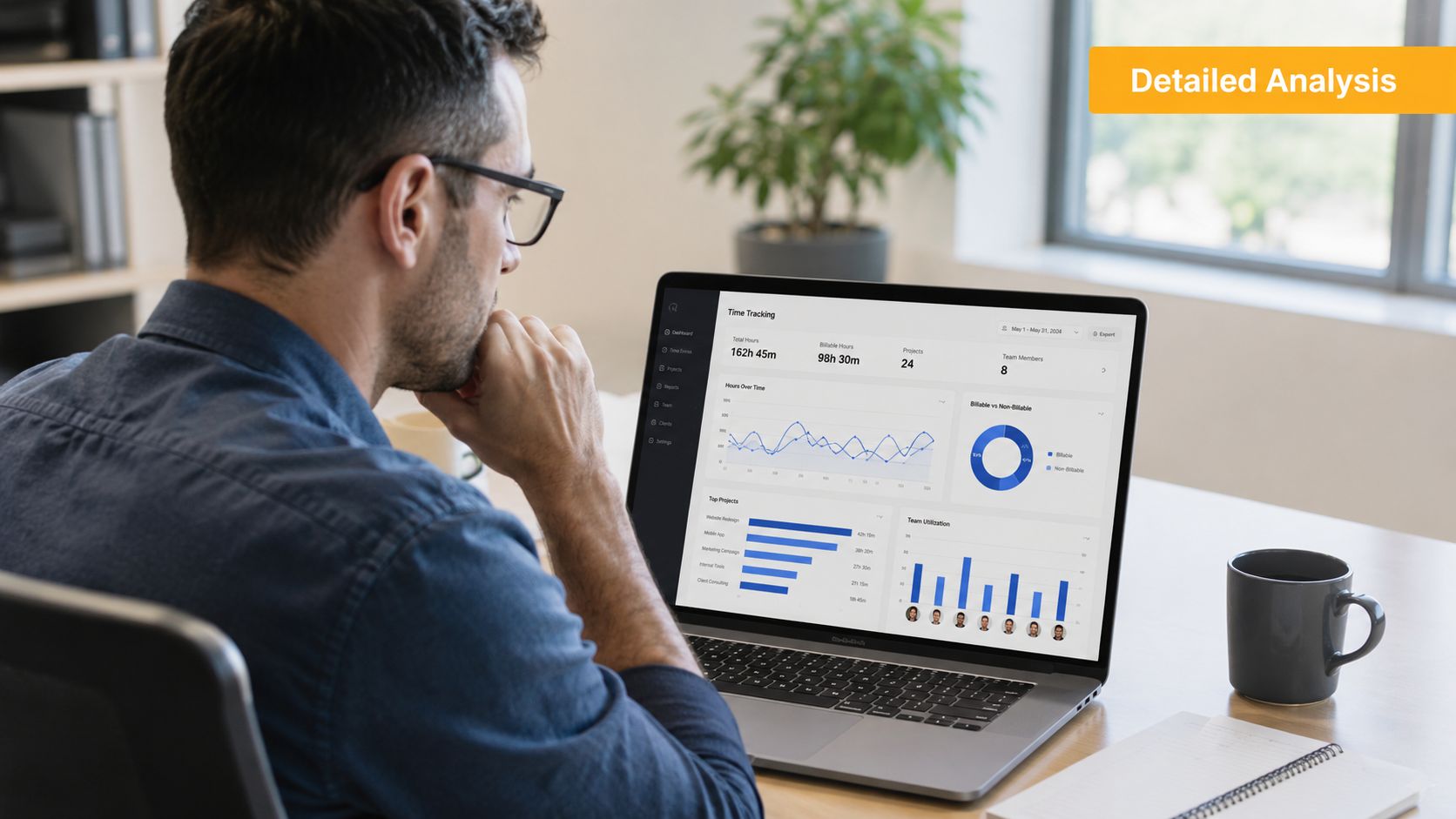
Rize automatically monitors and categorizes work activity on macOS and Windows, and it’s designed to help users understand time use and improve deep work focus, according to this Rize review. That same review notes that Rize offers an annual plan at $9.99 per month, a monthly plan at $14.99 per month, and a 7-day free trial without requiring credit card information.
Where Rize works well
Rize is strongest when you want detailed background tracking without relying on memory. It’s especially appealing for agency-style work because it can automatically capture time by client and project across tools like Figma, Slack, and VS Code, then generate utilization and profitability dashboards without manual timesheets.
That same review also describes Rize as privacy-first in a specific way. It doesn’t use screenshots, keylogging, or screen recording. It tracks application and website usage to categorize time, and activity data is processed locally.
Rize isn’t trying to be a classic start-stop timer. It’s aiming to remove the human bottleneck from time capture.
Where the philosophy has limits
Rize’s philosophy is less about behavior change and more about visibility. It shows you what happened. It doesn’t necessarily give you a complete in-app system for changing what happens next.
That distinction becomes clearer when you compare it with alternatives built around structure rather than analytics. Some users want reporting first. Others want a tighter loop between insight and action.
Rize is a strong fit when your main question is, “Where did my time go?” It’s less compelling if your main question is, “How do I prevent the same distractions tomorrow?”
Who should stick with Rize
Rize is a good fit for:
- Agency operators: They need automatic project and client tracking without chasing timesheets.
- Windows and Mac users: They want the same core experience across both desktop platforms.
- People who value analytics dashboards: They care more about historical reporting than intervention tools.
- Users who hate timers: They want automatic capture instead of remembering to press start and stop.
If that sounds like you, Rize still earns its place. If it doesn’t, the best alternative usually comes down to privacy model, AI quality, and whether you want one app to both track and shape your workday.
The Three Critical Trade-Offs in Time Tracking
Choosing a Rize alternative gets easier once you stop thinking in terms of feature checklists and start thinking in terms of trade-offs. Three matter most.
Cloud-based tracking or local-first privacy
When a tracker runs all day, it sees a lot. App names, websites, document context, and work patterns can reveal more than a timesheet ever did.
A cloud-based app can be convenient. It can sync across devices, centralize team reporting, and make administration simpler. But it also asks you to accept that detailed activity data leaves your machine.
A local-first tool takes the opposite approach. It keeps sensitive activity data on the device by default, which tends to matter more on macOS where many solo professionals and small teams want tighter control.
The practical question is not “Is cloud bad?” It’s this: Do you want your raw work activity stored somewhere you don’t control?
Keyword matching or contextual AI
This is the most overlooked technical difference.
Some automatic trackers classify work based on keywords, app rules, or manual mappings. That works fine when your work is repetitive and neatly separated. It breaks down when one app serves multiple roles. A browser can mean research, writing, client admin, QA, ad management, or procrastination. Figma can be billable design work in one moment and internal review in the next.
Context-aware AI aims to read the surrounding signals more intelligently. That tends to matter most for people whose day spans meetings, writing, coding, design, and client switching.
A time tracker doesn’t need to be magical. It just needs to understand that the same app can represent different kinds of work.
If it can’t do that, the burden falls back on you.
Integrated tools or standalone tracker
Some people want a tracker only. Others want a tracker plus blockers, focus sessions, and Pomodoro tools in the same app.
There isn’t one right answer here. It depends on how you work.
- Choose integrated tools if you want one place to track, review, and reduce distractions.
- Choose a standalone tracker if you already have a blocker, calendar workflow, or focus stack you trust.
- Avoid overbuilt setups if you know you won’t maintain them. A slightly simpler app you use every day beats a “complete system” you ignore.
The mistake I see most often is buying an analytics-heavy tracker and expecting it to fix attention problems on its own. It won’t. Awareness is useful, but awareness without action usually turns into more charts, not better workdays.
Rize vs Alternatives A Feature-by-Feature Showdown
A feature table is useful, but it can also hide the decision that matters most on Mac. Where does your activity data live, and how much cleanup will the AI create later?
That is the gap in a lot of Rize comparisons. They treat automatic tracking as the whole product. For actual client work, research, writing, and admin inside the same apps, capture is only the starting point.
| Criteria | Rize | Chronoid | RescueTime | Timely.ai | Locu |
|---|---|---|---|---|---|
| Core approach | Awareness-based analytics | Local-first Mac tracking with focus tools | Productivity monitoring across devices | AI-assisted activity analysis | Intentional structure and focus |
| Privacy stance | Local processing emphasized in reviewed coverage | On-device by default according to publisher description | Commonly treated as cloud-first in market comparisons | Cloud-style workflow model | Structure-first workflow |
| Best for | Agencies, consultants, analytics-heavy users | Privacy-conscious Mac users | Cross-device visibility | Users who want AI review workflows | Users who want behavior structure |
| Main trade-off | Less focused on built-in behavior change | Mac-only | Less suited to private local-only workflows | Depends more on review flow | Less analytics-centric than Rize |
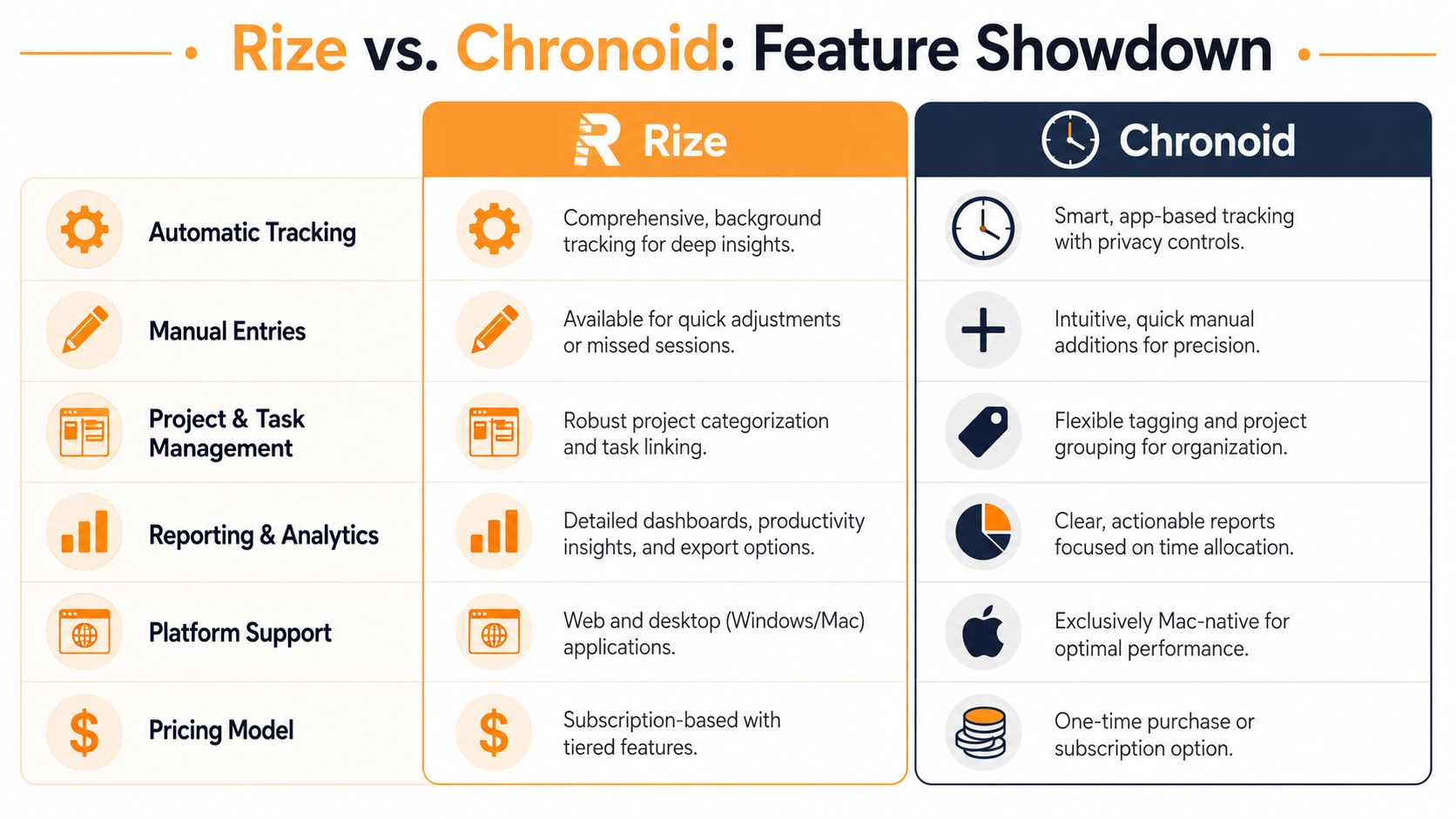
Automatic tracking and AI accuracy
Rize still has a real strength here. It captures activity without asking you to babysit a timer, and that solves a daily failure point for consultants, freelancers, and anyone who hates manual logging.
The harder part is categorization quality. If the system relies too heavily on app names, titles, or keywords, it starts to blur together work that looks similar on the surface. A browser tab can be research, invoicing, support, or a break. The tracker needs context, not just labels.
That distinction matters fast on macOS, where a single app often carries half your day.
Rize works well for users who mainly want visibility and are comfortable reviewing or correcting classifications after the fact. Alternatives built around context-aware AI are trying to reduce that cleanup. If accurate project allocation matters more than dashboard polish, that difference shows up in your weekly review almost immediately.
Key difference: automatic capture saves time upfront. Accurate categorization saves time later.
Privacy and data control
This is the comparison point many roundup posts underplay.
Mac users who care about privacy usually are not asking for less automation. They want automation without sending detailed activity history, document context, or browsing patterns to someone else’s servers by default. That is a reasonable requirement, especially for client work, internal documents, legal work, health work, or anything covered by confidentiality expectations.
Rize is often evaluated as an analytics-first tool. Several alternatives are designed around a different priority, keeping more of the tracking and analysis on the device itself. For a lot of people, especially solo operators and small agencies, that is not a philosophical preference. It is a practical risk decision.
If local-first tracking is high on your list, this Chronoid vs Timing comparison for Mac users who want on-device tracking is a useful reference point.
Focus tools and behavior change
Rize is strongest as an observer. It helps you review how time was spent, spot patterns, and notice drift.
Some alternatives try to do more than observe. They combine tracking with focus sessions, blockers, nudges, or workflow structure that helps you change behavior while the day is still in progress. That difference sounds small until you use both styles. Analytics help with reflection. Intervention helps with execution.
I usually tell people to be honest about which problem they need solved. If you already trust your focus stack, a tracker that stays in its lane can be the better choice. If you keep discovering distractions after the fact and doing nothing with that information, a tool with built-in focus mechanics may earn its place faster.
Platform support and native depth
Rize has an advantage if you work across macOS and Windows. That flexibility matters more than any privacy or UI argument if your day is split between both systems.
Mac-only alternatives win on fit. They tend to behave more naturally in the menu bar, handle app and window context with more care, and feel less bolted onto the operating system. For someone who lives on a Mac all day, that native depth is not cosmetic. It affects whether the tracker fades into the background or turns into another thing to manage.
Pricing and value
Rize keeps pricing simple. The paid tiers covered earlier are $9.99 per month on annual billing and $14.99 per month on monthly billing, with a 7-day free trial.
Value depends on the kind of friction you are removing.
- Choose Rize if you want cross-platform tracking and strong analytics.
- Choose a local-first Mac alternative if privacy and on-device handling matter more than broad platform support.
- Choose a cloud-heavy team tool if shared reporting matters more than local control.
The better question is not which app has the longest feature list. It is which one creates the least rework, least privacy anxiety, and least friction in the way you already work.
Spotlight on Chronoid The Modern Mac-Native Alternative
Chronoid stands out for a simple reason. It addresses the two weaknesses I keep seeing in Rize alternative roundups for Mac users: too much trust in cloud storage, and too much faith in keyword-based AI.
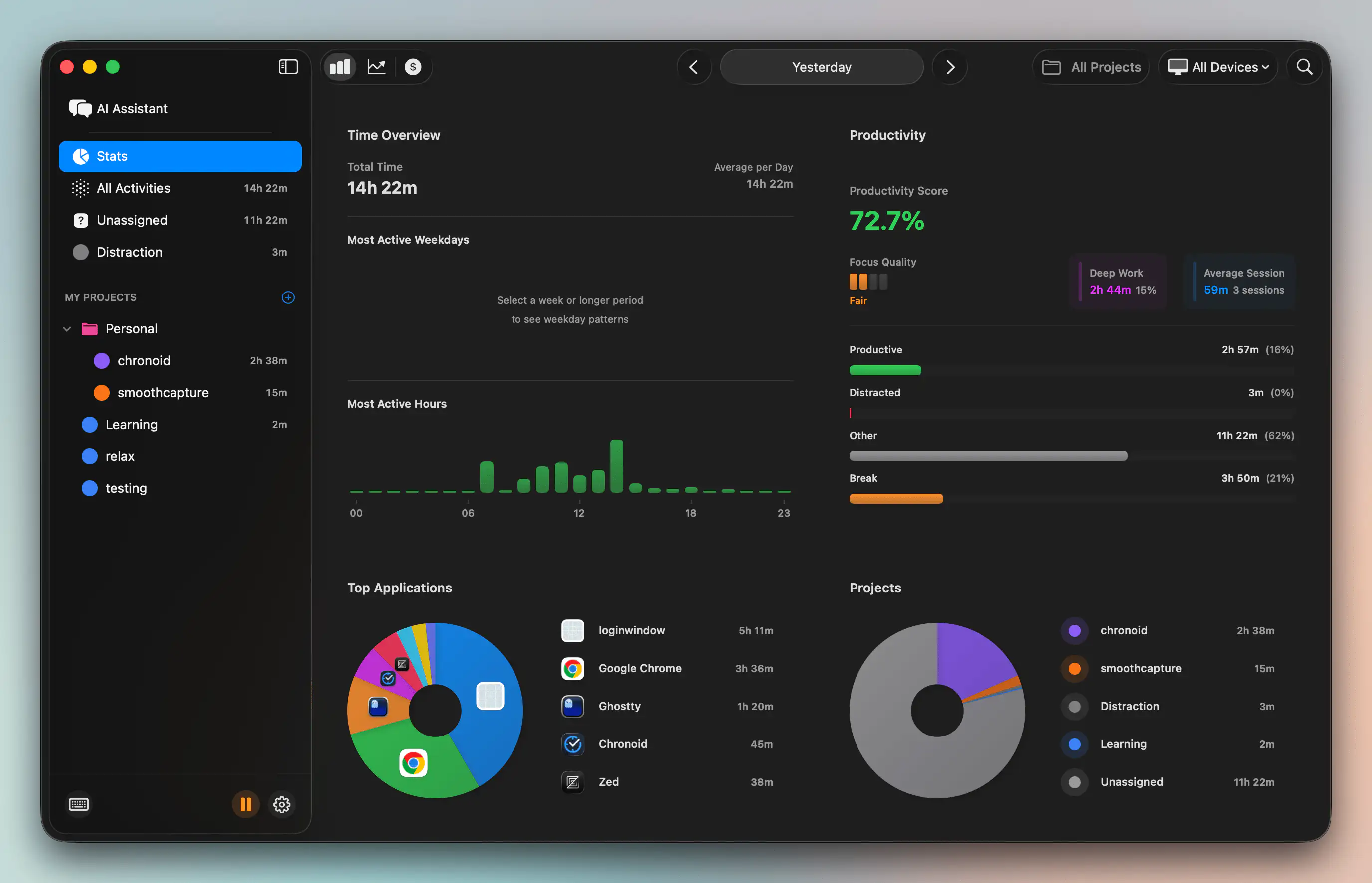
The publisher positions Chronoid as a macOS app that tracks apps, websites, and documents automatically, keeps activity data local by default, and adds on-device AI chat plus built-in focus tools. That mix matters on a Mac because it reduces the usual compromise. You do not have to choose between passive tracking and privacy, or between reporting and intervention.
Why it stands out on Mac
On macOS, native fit is not a cosmetic detail. It affects whether a tracker quietly does its job or keeps pulling you back into settings, permissions, and cleanup.
Chronoid is built for people who want passive capture first, then fast answers later. The AI chat is useful in the specific moments where dashboards slow you down. You can ask what pulled attention away this afternoon, which client dominated the week, or where context switching got out of hand, without manually building filters and report views.
That matters more than UI polish.
Accuracy matters more than labels
Keyword rules break down fast in real Mac workflows. A browser tab might be research, admin work, writing, or procrastination. Slack might be client delivery or idle chatter. VS Code can mean billable work or a side project. A tracker that only sees app names and page titles will misclassify a lot of that activity.
Chronoid’s stronger angle is context-aware interpretation with local handling. For privacy-conscious consultants, developers, designers, and writers, that is a better trade-off than sending detailed work history to a cloud service and hoping the categorization is right. If you are already tightening your operating system and workflow habits, the broader principles in this OKR Hub productivity guide line up well with that approach.
Here’s a closer look at the interface and workflow:
Where it fits best
Chronoid makes the most sense for Mac users with one primary machine and sensitive work on it.
- Data control: Activity history stays local by default, which is a meaningful difference if you handle client materials, internal docs, or confidential research.
- Automatic capture: It runs without constant start and stop behavior, so you get a fuller picture of the day.
- Built-in action tools: Focus sessions, blockers, and Pomodoro support live in the same app, which reduces tool sprawl.
- Better Mac fit: The experience feels designed for macOS instead of adapted to it later.
There are real limits. If you need Windows support, shared reporting across a mixed-device team, or a manager-facing analytics layer, look elsewhere. But if your work happens on a Mac and you care about keeping data close while getting more accurate context than keyword tagging can provide, Chronoid is one of the few options that addresses the problem.
Which Time Tracker Fits Your Workflow Best
The best Rize alternative depends less on brand and more on the shape of your workday.
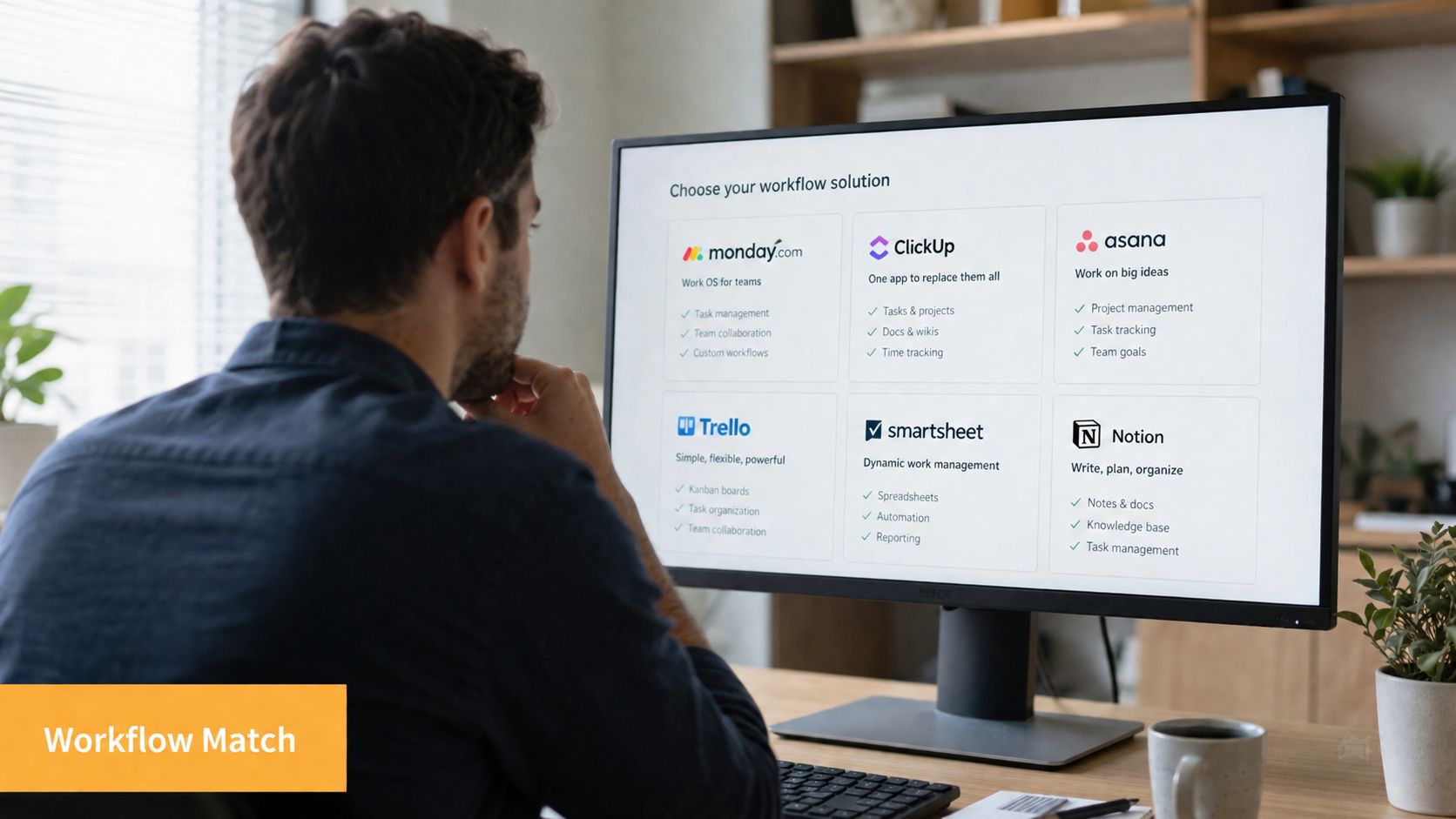
For the privacy-first freelancer on Mac
Pick a local-first Mac tool if your machine holds sensitive client work and you don’t want detailed activity history living in someone else’s infrastructure. This is the cleanest fit for writers, designers, developers, and consultants who bill from one main device.
The big win here is confidence. You can let the tracker run continuously without feeling like you’re trading away too much visibility into your own work.
For the manager who needs cross-platform analytics
Rize is still a strong choice if your team spans macOS and Windows and the main need is analytics, utilization, and historical reporting. According to Locu’s Rize alternative analysis, Rize’s philosophy is awareness-based analytics, and its distinction is complete automatic tracking without start-stop buttons.
That makes it a practical fit when consistency across desktops matters more than local-first privacy or integrated focus controls.
For people who need structure, not just reporting
Some users don’t need another dashboard. They need a system that reduces drift during the day. If that’s you, look beyond pure trackers and toward tools that combine monitoring with focus sessions or a more intentional workflow model.
This is also where general workflow design matters. The OKR Hub productivity guide is useful because it looks at workflow streamlining as an operating habit, not just a software purchase.
A tracker helps you see the problem. A workflow helps you stop repeating it.
For developers and creatives juggling client work
Automatic tracking is most useful when you switch contexts often. Developers bounce between terminals, editors, docs, issue trackers, and browser tabs. Creatives move between Figma, Adobe apps, asset folders, feedback threads, and calls.
In those workflows, manual timers tend to fail. The right tool is the one that can follow context shifts in the background and still make the output understandable enough to review or bill from later.
How to Make the Switch and Start Tracking Smarter
Don’t migrate trackers by trying to recreate every old rule on day one. That usually turns into setup fatigue.
Start simpler. Install the new app, let it run for a few days, and use that period as a baseline. Watch what it captures well, what it misses, and whether the categories feel believable. A tracker should reduce memory work quickly. If it creates a daily review chore, that’s a warning sign.
A practical way to switch
- Run it passively first: Let the app observe your normal week before you customize anything.
- Review only obvious errors: Don’t over-tune categories early. Fix the recurring mistakes that affect billing or reporting.
- Add one focus intervention: If the app includes blockers or focus sessions, start with the time of day when you’re most likely to drift.
- Use reports to ask better questions: Instead of staring at graphs, ask what patterns keep repeating. That’s where tracking becomes useful.
For a more tactical setup process, this guide on how to keep track of work hours is a solid reference.
The best switch is gradual. Keep the setup light, let the software show its strengths, and decide based on real daily use rather than a feature matrix.
If you want a Mac-native Rize alternative that keeps activity data local by default, tracks work automatically, and adds built-in focus tools on top, Chronoid is worth trying. It’s designed for people who want accurate time visibility without manual timers or cloud-first compromises.