
Most advice about efficiency starts in the wrong place. It tells you to wake up earlier, use a timer, color-code your calendar, or squeeze more tasks into the same day. That can make you feel disciplined. It doesn’t always make you efficient.
Time efficient meaning is simpler and harsher. It means getting useful output with less wasted effort. If your day is full but your important work is still unfinished, your problem usually isn’t motivation. It’s leakage. Tiny delays, app switching, interruptions, vague priorities, and work that looks active but produces little value.
For Mac users, that problem is often hidden in plain sight. Your laptop makes it easy to move fast between Slack, Figma, Xcode, email, browser tabs, docs, and messages. Smooth switching feels productive. In many cases, it’s the exact thing draining your day.
Why Feeling Busy Is Not the Same as Being Efficient
A lot of people end the day with the same frustrating summary. They answered messages, joined calls, handled small requests, checked in on several projects, and stayed at the computer for hours. But the task that mattered most is still sitting there.
That’s not a personal failure. It’s a measurement problem and a workflow problem.
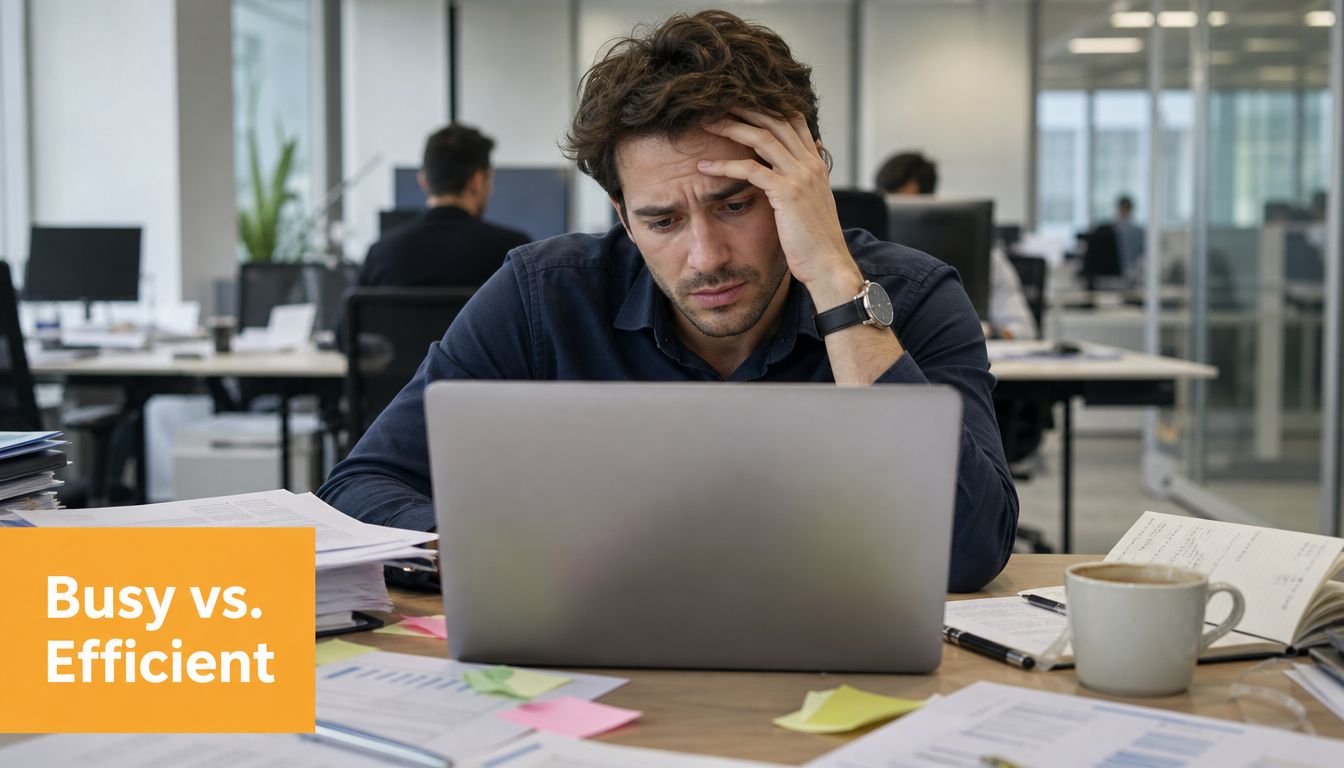
Research summarized by Hubstaff notes that 51% of workdays are lost to low-value tasks, and that spending just 12 minutes a day planning can save up to 2 hours of wasted time in that same pattern of work loss (Hubstaff time management statistics). That matches what many freelancers, consultants, and remote workers already feel. Their calendars are crowded, but their meaningful progress is thin.
Busy work creates fake momentum
The trouble is that low-value work often feels legitimate while you’re doing it. Replying to one more email feels responsible. Checking a project update feels necessary. Reorganizing your task manager feels organized.
None of those actions are automatically wrong. They become expensive when they replace the work only you can do.
Practical rule: If a task leaves you tired but doesn’t move a result forward, it was activity, not efficiency.
A lot of “productivity” advice misses the point. More motion isn’t the answer. Better use of effort is. If you want to work smarter and achieve goals, the first shift is dropping the idea that a packed day is evidence of progress.
What inefficiency costs in real life
Inefficiency doesn’t just slow output. It changes how work feels.
- It raises stress: Important tasks keep rolling into tomorrow.
- It increases mental residue: You carry unfinished work into evenings and weekends.
- It fuels burnout: You keep exerting effort without getting the payoff of completion.
- It hides improvement opportunities: If all work feels equally urgent, nothing gets redesigned.
For Mac users in particular, this often shows up as “clean” digital clutter. Everything is one swipe away. Notifications are polished. Windows are easy to open and easier to leave open. The machine supports speed, but not judgment.
That distinction matters. Speed helps when the task is already clear. Efficiency matters when attention is limited and work is fragmented.
What Time Efficiency Really Means
The cleanest definition comes from operations logic, not self-help language. Time efficiency is the ratio of useful output to total input, expressed as Efficiency = (Useful Output ÷ Total Input) × 100. The point is to get a desired result with the optimal use of resources, especially time, energy, and budget (Slack on efficiency vs productivity).
A simple way to think about it is cooking. Two chefs make the same dinner. One rushes, dirties every surface, forgets ingredients, and has to redo parts of the recipe. The other sets up first, uses the right tools, and finishes with less waste. Both produced dinner. The second chef was more time efficient.
Efficiency is not the same as productivity
People often mix up three different ideas. That confusion creates bad habits because you start solving the wrong problem.
| Concept | What It Measures | Example |
|---|---|---|
| Efficiency | How little waste was used to get the result | You finished a client proposal with focused work, minimal switching, and no rework |
| Productivity | How much output was produced in a period | You completed five tasks in one afternoon |
| Effectiveness | Whether you worked on the right thing | You chose the proposal that could actually win the client, instead of polishing a low-value deck |
Someone can be productive without being efficient. A person can push through many small tasks while wasting large chunks of time in transitions, interruptions, and cleanup.
Someone can be efficient without being effective. A person can execute the wrong task very cleanly.
The best work combines all three, but they aren’t interchangeable.
What efficient work looks like in practice
Efficient work usually has a few visible traits:
- Clear output: You know what “done” means before you start.
- Low friction: Files, tools, and decisions are ready.
- Limited switching: You stay inside one mode of work long enough to finish something meaningful.
- Minimal rework: You don’t keep revisiting preventable mistakes.
If context switching is your main leak, batching similar tasks often helps. A practical guide on how to stop context switching can make the difference between a scattered day and a controlled one, especially when your Mac desktop is full of parallel projects.
Efficient people aren’t always the fastest people. They’re often the people who waste the fewest good hours.
That is the core time efficient meaning. Not hustle. Not compression for its own sake. Better output per unit of attention.
How to Measure What Truly Matters
Individuals often are poor judges of their own efficiency. They remember effort. They remember stress. They remember the moments when they were obviously working. They don’t remember the invisible losses between those moments.
That’s why manual tracking often gives a distorted picture.
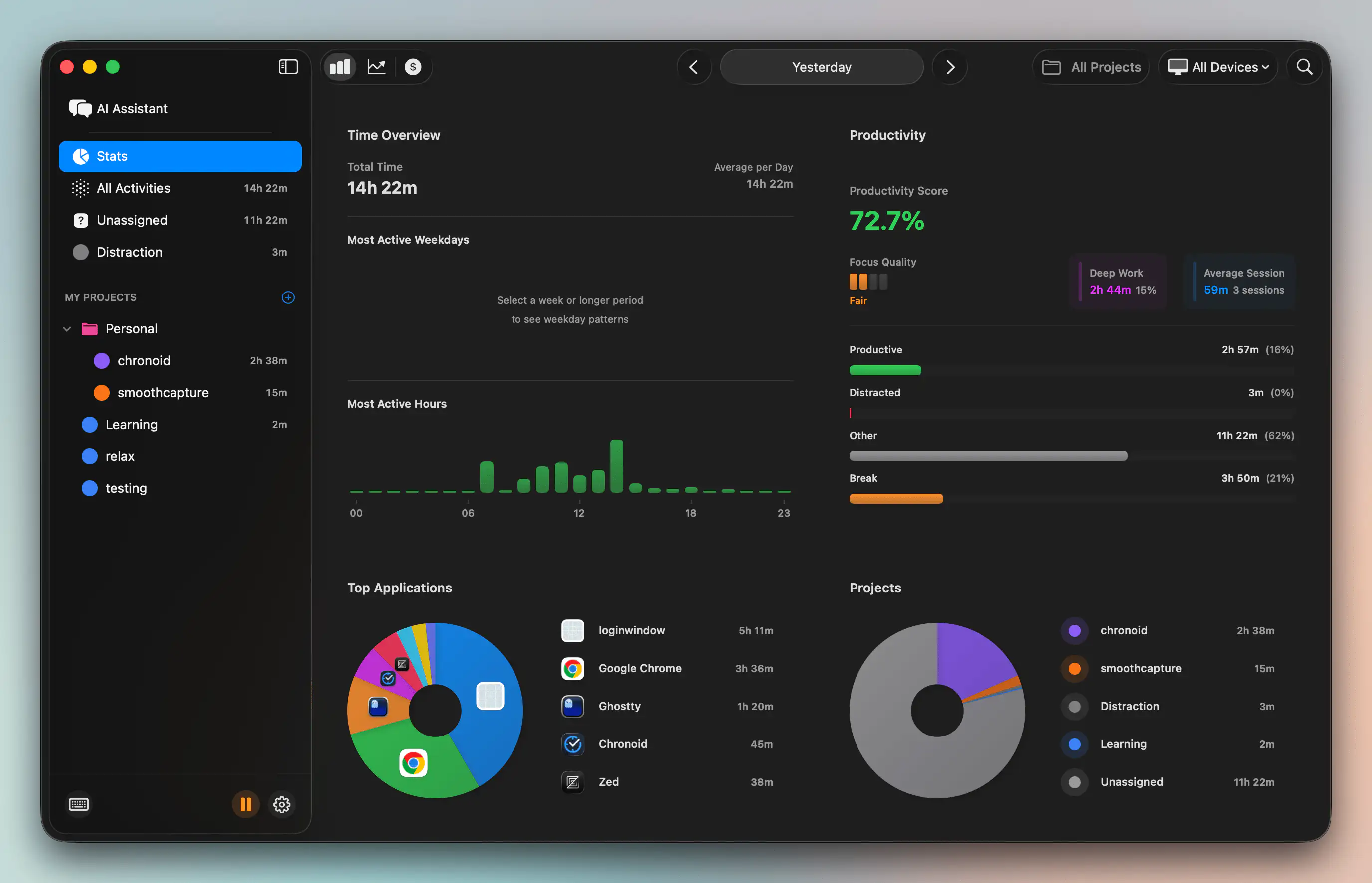
Recent industry data indicates that 30-40% of a freelancer’s workday is lost to “phantom time”, meaning idle, away, or untracked distraction time that manual methods miss (My Hours on becoming more time efficient). That’s the passive tracking gap. You may be honest when you start and stop a timer, but the timer still can’t see the subtle drift between intention and actual work.
Why manual timers miss the real story
A stopwatch, Pomodoro timer, or manual time entry can be useful for structure. It is not reliable as a full measurement system.
Here is what manual tracking usually misses:
- Idle drift: You step away, keep the timer running, and don’t notice.
- Micro-distractions: A “quick check” turns into a longer detour.
- Task bleed: You start on one project and slide into another.
- Recovery time: After an interruption, it takes time to regain focus.
- App switching: The day feels full, but your attention was broken into small fragments.
For Mac users, app switching is one of the biggest blind spots. Mission Control, multiple desktops, browser tabs, chat apps, notes apps, and creative tools make transitions frictionless. That’s great when you move intentionally. It’s expensive when your attention keeps getting pulled sideways.
If your tracking method only records when you meant to work, it won’t show you why your day felt shorter than it was.
Passive tracking gives you an honest baseline
Automatic tracking changes the conversation because it captures behavior without requiring constant self-reporting. It shows which apps, websites, and documents consumed time. It can also surface idle periods that a manual timer tends to miss.
One example is Chronoid, a macOS app that automatically tracks apps, websites, and documents, detects idle and away time, and helps users review where time went. For Mac users who bill by the hour or juggle several client projects, that kind of passive record is often more useful than another timer.
A deeper look at deep work vs shallow work helps here too, because the issue usually isn’t just total hours. It’s how much of those hours were spent in cognitively expensive, high-value work versus reactive maintenance.
This short overview shows the difference between planning focus and seeing time use across a day.
What to review once you have the data
Don’t start by hunting for perfection. Start by looking for obvious mismatches.
- Compare intention to reality: Did your main task get your best hour, or whatever was left?
- Check distraction clusters: Which sites or apps appear most often around stalled work?
- Notice timing patterns: When are you naturally focused, and when do you drift?
- Watch project fragmentation: Are you touching too many active projects in one day?
The reason this matters is simple. You can’t improve a leak you haven’t identified. Passive tracking closes the gap between how productive you felt and what your time supported.
Time Efficiency Examples for Professionals and Students
Definitions help. Real examples make the idea stick.
Freelance developer on a Mac
A freelance developer may think the problem is underpricing or too many meetings. Sometimes that’s true. But often the core issue is fragmented billing time.
They start the morning in VS Code, jump into email for a client question, open a browser to check docs, answer a Slack ping, switch to another client’s bug, then return to the original feature. By late afternoon, they’ve worked hard but don’t have a clean block of progress to bill confidently.
The deeper issue is not laziness. It’s fractured execution. That matters because knowledge workers spend 88% of their workweek on email, meetings, and chat apps, leaving only 12% for deep work (Avenue Eco time tracking statistics). The developer’s fix usually isn’t “work longer.” It’s reducing project overlap and protecting coding windows from communication spillover.
macOS designer dealing with creative drag
A designer on macOS can lose hours in a way that looks respectable from the outside. Figma is open. Adobe apps are open. Reference tabs are open. Messages are open. Notes are open.
The day feels creative, but the actual design work keeps getting interrupted by admin, browsing, approvals, and file hunting. Creative work needs room for rough thinking, but it also needs boundaries. When a designer reviews their day, they often see that the “creative block” was partly a distraction pattern.
Sometimes the bottleneck isn’t the design. It’s everything surrounding the design.
A better workflow might involve grouping feedback review into one window, preparing assets before the main session, and keeping communication apps out of sight during production work.
Student trying to study on the same machine they relax on
Students hit a different version of the same problem. Their Mac is both a study tool and an entertainment device. They open lecture notes, then check messages, then search one reference, then drift into unrelated tabs.
By the end of the session, they feel as if they studied for hours. What they did was alternate between shallow academic contact and low-friction distraction.
A student becomes more time efficient when they can separate three things:
- Focused study: Reading, solving, writing, summarizing
- Support activity: Looking up definitions or organizing materials
- Escapes disguised as breaks: Social feeds, random browsing, unnecessary app checks
Once they see that pattern, they can study with more honesty. Shorter, cleaner sessions usually beat long sessions filled with hidden detours.
Four Actionable Steps to Become More Time Efficient
There is no single trick that makes a person efficient. The shift comes from better priorities, cleaner work blocks, fewer interruptions, and regular review.
Define useful output before you start
Many people waste time because they begin with a task label, not a result. “Work on proposal” is vague. “Draft the pricing section and send it for review” is measurable.
The Eisenhower Matrix helps because it forces decisions about what deserves attention now and what should be delayed, delegated, or ignored. If a task is neither urgent nor important, it shouldn’t occupy premium focus time.
Decision filter: Before starting, ask what finished work will exist in the next hour if this block goes well.
That question is uncomfortable, which is why it’s useful.
Structure the day around focus blocks
Once you know the output, protect the input. Time blocking works well because it gives the task a boundary. The Pomodoro technique can help when you’re procrastinating or overestimating your concentration. TechTarget describes it as 25-minute focused intervals followed by 5-minute breaks, a structure used to reduce multitasking and resist procrastination (TechTarget on time management).
If you want a practical model, this guide to time blocking on a calendar is useful for turning intentions into visible blocks.
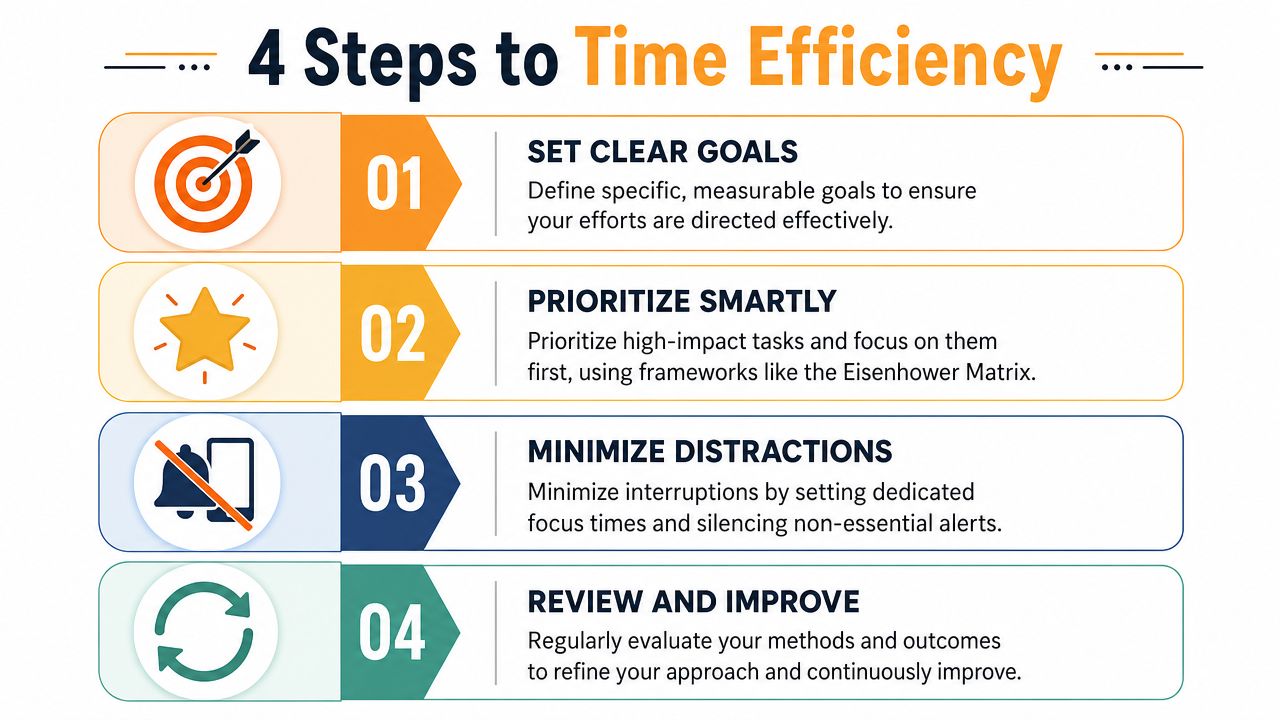
For Mac users, focus blocks work best when the machine supports the block instead of fighting it. That means closing irrelevant apps, hiding chat tools, and making the next required file easy to access before the session starts.
Remove friction from recurring work
Friction wastes more time than people think because it appears in tiny doses. Searching for notes. Renaming files late. Repeating the same setup steps. Typing the same phrases again and again.
One practical fix is input reduction. If writing and admin consume a lot of your day, a clean voice-to-text setup on Mac/Windows can speed up rough drafting, note capture, and follow-up messages without adding another complicated workflow.
Other friction removers are less technical but just as effective:
- Preload tools: Open the exact document set you need before the block starts.
- Silence noise: Turn off non-essential notifications during focus sessions.
- Standardize repeat work: Use templates for briefs, meeting notes, or client updates.
- Batch shallow tasks: Handle email, scheduling, and minor approvals in grouped windows.
Review the pattern, not just the day
Individuals often review outcomes emotionally. They say, “Today was bad,” or “I was distracted.” That’s too vague to improve.
A better review asks specific questions:
-
Where did good hours go?
Did your peak energy get spent on priority work or on maintenance? -
What repeatedly broke focus?
Was it messages, browser drift, task ambiguity, or switching between projects? -
Which tasks expanded unnecessarily?
Some work takes longer because the task wasn’t defined well enough. -
What should change tomorrow?
One small adjustment is enough. Fewer open projects, a clearer first task, or a blocked communication window.
The best efficiency systems are not rigid. They are observant. They use structure where structure helps, and they keep updating based on evidence.
Efficiency Is About Freedom Not Constraint
People sometimes hear “efficiency” and picture a joyless, over-optimized workday. That version misses the point.
Good efficiency creates space. It removes wasted effort so you can spend more time on work that needs depth, on creative exploration that shouldn’t be rushed, on better conversations, or on actual rest. Hubstaff’s analysis of time efficiency also points to an overlooked tension: efficiency matters, but excessive hyper-efficiency can crowd out creativity and human connection (Hubstaff on time efficiency).
That’s why the true time efficient meaning isn’t “do everything faster.” It’s “stop wasting yourself on things that shouldn’t take so much from you.”
A thoughtful reflection on time well spent fits this idea. The goal isn’t to become machine-like. The goal is to make your time visible enough that you can choose better.
If you do one thing after reading this, make it simple. Stop guessing where your hours go. Measure them accurately. Once you can see the leaks, most of the right changes become obvious.
If you work on a Mac and want a clearer picture of where your time goes, Chronoid is worth evaluating. It automatically tracks apps, websites, and documents, detects idle time, and helps you spot distraction patterns without relying on manual timers. That makes it useful for freelancers, creatives, developers, and students who want a more accurate baseline before changing their workflow.