AI Connectors
AI Connectors let you ask claude.ai or ChatGPT about your tracked time from the assistant you already use — “how much did I work on the client project last week?” — without uploading your data anywhere. Chronoid gives you a personal connector URL; each question is answered live by the app on your Mac over a secure outbound connection. Nothing is uploaded or stored elsewhere.
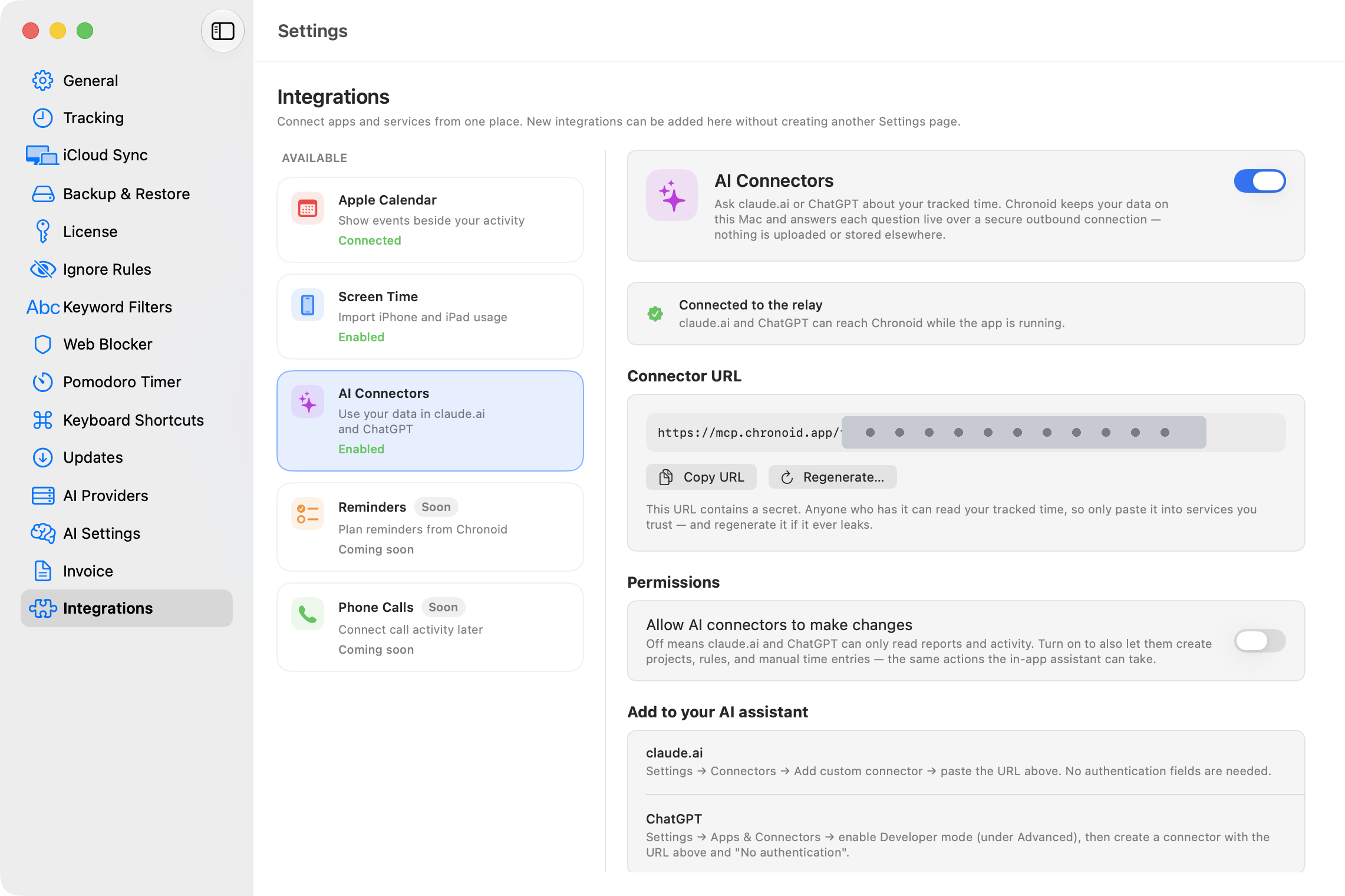
Turning It On
- Open Settings → Integrations and select AI Connectors.
- Turn on the switch. The status card shows Connected to the relay once the secure connection is up.
- Click Copy URL to copy your personal connector URL.
There is no account to create and no API key to manage — the URL itself is the credential.
Adding Chronoid to Your Assistant
claude.ai: Settings → Connectors → Add custom connector → paste the URL. No authentication fields are needed.
ChatGPT: Settings → Apps & Connectors → enable Developer mode (under Advanced), then create a connector with the URL and “No authentication”.
After that, ask about your time in a normal chat. The assistant calls Chronoid on your Mac for the answer, so Chronoid must be running for connectors to work.
Read-Only by Default
Remote assistants can only read reports and activity unless you explicitly allow more. The “Allow AI connectors to make changes” toggle (off by default) controls whether they can also create projects, rules, and manual time entries — the same actions the in-app assistant can take. With it off, write actions are not even offered to the assistant.
Keeping the URL Safe
The connector URL contains a secret. Anyone who has it can read your tracked time, so only paste it into services you trust. If it ever leaks, click Regenerate… to invalidate it — connectors you already added in claude.ai or ChatGPT stop working until you update them with the new URL.
How It Stays Private
- Your database never leaves your Mac. The relay at
mcp.chronoid.apponly passes each question and answer through while you ask it. - The connection is outbound from your Mac — no open ports, no port forwarding.
- The secret token is stored in your macOS Keychain.
Difference From the Local MCP Server
The Chronoid MCP Server serves tools you run on the same Mac, like Claude Desktop. AI Connectors extend the same capabilities to hosted assistants (claude.ai, ChatGPT) through the relay. Use whichever matches where your assistant runs — or both.
Related Guides
For help, email support@chronoid.app