AI Providers
Chronoid supports both cloud and local AI providers. You can add more than one provider, switch between them, and choose models that best fit AI Assistant conversations, attachments, suggestions, and Today recaps.
New to AI in Chronoid? Using AI in Chronoid helps you pick a provider and has a cheat sheet of defaults for each one.
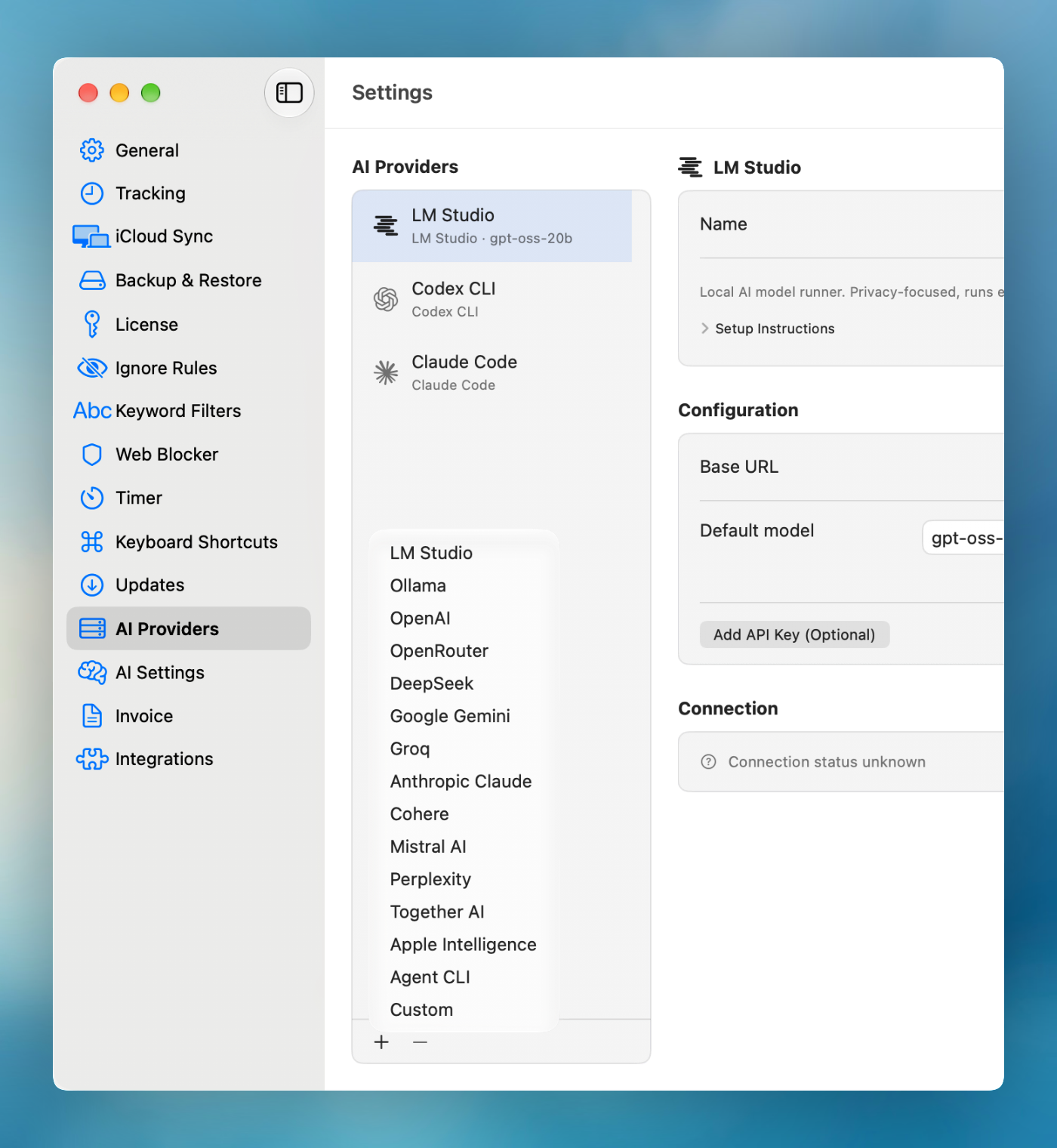
Supported Providers
Chronoid supports these provider modes:
Hosted Providers
- OpenAI
- OpenRouter
- DeepSeek
- Google Gemini
- Groq
- Anthropic Claude
- Cohere
- Mistral AI
- Perplexity
- Together AI
Local, On-Device, or Custom Providers
- Ollama
- LM Studio
- Apple Intelligence, on macOS 26 or later with Apple Silicon and Apple Intelligence turned on
- Custom OpenAI-compatible providers
Agent CLI
- Claude Code, Codex CLI, OpenCode, Pi, Amp, or any custom command installed on your Mac — runs on that tool’s existing subscription, so there is no API key to manage. See Use Claude Code or Codex as Your Assistant.
What You Configure
Depending on the provider, Chronoid can show:
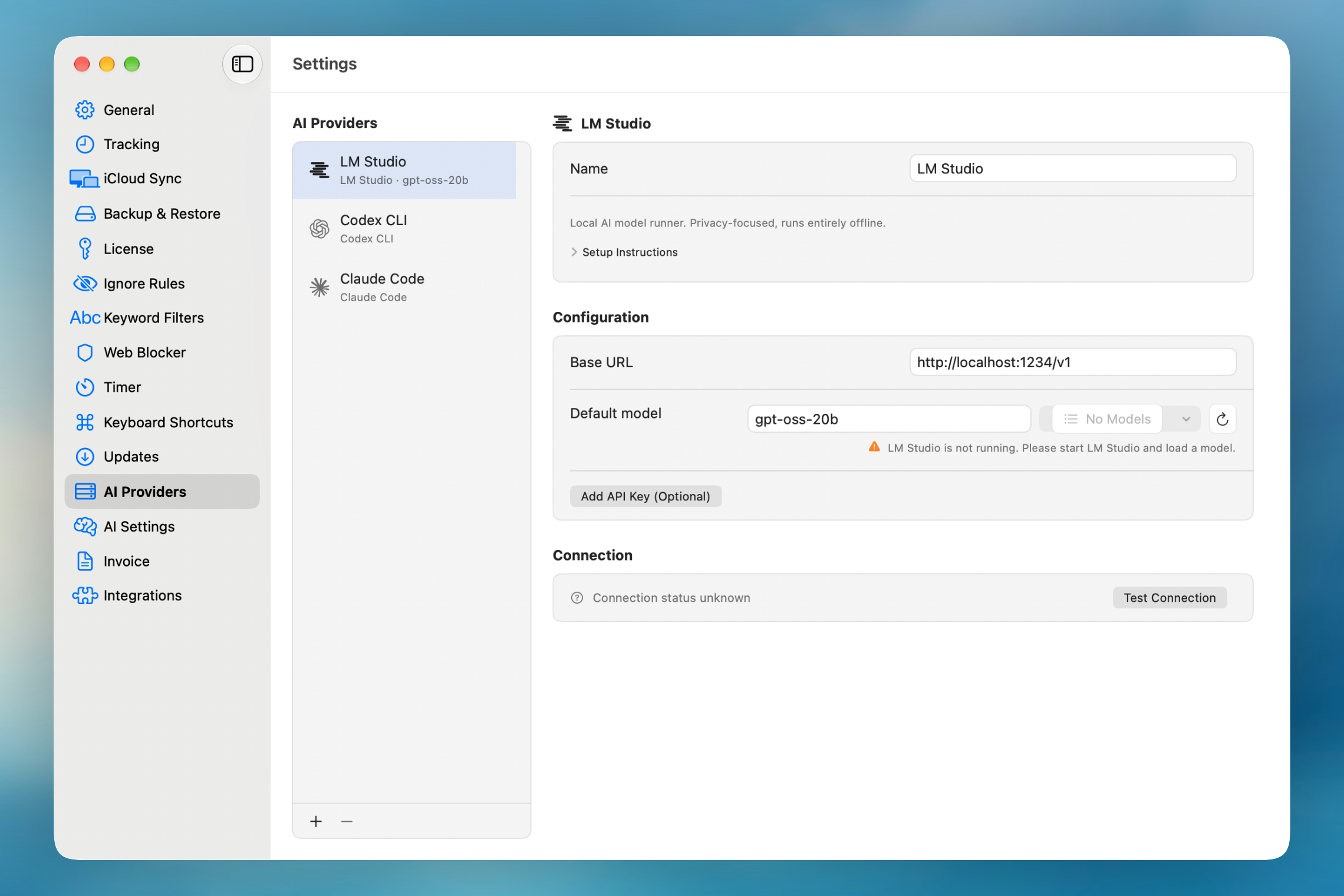
- Name, so you can tell several setups apart
- Base URL, for LM Studio, Ollama, and Custom
- Default model, typed by hand or picked with Choose Model (the reload button fetches the latest list)
- API key, stored in your macOS Keychain. LM Studio, Ollama, and Custom only need one if your server requires it; use Add API Key (Optional).
- Connection status, with a Test Connection button
Custom providers load models from the standard /models endpoint. If your server does not support it, type the model name by hand.
Typical Setup Flow
- Open Settings → AI Providers.
- Click + under the provider list and pick a provider from the menu.
- Enter the base URL if the provider is local or custom. The default is usually right.
- Enter an API key if the provider requires one.
- Choose a Default model from the list.
- Click Test Connection.
The list on the left only shows providers you have added. To remove one, select it and click −; this also deletes its API key from the Keychain.
Choosing A Provider
- Use OpenAI, Claude, Gemini, Groq, Cohere, Mistral AI, Perplexity, or Together AI if you want hosted models.
- Use OpenRouter if you want access to many providers through one endpoint.
- Use DeepSeek if you want supported reasoning-oriented models.
- Use Ollama or LM Studio if you want local control and lower privacy exposure.
- Use Apple Intelligence if you want an Apple-managed on-device option when supported.
- Use Custom if you already run an OpenAI-compatible endpoint.
- Use Agent CLI if you already pay for Claude Code or Codex and want chat to run on that subscription with no separate API key.
Multiple Assistants Per Provider
You can add as many provider setups as you like — including several for the same provider, each with its own name, settings, and API key — and switch between them in chat, suggestions, and Today. Use the + button under the provider list to add another, or right-click an existing one and choose Duplicate, then rename it so you can tell them apart.
Tips
- Start with one provider first, then add fallbacks later.
- If the model list is empty, re-check the base URL, API key, and whether the endpoint supports model discovery.
- Local defaults are
http://localhost:1234/v1for LM Studio andhttp://localhost:11434/v1for Ollama. The app must be running with a model loaded before the model list appears. - Different features may feel better on different models. Fast small models are often enough for suggestions, while AI Assistant workflows may benefit from stronger models.
- The assistant works by calling Chronoid’s tools, so pick a model that supports tool calling. OpenRouter’s list already only shows those.
- Changing the model in the chat bar also changes that provider’s Default model here.
Privacy Notes
Cloud providers process the prompts and tool results required to answer your request. Local providers keep that traffic on your machine or network.
If privacy is your top priority, prefer a local provider and verify that its base URL points to your local environment.
Related Guides
For help, email support@chronoid.app