Automatic Tracking
Chronoid automatically tracks your app and website usage to help you understand how you spend your time. You can fine-tune when tracking happens, filter short activities, and protect your privacy.
Chronoid can track activity continuously or only during the hours you choose. The dedicated Tracking settings pane now combines schedule, idle, and meeting-related controls in one place.
For the full settings walkthrough, see Tracking Settings.
Set Your Tracking Schedule
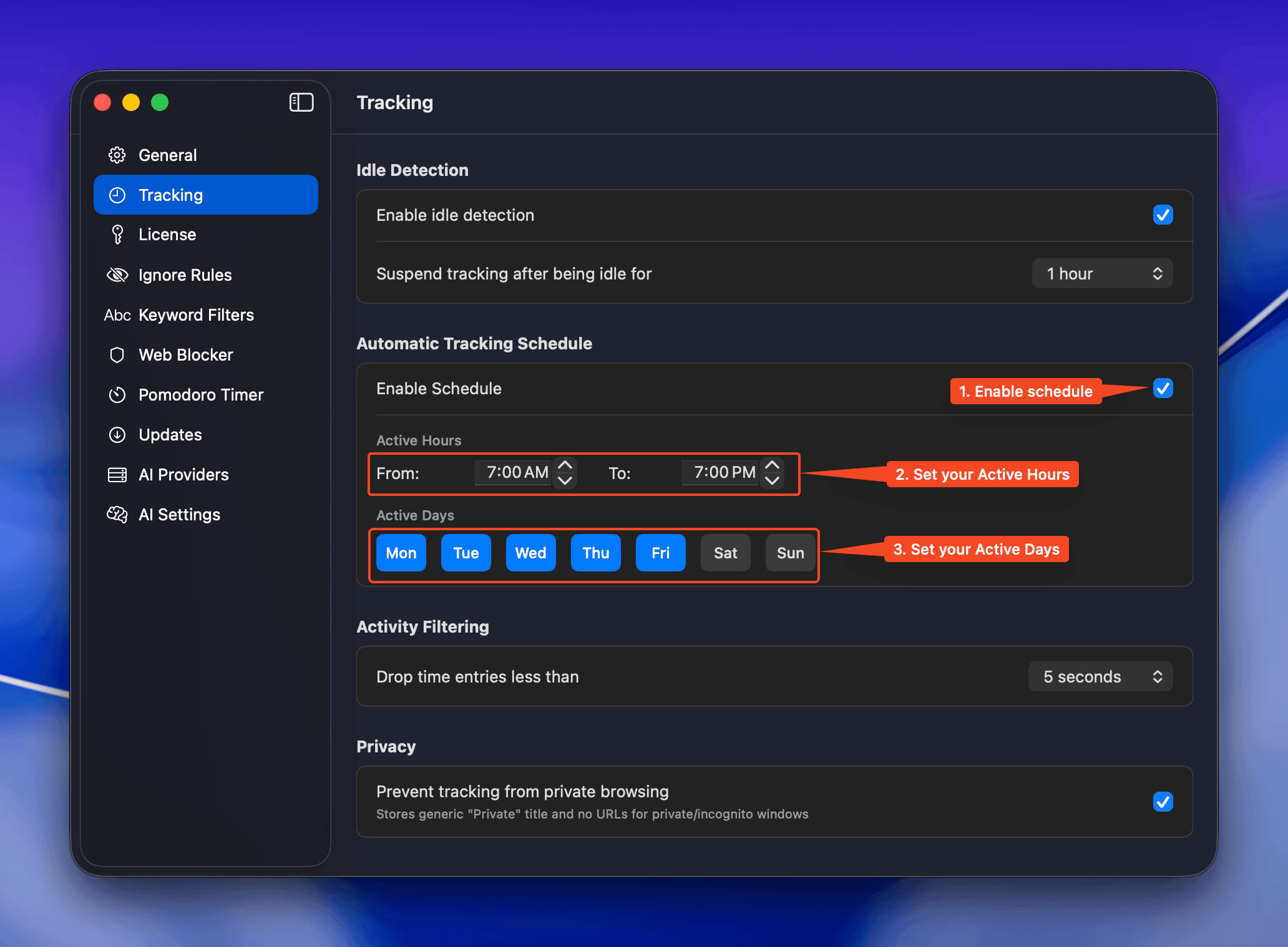
Decide exactly when Chronoid records activity:
- Toggle Enable Schedule
- Choose your Active Hours (e.g., 7:00 AM–7:00 PM)
- Select your Active Days (Weekdays, weekends, or a custom mix)
Chronoid now tracks only inside that window—perfect for separating work and personal time.
Filter Out Micro Sessions
Short blips can clutter reports. Use Drop time entries less than to ignore anything under your preferred threshold (try 5 seconds). Your timelines stay focused on meaningful sessions.
Protect Your Privacy
- Turn on Prevent tracking from private browsing to blur incognito sessions
- Private windows appear as Private with no URL details stored
🔒 Tracking stays 100% local on your Mac—nothing leaves your device.
Meeting-End Prompt
Chronoid can also detect when a supported meeting ends and offer to log that time as a manual entry. You can choose a minimum meeting duration in Settings → Tracking.