Share Cards
Share cards turn any stats range into a polished image or 10-second video you can post or save — your focus score, focused time, highlights like deep work and longest streak, and an optional project or app breakdown.
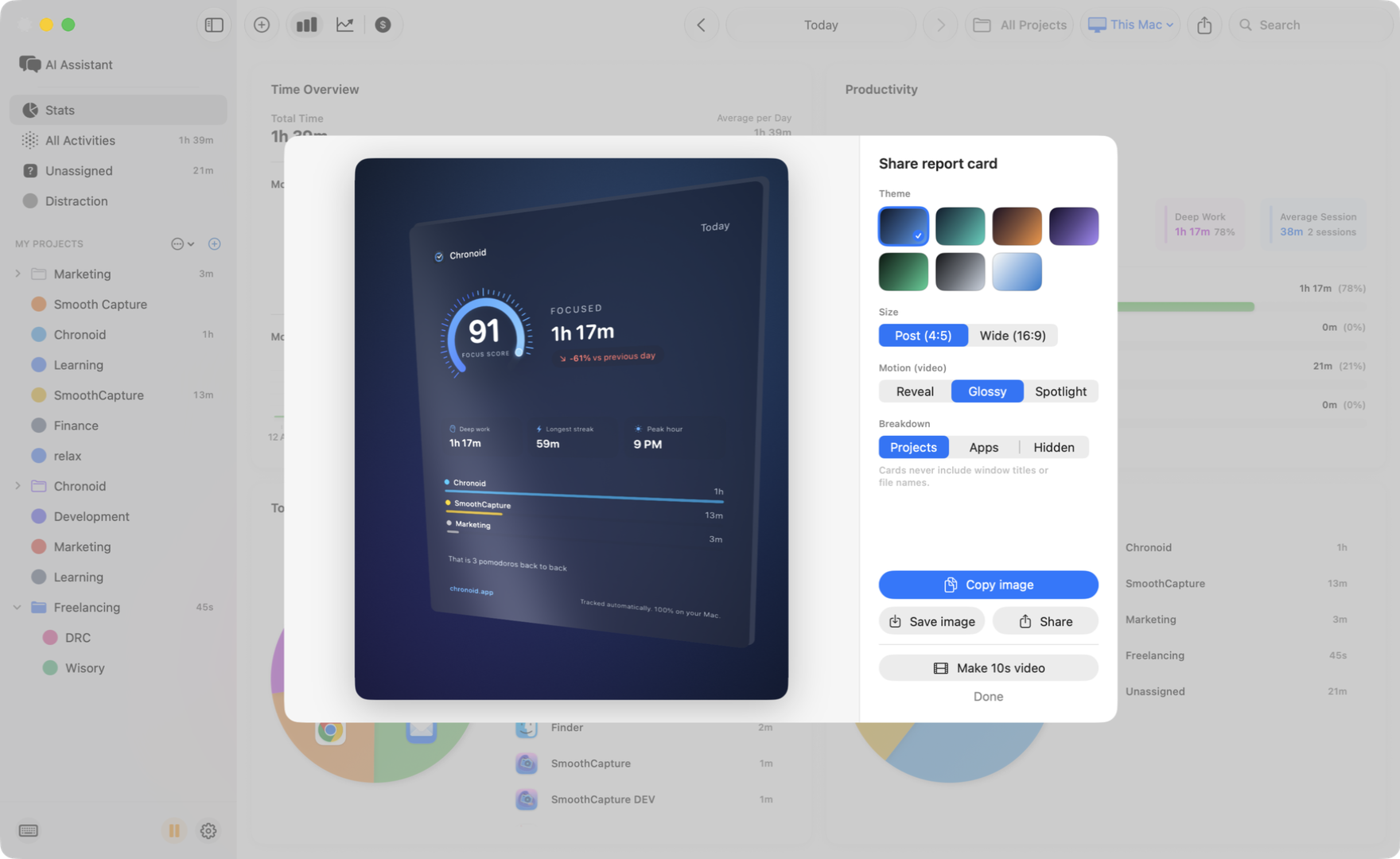
Creating a Card
- Open Stats and set the date range, project filter, and device filter you want the card to cover.
- Click the share icon in the toolbar (Share report card).
- Pick your look and export.
The sheet shows a live preview on the left and the controls on the right:
- Theme — seven styles: Midnight, Aurora, Sunset, Violet, Emerald, Graphite, and Paper (the light one).
- Size — Post (4:5) for feeds (1080×1350) or Wide (16:9) for banners and slides (1600×900).
- Breakdown — show your top Projects, top Apps, or Hidden to keep the card aggregate-only.
What’s on the Card
The focus score gauge, total focused time, the change versus the previous period, highlight chips (deep work, longest streak, peak hour, focus sessions, context switches), a focus-by-day chart for multi-day ranges, and the breakdown you chose. Cards never include window titles or file names, so nothing sensitive slips out.
Exporting
- Copy image (⌘C) puts the card on your clipboard.
- Save image / Share save a PNG or hand it to any app via the macOS share sheet.
- Make 10s video renders an MP4 with your choice of motion — Reveal, Glossy, or Spotlight — then offers Save video and Share.
Focus Records
Chronoid also tells you when you set a personal record — your longest focus session, your most focused day, or your weekly summary. Clicking the notification opens the matching share card, ready to post. Turn these on or off with Settings → General → Celebrate focus records.
Share cards are free for everyone, trial or licensed.
Related Guides
For help, email support@chronoid.app