Keyboard Shortcuts
Chronoid supports global keyboard shortcuts that work even when the app is in the background.
Open Settings → Keyboard Shortcuts to record or change them.
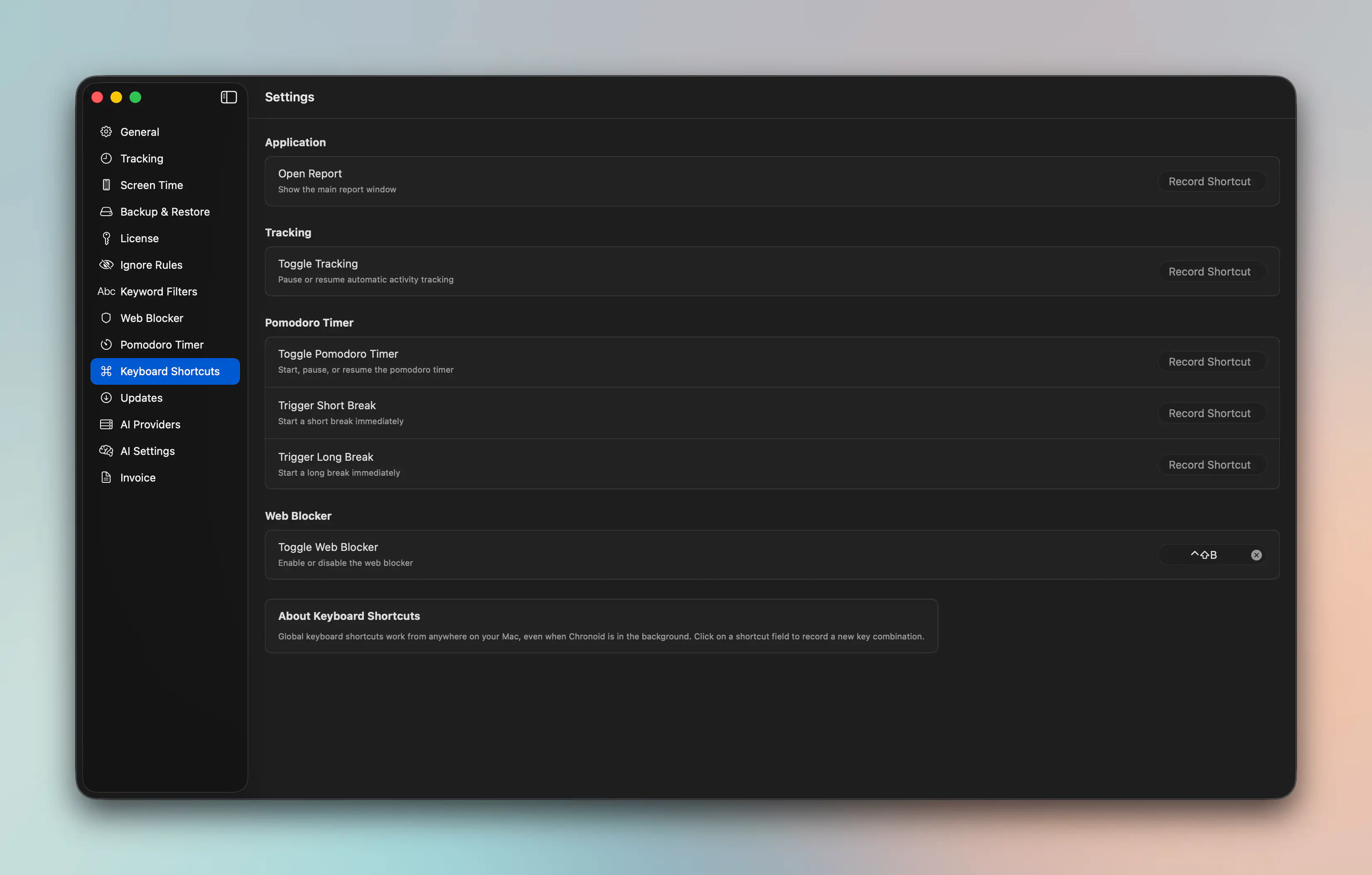
Available Global Shortcuts
Application
- Open Report to show the main report window from anywhere
Tracking
- Toggle Tracking to pause or resume automatic activity tracking
Pomodoro Timer
- Toggle Pomodoro Timer to start, pause, or resume a timer
- Trigger Short Break to start a short break immediately
- Trigger Long Break to start a long break immediately
Web Blocker
- Toggle Web Blocker to enable or disable blocking
How To Set A Shortcut
- Open Settings → Keyboard Shortcuts.
- Click the recorder beside the action you want.
- Press the key combination you want to use.
- Test it outside Chronoid to make sure it does not conflict with another app.
To remove a shortcut, click the recorder and clear it.
Recommended Uses
- Assign Open Report if you review reports often during the day.
- Assign Toggle Tracking if you regularly pause tracking for private or off-the-clock work.
- Assign Toggle Pomodoro Timer if you start focus sessions throughout the day.
Notes
- Global shortcuts must be unique enough to avoid conflicts with macOS or other apps.
- Chronoid records these shortcuts immediately, so changes take effect as soon as you finish recording them.
For help, email support@chronoid.app