Ignore Rules
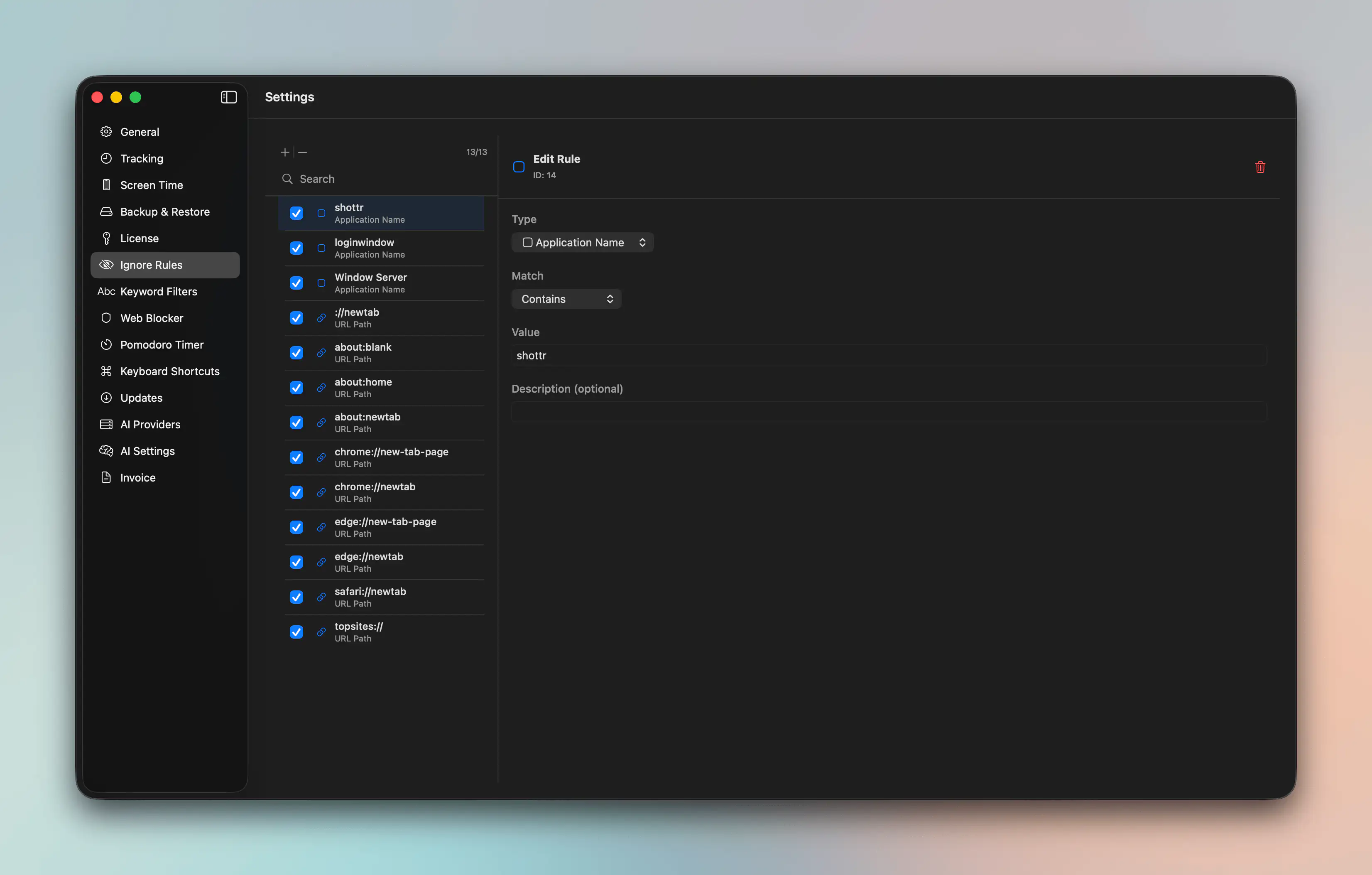
Ignore Rules let you tell Chronoid which activity patterns should be excluded from normal tracking workflows or treated as non-work noise.
When To Use Ignore Rules
Ignore Rules are useful for:
- system utilities you never want to analyze
- noisy background tools
- websites or apps that would otherwise pollute reports
- recurring private or non-work activity you do not want to manage manually
How They Relate To Other Rules
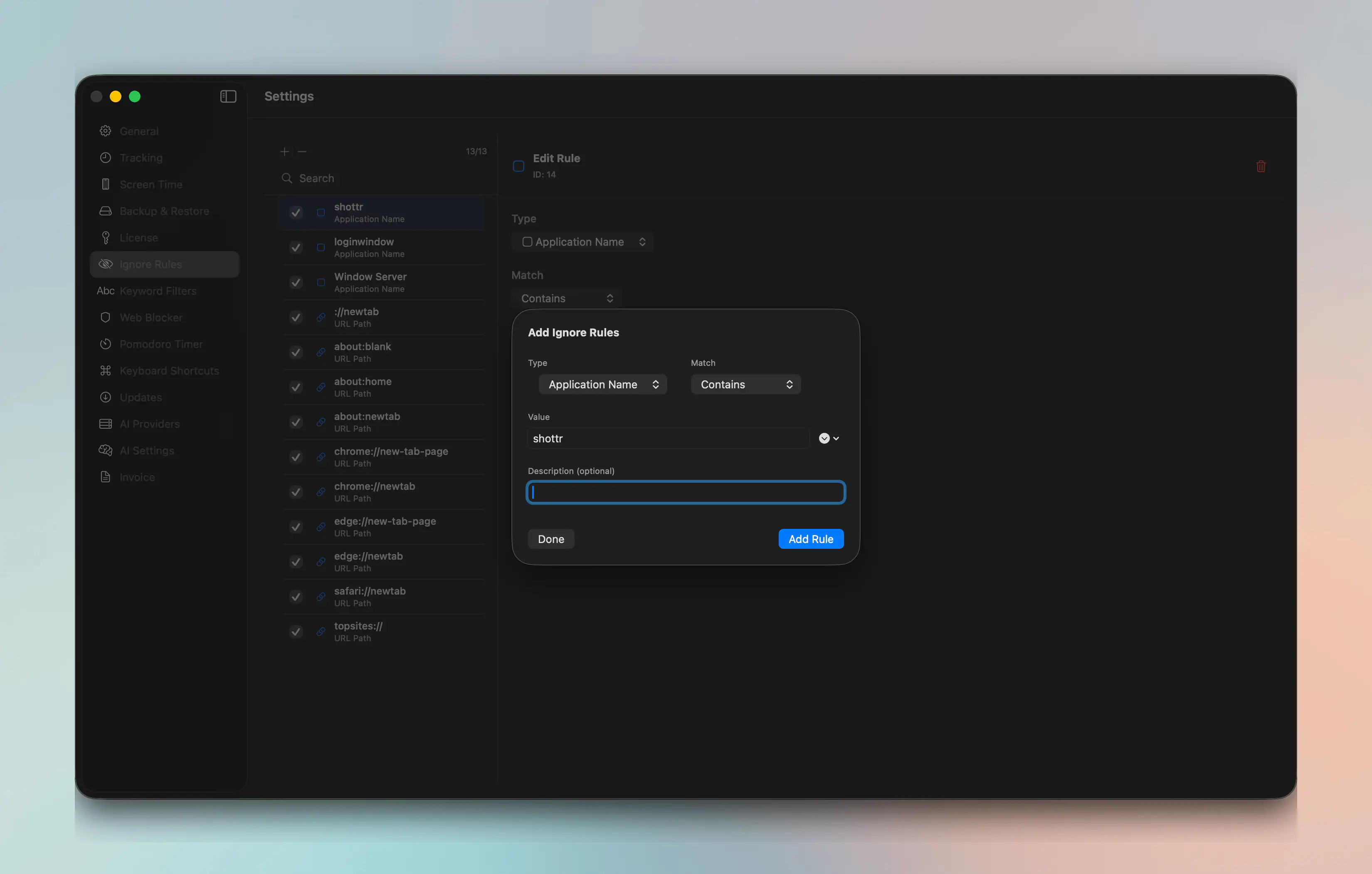
Ignore Rules use the same core rule concepts as the broader rules engine, including condition types like app names, domains, paths, and URLs.
For the underlying rule model, see Rules.
Typical Workflow
- Open Settings → Ignore Rules.
- Add a rule for the app, domain, path, or keyword you want ignored.
- Save the rule and review whether future activity is handled the way you expect.
Tips
- Start narrow before adding broad ignore patterns.
- Prefer specific domains or full URLs over generic keywords when privacy and accuracy matter.
- Revisit ignore rules occasionally so they still match your current workflow.
For help, email support@chronoid.app